
Fortinet white logo
Fortinet white logo

New Features

Legal third party disclosure panel

Legal third party disclosure panel

A Legal Third Party panel is added to the GUI, providing a searchable and exportable list of all third-party software used in FortiOS, along with their required licenses, license terms, and version information. This centralizes all third-party licensing details in one single, easily accessible location.

To access and use the third-party software list:
  1. Select the user name > System > Legal Third Party to open the Included Third Party Software list.
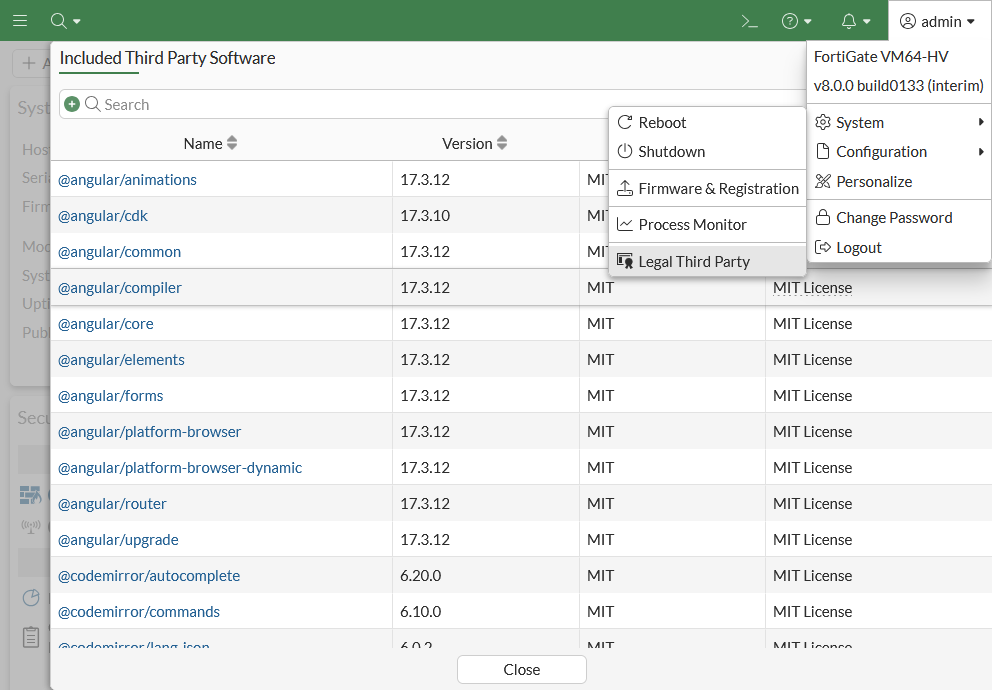
  2. Hover over the License terms field to display additional information about the license terms.
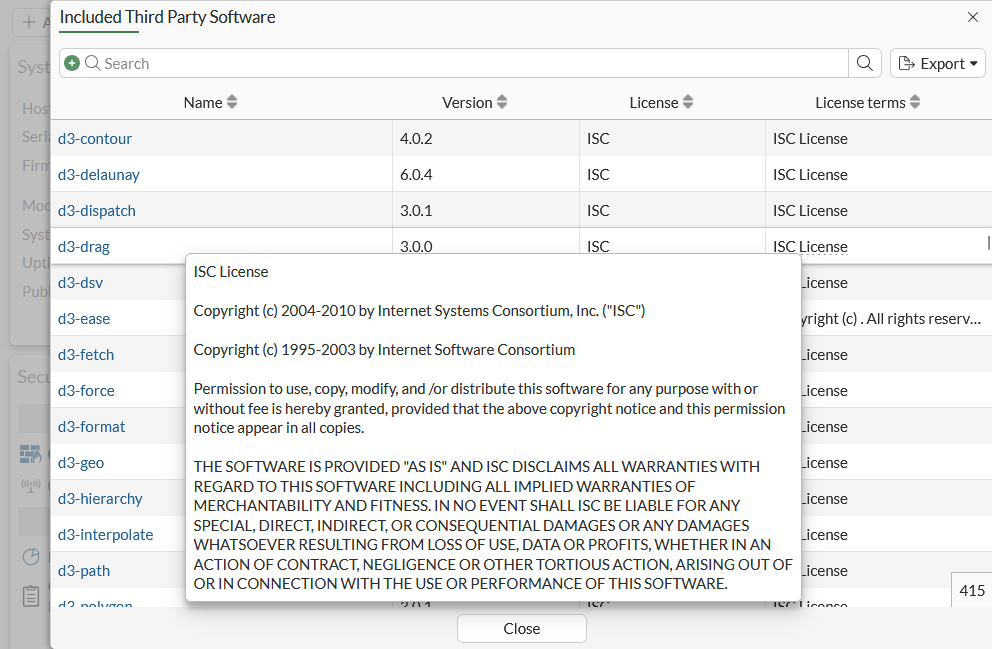
  3. Click Export to export the list in CSV or JSON format.

  4. Click on the third party software name to open that product's information page in your browser.

Legal third party disclosure panel

Legal third party disclosure panel

A Legal Third Party panel is added to the GUI, providing a searchable and exportable list of all third-party software used in FortiOS, along with their required licenses, license terms, and version information. This centralizes all third-party licensing details in one single, easily accessible location.

To access and use the third-party software list:
  1. Select the user name > System > Legal Third Party to open the Included Third Party Software list.

  2. Hover over the License terms field to display additional information about the license terms.

  3. Click Export to export the list in CSV or JSON format.

  4. Click on the third party software name to open that product's information page in your browser.