

Cloud-based Fabric Feed synchronization
Introducing Fabric Feed, an improvement to the existing external feeds feature, which is formerly known as threat feeds. This update lets FortiAnalyzer upload Fabric Feeds directly to the Cloud AMQP server. Once uploaded, these feeds are automatically synchronized with FortiGate devices linked to the same FortiCare account. This enhancement introduces a centralized, cloud-native approach to distributing feed intelligence, improving operational efficiency and consistency across the Security Fabric.
CLI syntax
The config system external-resource command includes new default external resources that are disabled by default and have update-method set to fortimq:
config system external-resource
    edit "IP_Blocked_by_Fabric_SecOps"
        set uuid 495e0cb0-3d94-51f0-7ec7-f0ff45079b48
        set status disable
        set type address
        set update-method fortimq
    next
    edit "Domain_Blocked_by_Fabric_SecOps"
        set uuid 495e126e-3d94-51f0-755a-1240f7ba7742
        set status disable
        set type domain
        set update-method fortimq
    next
    edit "URL_Blocked_by_Fabric_SecOps"
        set uuid 495e1430-3d94-51f0-b321-be7c2ba63e2c
        set status disable
        set update-method fortimq
    next
    edit "MAC_Blocked_by_Fabric_SecOps"
        set uuid 495e15ca-3d94-51f0-ff6a-5d03040d6215
        set status disable
        set type mac-address
        set update-method fortimq
    next
|
Option |
Description |
|---|---|
|
|
Edit resource. The following default external resources are available and disabled by default:
Each type of external resource can only be enabled once for each VDOM. |
|
|
Enable/disable user resource. |
|
|
External resource update method.
|
GUI configuration
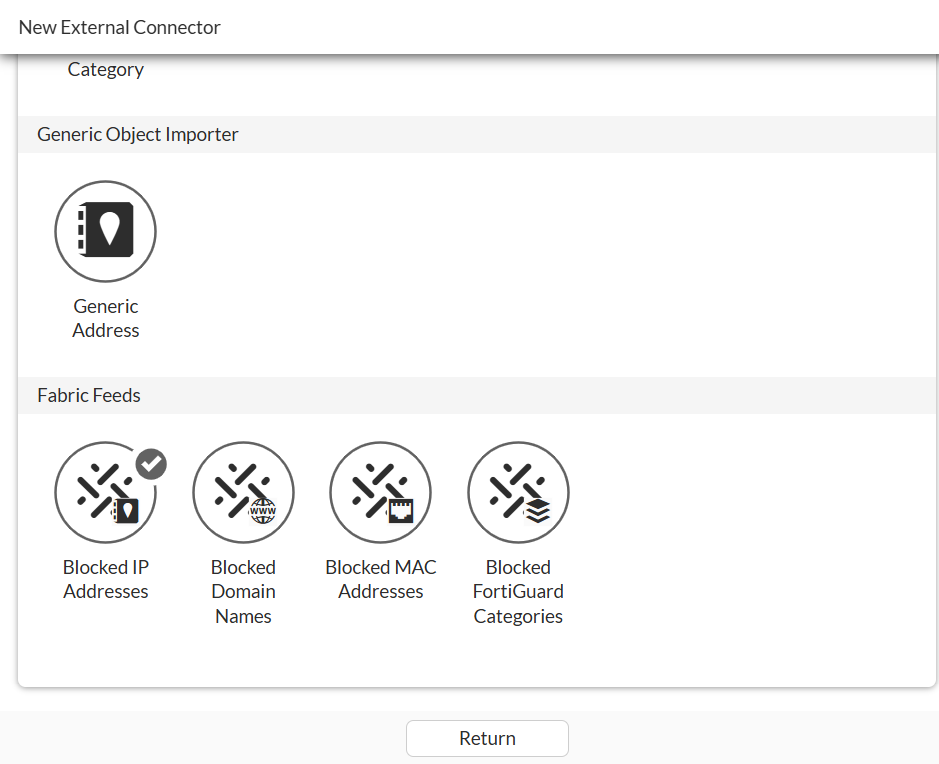
On the Security Fabric > External Connectors pane, click Create New to access and enable one or more Fabric Feeds.
Scope and limitations
FortiAnalyzer 8.0.0 and later is required.
Example
This example describes how to enable and use FortiMQ with FortiAnalyzer and FortiGate. Following is the high-level procedure:
-
On FortiAnalyzer, enable the FortiMQ connector and define indicators for the block list. See Enabling FortiMQ on FortiAnalyzer.
-
On FortiGate, enable Fabric Feeds using the GUI or CLI. See Enabling Fabric Feeds on FortiGate.
After FortiGate synchronizes Fabric Feeds with FortiMQ server, the Fabric Feeds are ready to use. Apply Fabric Feeds to a firewall policy for use in blocking traffic and view the results in traffic logs.
Enabling FortiMQ on FortiAnalyzer
To enable the FortiMQ connector on FortiAnalyzer:
-
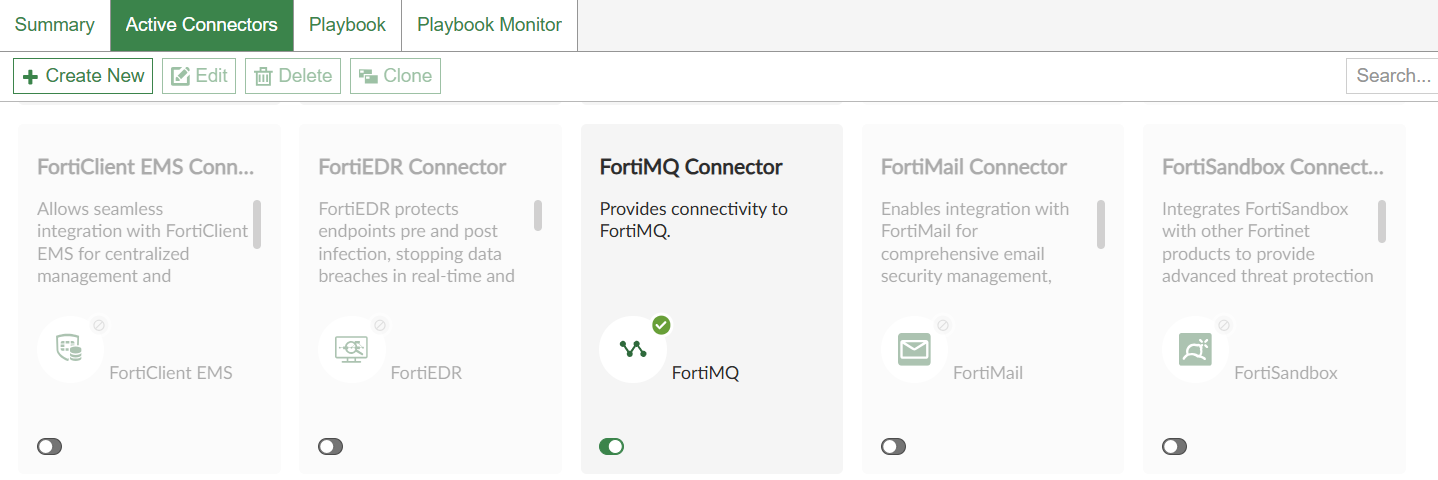
On FortiAnalyzer, go to Incidents & Events > Automation, and enable the FortiMQ Connector.
-
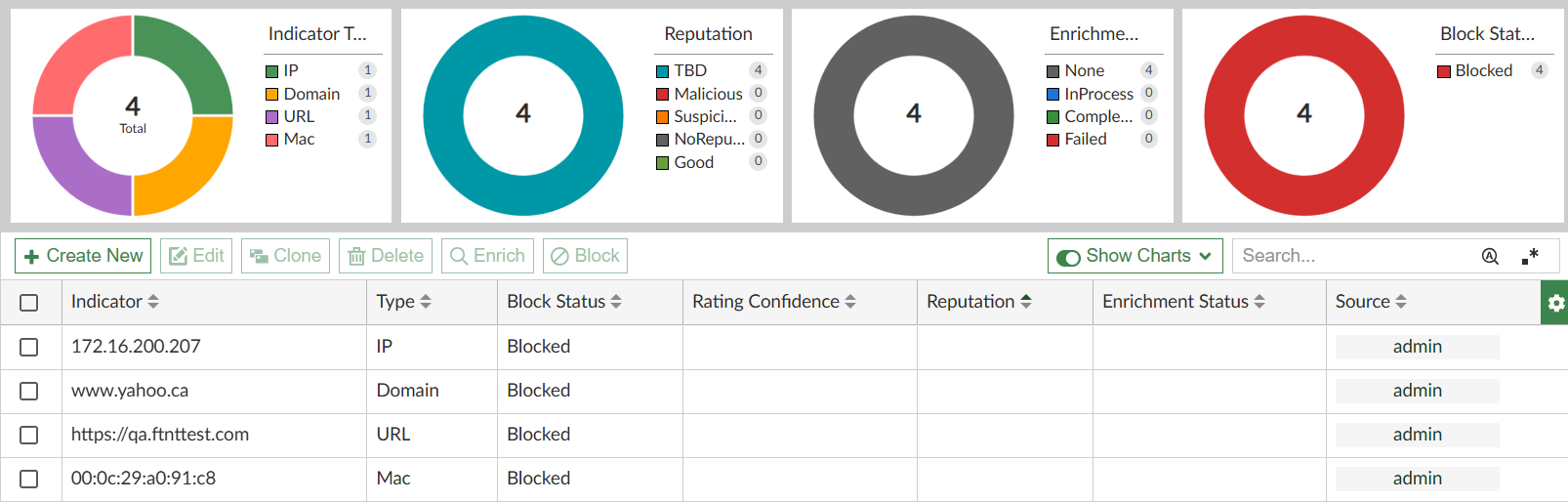
Go to Indicators to define indicators and their block status. The following types of indicators are supported: Domain, URL, IP, and MAC address.
-
Go to FortiGate and enable Fabric Feeds using the GUI or CLI. See Enabling Fabric Feeds on FortiGate.
Enabling Fabric Feeds on FortiGate
After the FortiMQ connector is enabled on FortiAnalyzer and indicators defined, you must enable Fabric Feeds on FortiGate to use the FortiAnalyzer indicators. Fabric Feeds can be enabled using the the GUI or CLI.
To enable Fabric Feeds in the FortiGate GUI:
-
On FortiGate, enable Fabric Feeds:
-
Go to Security Fabric > External Connectors pane, and click Create New.
-
Under Fabric Feeds, select a Fabric Feed and click OK to enable it.
-
Repeat this step to enable additional Fabric Feeds.
-
-
After synchronizing with the FortiMQ Cloud server, the Fabric Feeds are available on the Security Fabric > External Connectors pane and ready to use:

-
IP Address Fabric Feeds and MAC Address Fabric Feeds can be applied directly to a policy.
For Domain Name Fabric Feeds, a DNS Filter profile is required.
For Category Fabric Feeds, a Web Filter profile is required.
In the Remote Categories section of the corresponding DNS or Web Filter profile, set the Fabric Feed action, such as Block, Monitor, or Warning, as required. After that, apply the appropriate profile to a policy to enforce the feed.
Remote Categories fall under the FortiGuard Category Based Filter, and this feature must be enabled for them to function. It is recommended to avoid using the Allow action for remote categories, as it will not override the original action defined in the FortiGuard Category Based Filter. In contrast, actions such as Block or Monitor can override the original action specified in the FortiGuard Category Based Filter.
-
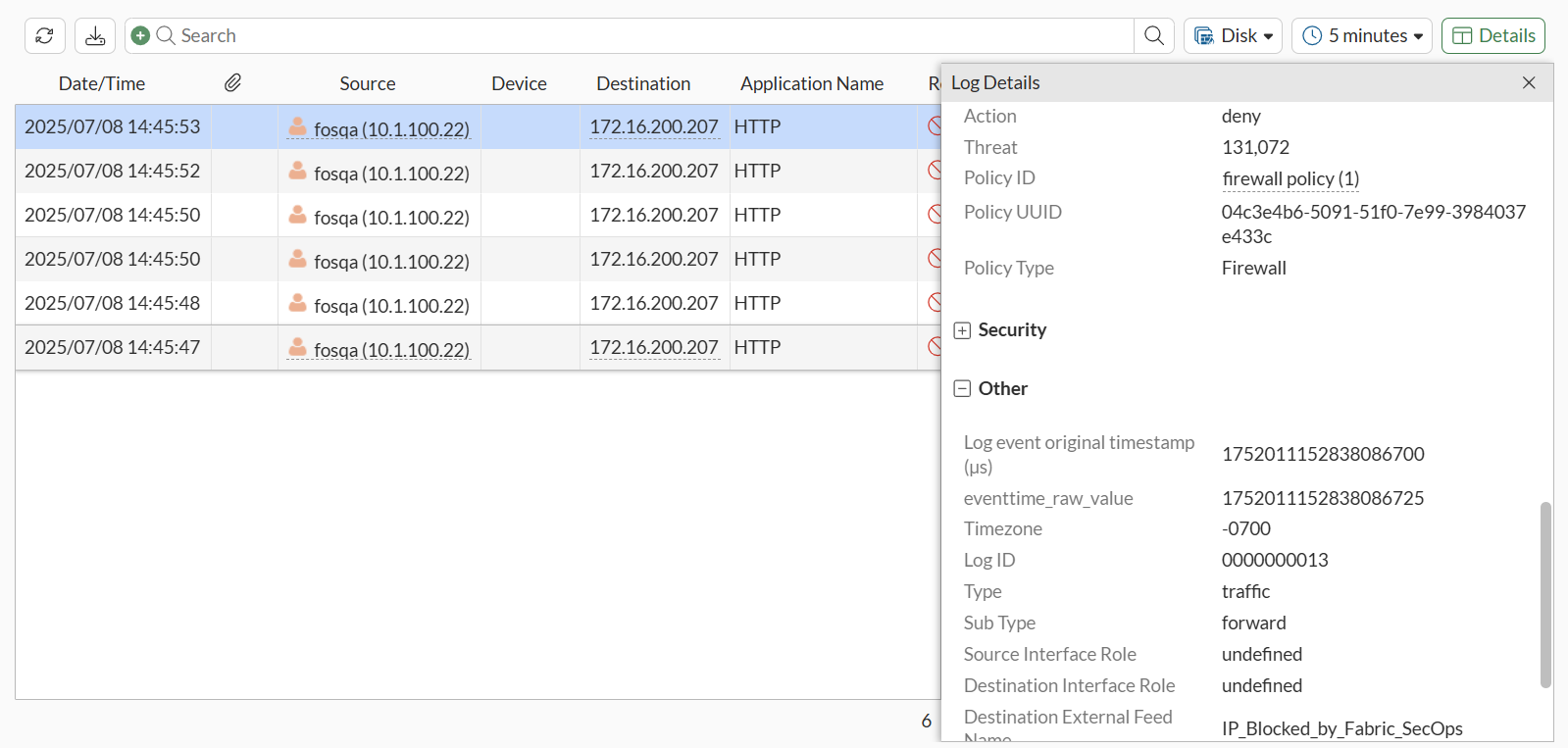
Go to Log & Report > Forward Traffic and view the logs.
To enable Fabric Feeds in the CLI:
-
On FortiGate, enable the default Fabric Feeds (also known as external resources) that correspond to the FortiAnalyzer indicators.
FortiAnalyzer indicator
FortiGate default Fabric Feed
Domain
Domain_Blocked_by_Fabric_SecOps
URL
URL_Blocked_by_Fabric_SecOps
IP
IP_Blocked_by_Fabric_SecOps
MAC address
MAC_Blocked_by_Fabric_SecOps
In this example, all default Fabric Feeds are enabled.
config system external-resource edit "IP_Blocked_by_Fabric_SecOps" set uuid 495e0cb0-3d94-51f0-7ec7-f0ff45079b48 set status enable set type address set update-method fortimq next edit "Domain_Blocked_by_Fabric_SecOps" set uuid 495e126e-3d94-51f0-755a-1240f7ba7742 set status enable set type domain set update-method fortimq next edit "URL_Blocked_by_Fabric_SecOps" set uuid 495e1430-3d94-51f0-b321-be7c2ba63e2c set status enable set update-method fortimq next edit "MAC_Blocked_by_Fabric_SecOps" set uuid 495e15ca-3d94-51f0-ff6a-5d03040d6215 set status enable set type mac-address set update-method fortimq next -
After synchronizing with the FortiMQ Cloud server, the Fabric Feeds are ready to use.
-
Apply the Fabric Feeds to a policy.
-
View the logs.
Following is an example of a log of traffic blocked by the Fabric Feed.
4: date=2025-07-08 time=15:37:54 eventtime=1752014274607868096 tz="-0700" logid="0000000013" type="traffic" subtype="forward" level="notice" vd="vdom1" srcip=10.1.100.22 srcport=33532 srcintf="port2" srcintfrole="undefined" dstip=172.16.200.207 dstport=80 dstintf="port1" dstintfrole="undefined" dstthreatfeed="IP_Blocked_by_Fabric_SecOps" srccountry="Reserved" dstcountry="Reserved" sessionid=105067 proto=6 action="deny" policyid=1 policytype="policy" poluuid="04c3e4b6-5091-51f0-7e99-3984037e433c" policyname="firewall policy" service="HTTP" trandisp="noop" appcat="unscanned" duration=0 sentbyte=0 rcvdbyte=0 sentpkt=0 rcvdpkt=0 fctuid="F56F1D334C0B4CF599F47C9B4F013EDE" unauthuser="fosqa" unauthusersource="forticlient" srcremote=172.18.62.231 crscore=30 craction=131072 crlevel="high"