

FortiGuard filter rating servers NEW
FortiGuard rating servers are selected based on fastest round-trip time (RTT).
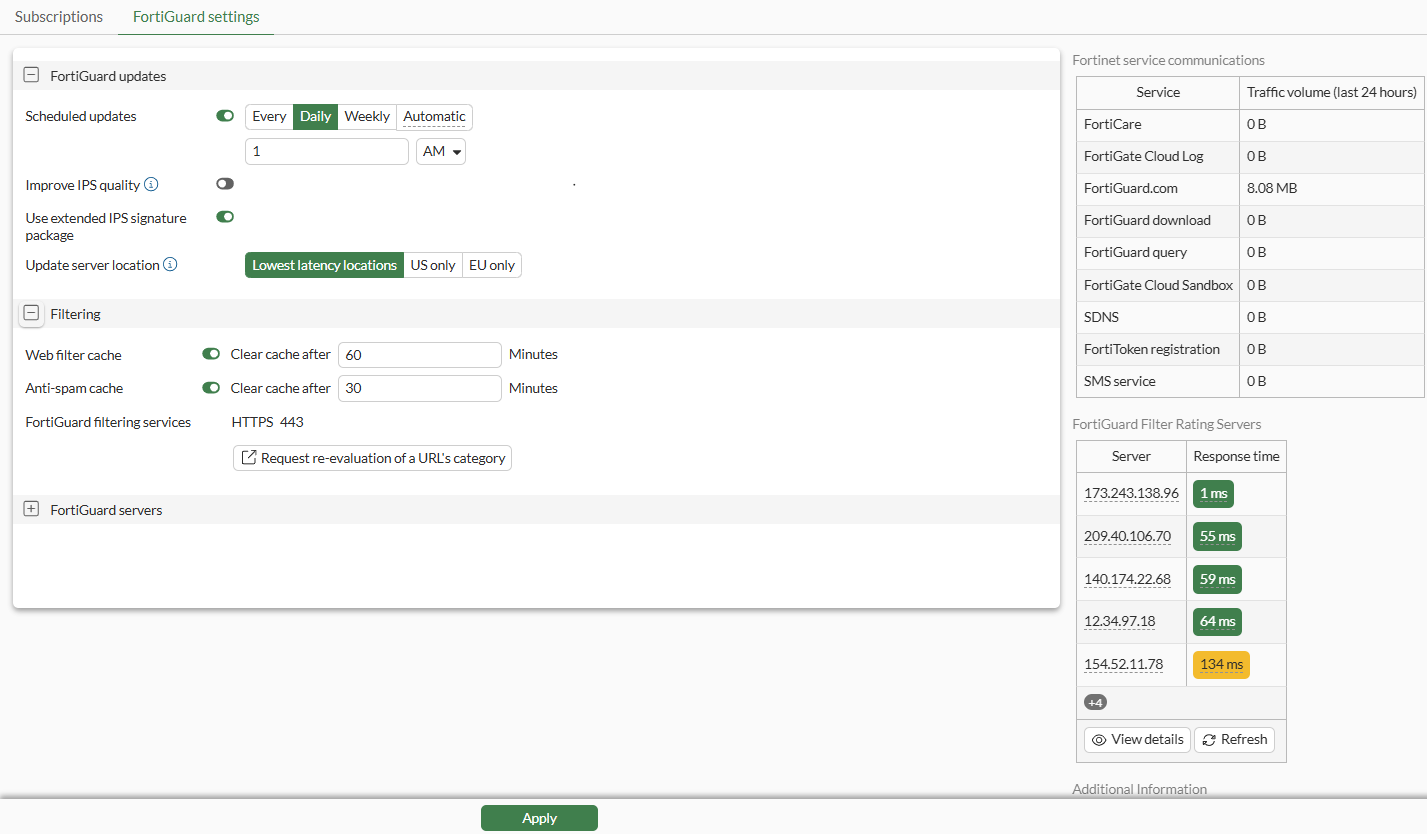
On the System > Settings > FortiGuard > FortiGuard settings page, the FortiGuard Filter Ratings Servers table communicates connection status to filter rating servers. Click the View details button to view the same information available with the diagnose debug rating command.
To view connectivity status:
-
Go to System > FortiGuard > FortiGuard settings.
-
In the right-side gutter, the FortiGuard Filter Rating Servers displays connectivity information for each server in the following columns:
-
Server: Displays the IP address for each server.
-
Response time: Displays a color-coded round-trip time.
The colors in the Response time column indicate latency:
-
Green: Indicates less than or equal to 100 ms.
-
Yellow: Indicates 101 - 200 ms.
-
Red: Indicates 201 ms and higher.
-
-
Click Refresh for the latest connectivity information.
-
Click View Details. The following columns of information are displayed:
The same information can be viewed with the
diagnose debug ratingcommand.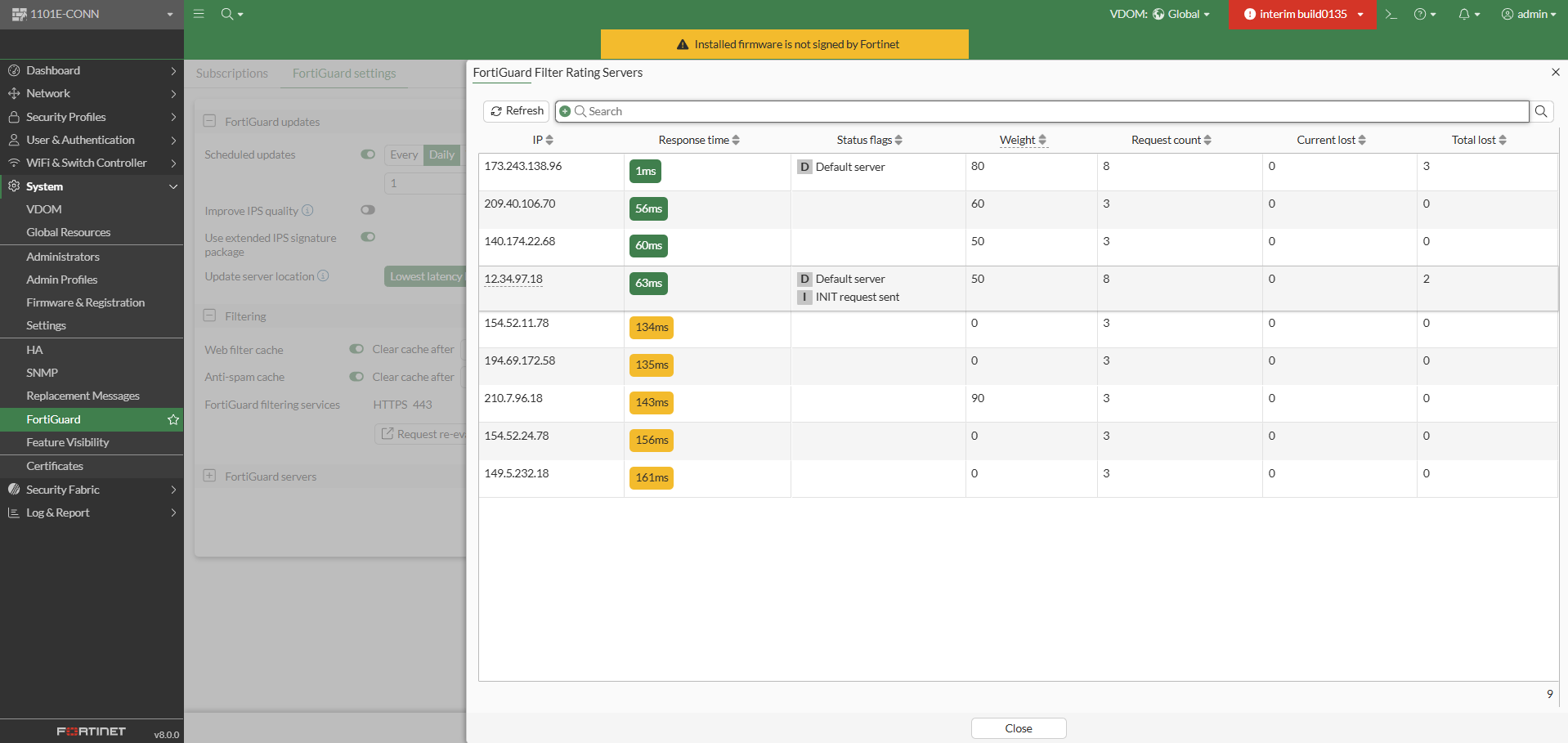
Column
Description
IP
Displays the IP address for each server.
Response time
Displays a color-coded round-trip time. Used to select a server.
Status flags
Indicates the server status:
D: Indicates the server was found through the DNS lookup of the hostname. If the hostname returns more than one IP address, all of the IP addresses are D
I: Indicates the server to which the last INIT request was sent.
F: The server has not responded to requests and is considered to have failed.
T: The server is currently being timed.
Weight
Displays the calculated weight of the server. The starting weight of a server is 0 (in Anycast setups) or the time zone difference #10 (in unicast setups). The weight goes up when the requests fail and down when they succeed, and the starting weight is used as the minimum for that IP.
Request count
The number of requests from FortiGate to the server.
Current lost
The number of recent and consecutive queries without reply.
Total lost
The historical total number of queries without reply. The values reset when the device restarts.
-
Click Close.