Forward Traffic log page NEW
The Log & Report > Forward Traffic page includes a Log Details pane with summary panel. The summary panel shows the log timestamp, policy name, and a summary of security events with hover-enabled tooltips and access to quick actions.
The summary panel:
-
Is available for Memory, Disk, FortiAnalyzer, and FortiGate Cloud log sources.
For FortiGate Cloud log source, the summary panel will always display No security events found because forward traffic logs from FortiGate Cloud do not contain the utmref field, which is necessary for populating security event data.
-
Is only available in Log Details when the selected log has security events associated with it
-
Only displays for non-implicit deny policy logs
To view the summary in Log Details:
-
Go to Log & Report > Forward Traffic.
-
Set the log source to Memory, Disk, or FortiAnalyzer.
-
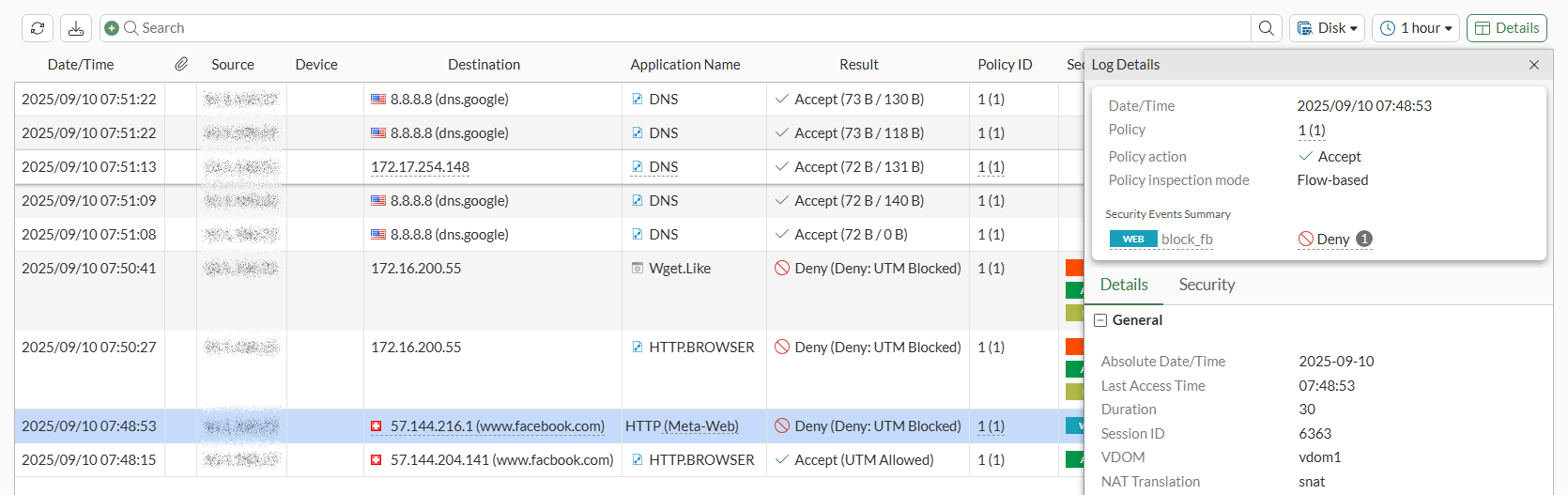
Select a UTM log entry, and click Details. The Log Details pane is displayed with a summary panel at the top:
Option
Description
Date/Time
Date and time of the log entry
Policy
Name of the policy used
Policy action
Policy action (Accept or Deny)
Policy inspection mode
Policy inspection mode (Flow-based or Proxy-based)
Security Events Summary
Lists the type and name of the security profile(s) used, final action (Allow or Deny), and the number of security event logs for the event.
If the same security profile has multiple security events, and if at least one (1) of the events is categorized as Deny, then the final action is Deny, and the number bubble indicates the number of deny logs out of the total logs.
In the Security Events Summary section:
-
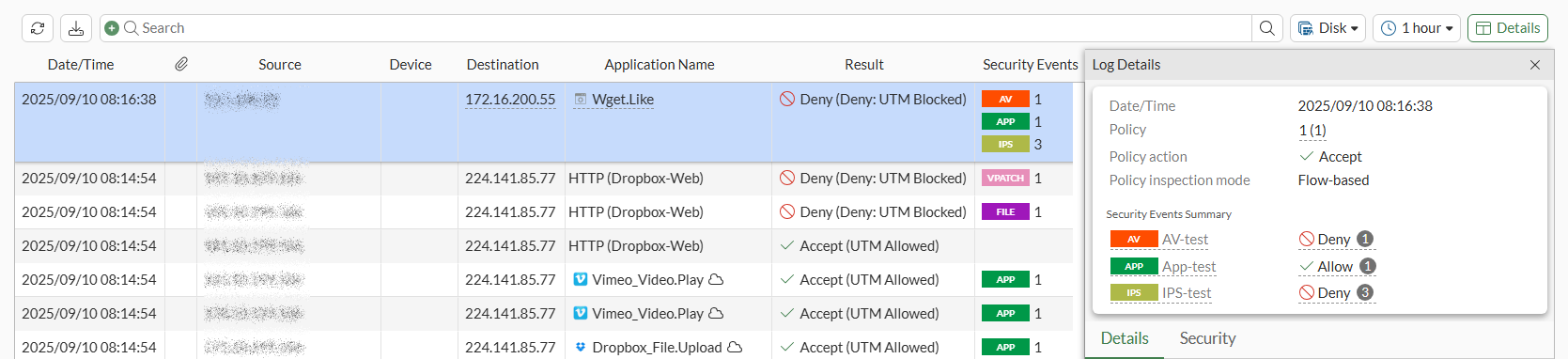
When multiple security profiles (for example, APP, AV, and IPS) log security events, all security profile names and the final action (Allow or Deny) are displayed. The number bubble indicates how many security event logs are available for the event.
In this example, multiple profiles (AV, APP, and IPS) logged security events, and each has one (1) security event log, except for IPS, which has three (3):
-
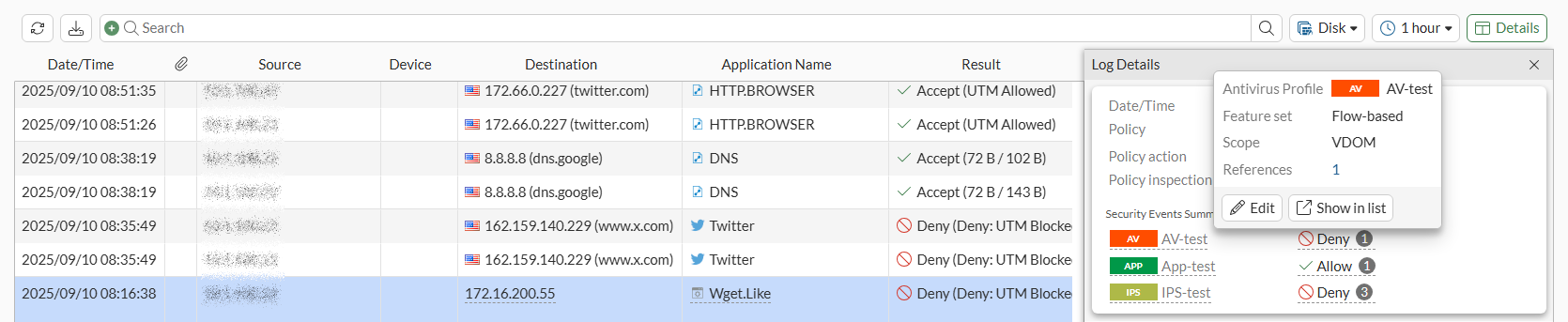
Hover over any security profile to display a tooltip of information and access the Edit and Show in list buttons:
-
When multiple security events are listed for the same security profile, the final verdict is Deny, if at least one of the events is categorized as Deny. More information about the deny logs is available on the Security tab.
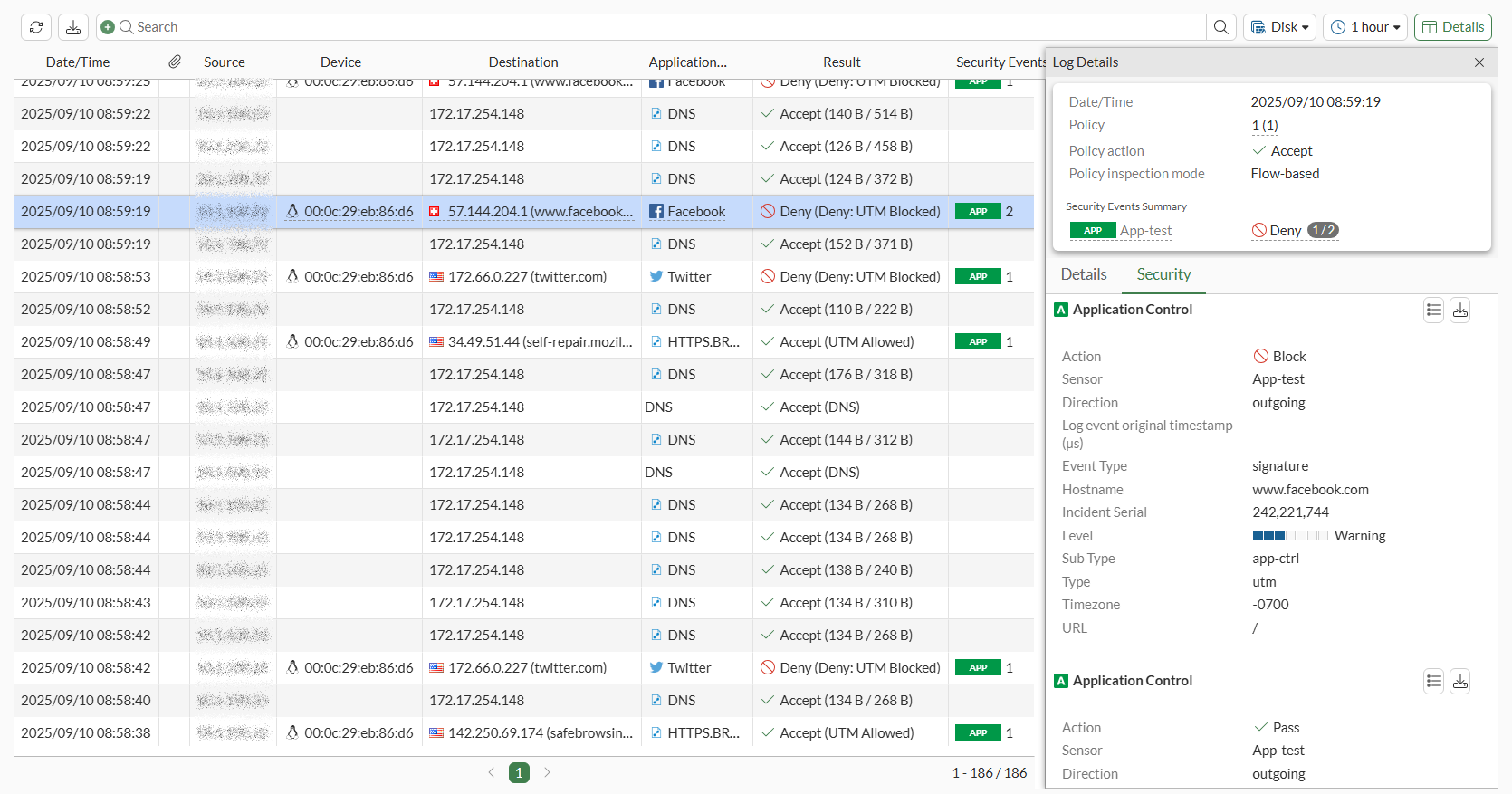
-
Hover over the number bubble. A tooltip displays how the number of denied logs and Go to security tab for more details.

If any event has multiple logs with same security profile, but all logs are with same action (Allow or Deny), then the tooltip for the number bubble only displays Go to security tab for more details.
-
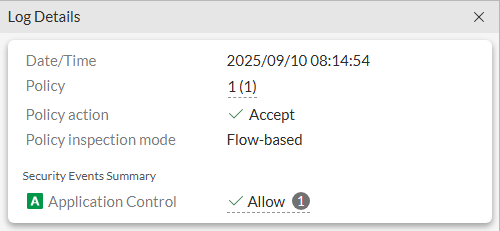
When the security profile no longer exists, then the Security Events Summary section displays the generic security event name of Application Control.