Expanded support for Advanced Threat Protection Statistics widget
The Advanced Threat Protection Statistics (ATP) widget has been improved to provide per VDOM functionality, more data source options, and enhanced user interactivity.
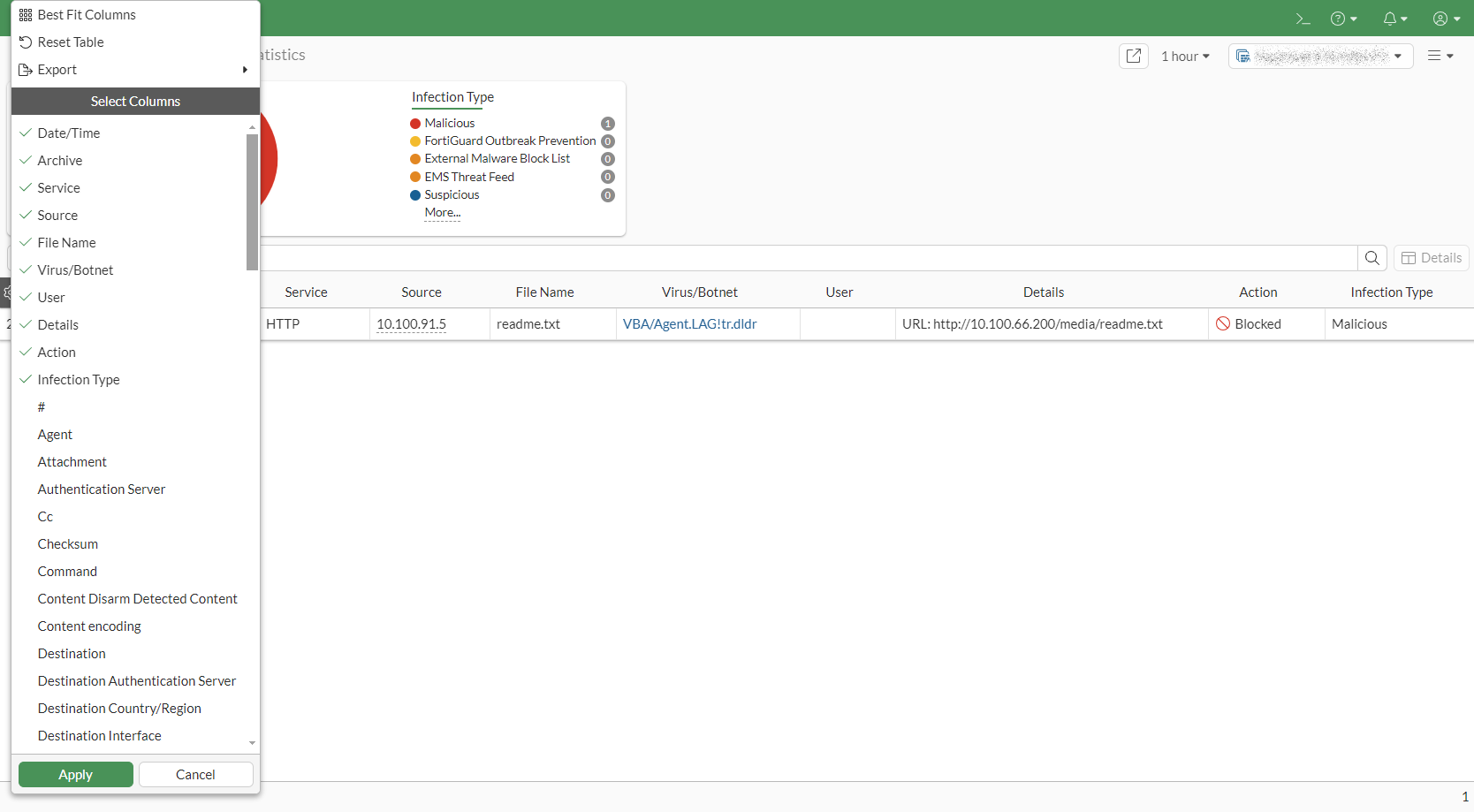
The ATP widget now uses FortiView stats for data, allows time frame selection, offers expanded views with antivirus logs and supports log device settings. These improvements aim to provide users with more detailed and customizable threat protection statistics.

|
Since the ATP widget was only available as a global setting before firmware version 7.6.0 after upgrading from version 7.4.x to 7.6.0, users need to add this widget per VDOM, if desired. FortiGate models without an HDD will not have the ATP widget available after upgrading to 7.6.0 firmware. Since the ATP widget used shared memory before, upgrading to 7.6.0 will first attempt to use HDD before FortiAnalyzer and FortiGate Cloud becomes available as data source. |
To add the ATP widget to the Dashboard:
-
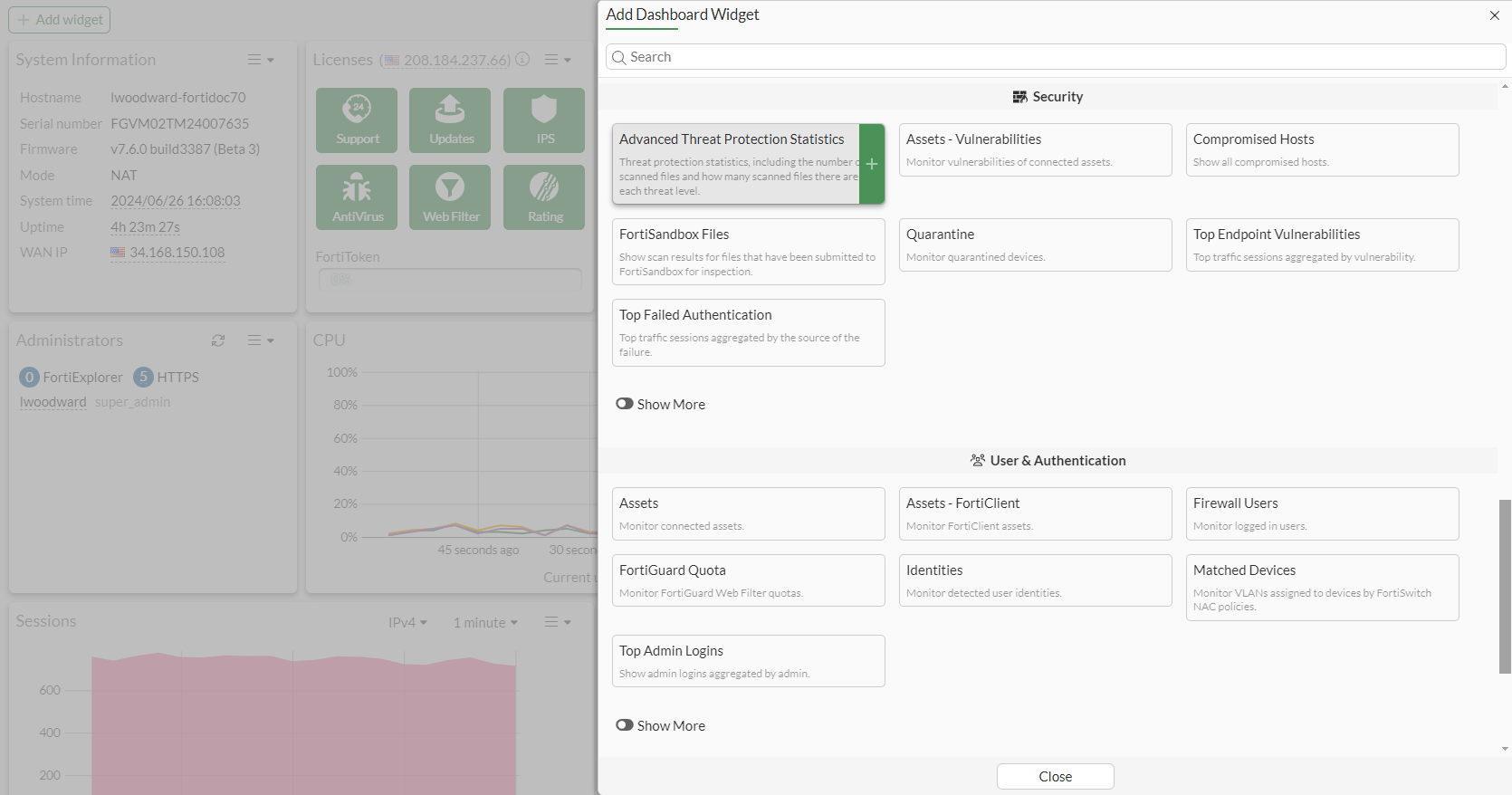
From the Dashboard > Status page, click Add Widget. The Add Dashboard Widget pane is displayed.
-
In the Security section, click Advanced Threat Protection Statistics.
-
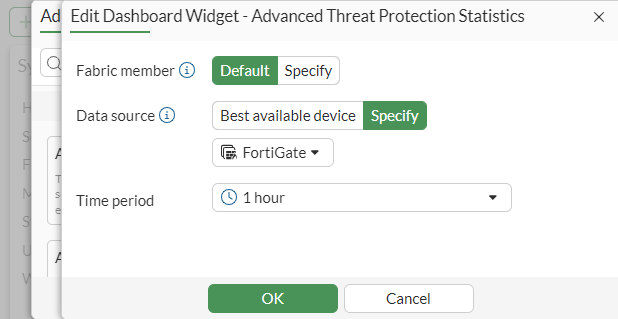
On the Edit Dashboard Widget - Advanced Threat Protection Statistics pane, select a FortiGate as the Data source and click OK.
The Advanced Threat Protection Statistics widget is added to the main dashboard.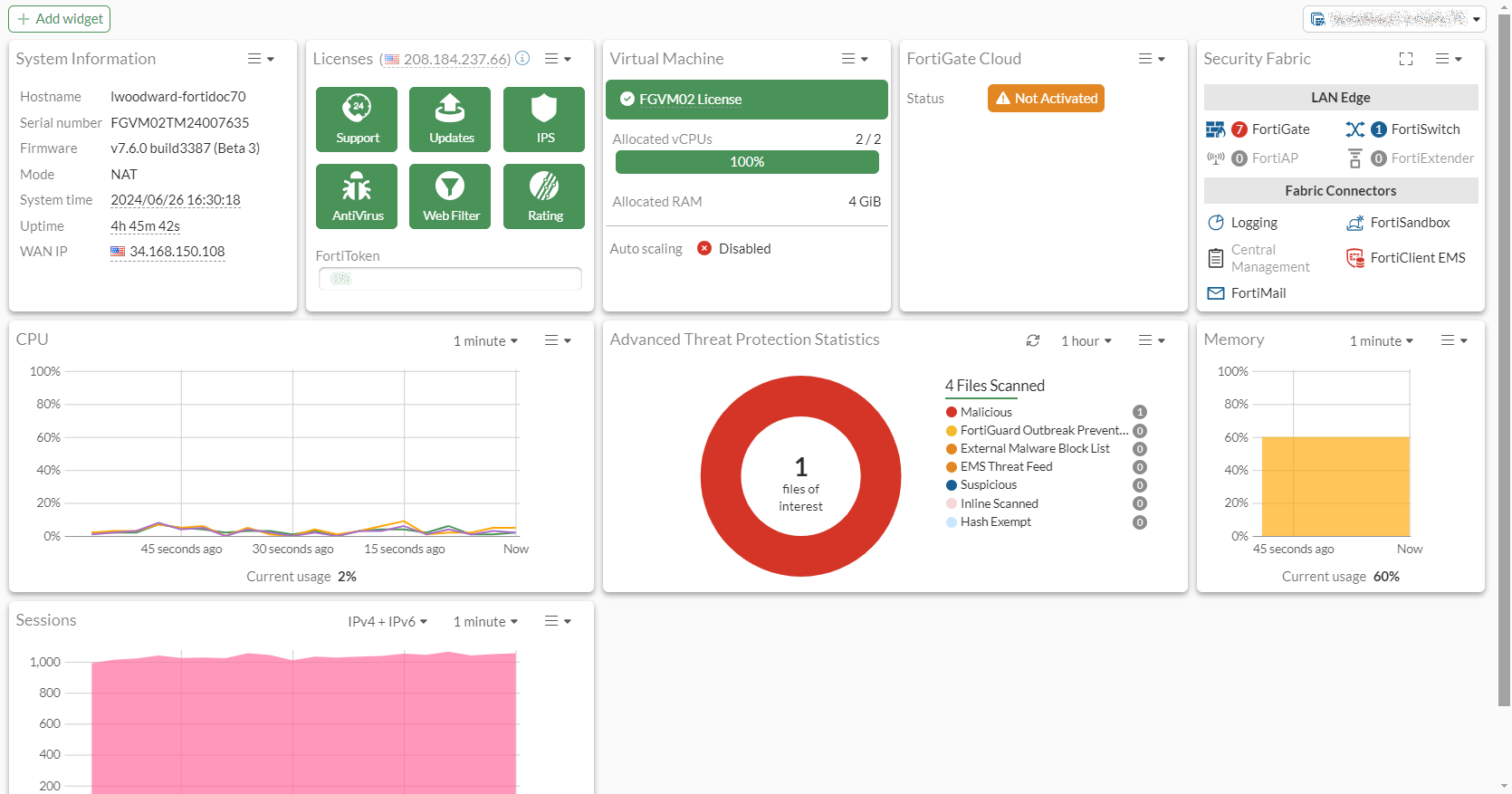
The widget can be used in various ways:
-
The ATP widget can be expanded to full screen size
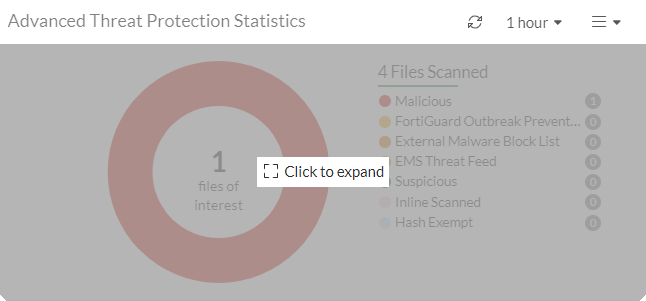
-
Displays seven categories of threat information statistics in a pie chart
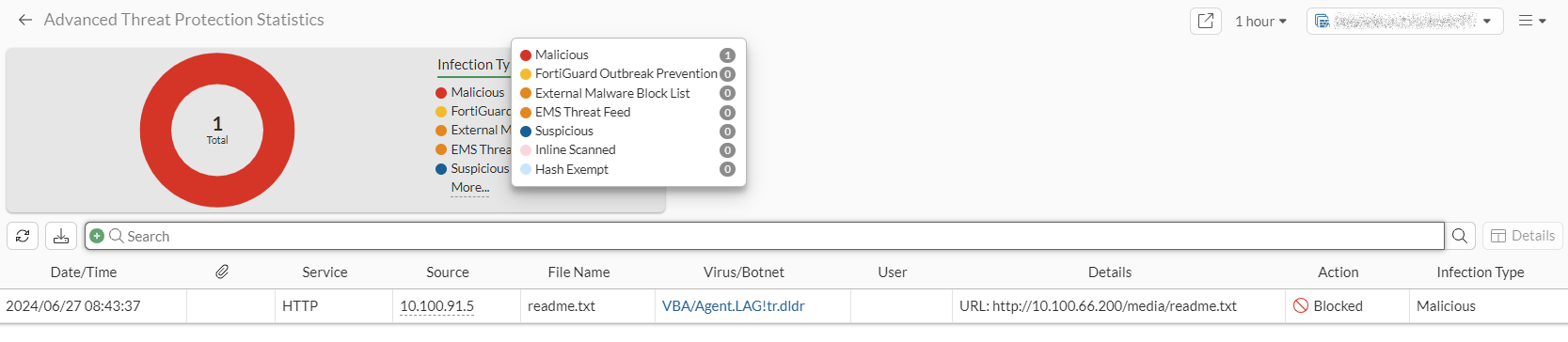
-
Each category in the pie chart can be clicked to filter on the log information for that category. For example, selecting the Malicious infection type, you can see the log entry associated with a file that was blocked.
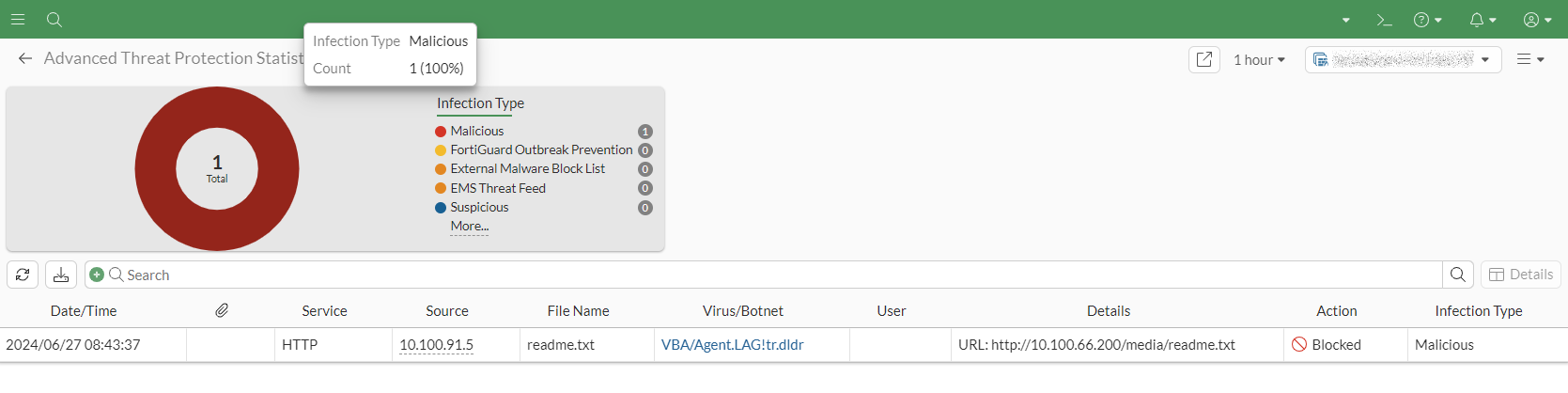
-
Logs can be downloaded for each category or all categories by clicking the Download button beside the Refresh button.
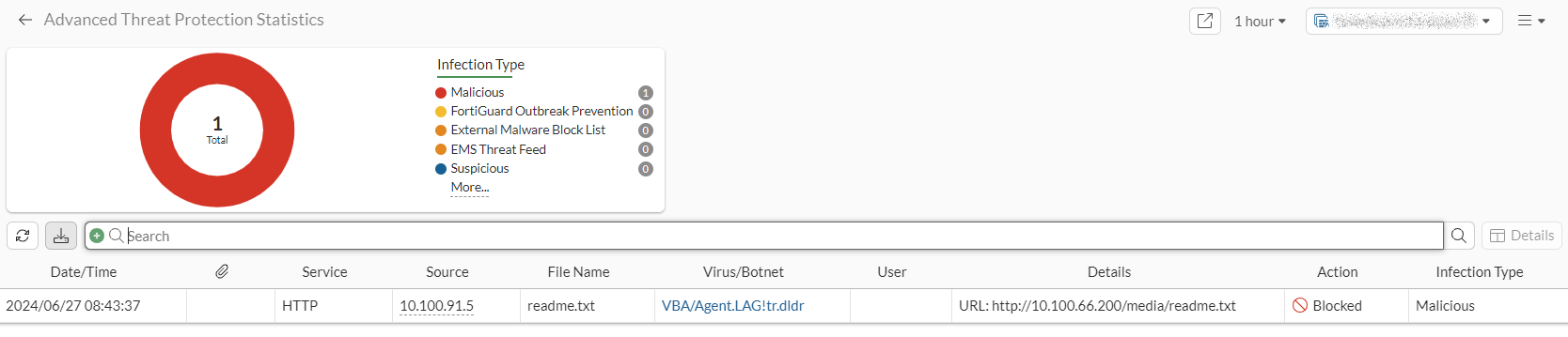
-
Tables can be customized to add or remove columns for each log