
Fortinet white logo
Fortinet white logo

Administration Guide

Device Map

Device Map

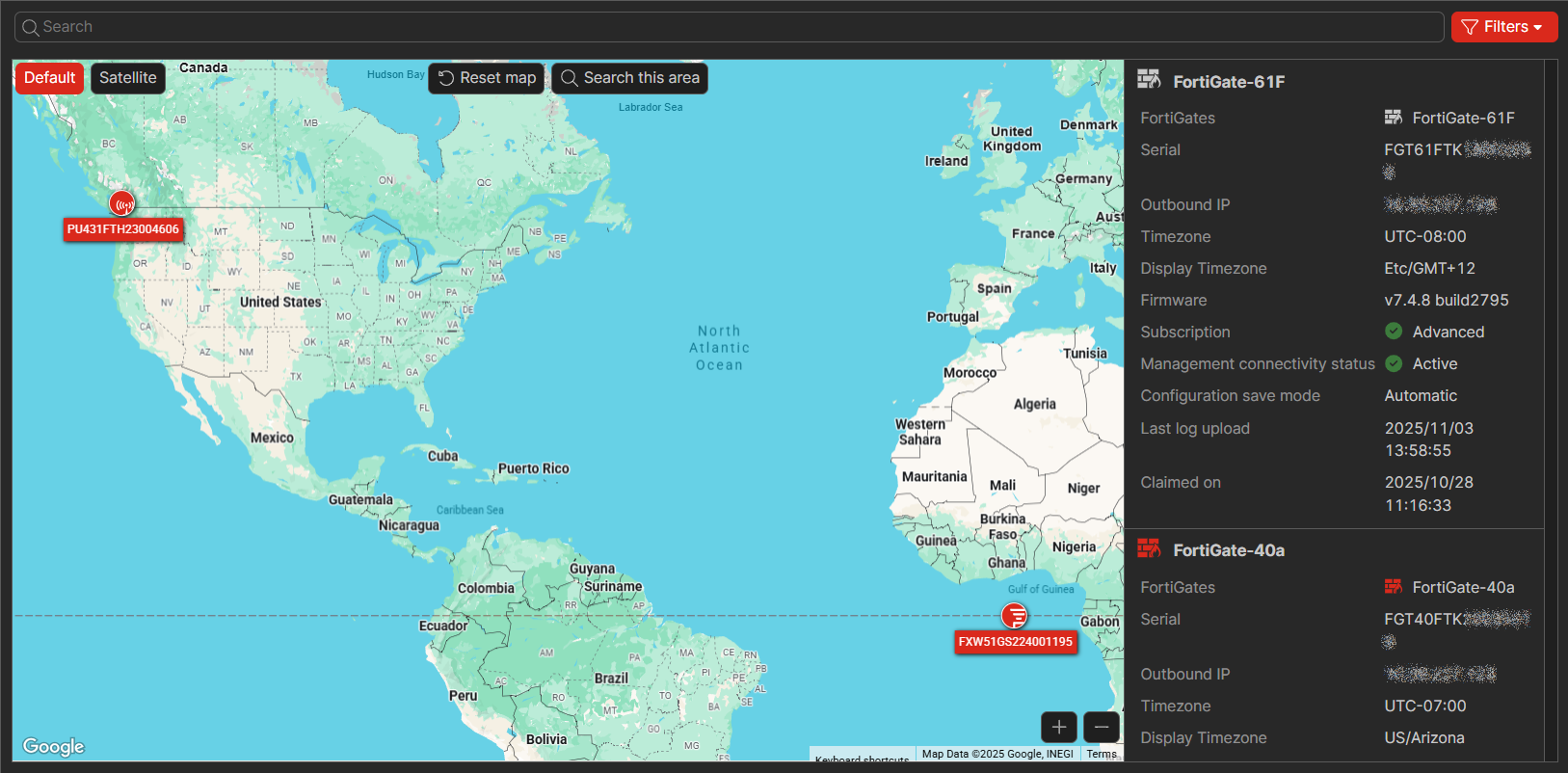
Go to Devices and Provisioning > Device Map to view provisioned devices on a map. The map shows the geographic location of each device based on assigned or user-defined coordinates.

When you assign an address to a device, the device location is set using the address coordinates. You can manually move a device icon on the map to fine‑tune its location without changing or removing the associated address. If the coordinates from an assigned address or a user-defined (drag-and-drop) location differ from coordinates configured locally on the device, the FortiGate Cloud portal uses the assigned or user-defined coordinates to determine the device’s position on the map. For information about device addresses, see Managing the device address book.

The right panel displays a list of FortiGates with information similar to the Device List. Click the Locate on map icon for a device to center the map on its location.

Use the + and buttons to zoom in and out of the map. Click Reset map to return to the global view. You can also filter the map by device type, such as displaying only FortiAPs.
Device Map

Device Map

Go to Devices and Provisioning > Device Map to view provisioned devices on a map. The map shows the geographic location of each device based on assigned or user-defined coordinates.

When you assign an address to a device, the device location is set using the address coordinates. You can manually move a device icon on the map to fine‑tune its location without changing or removing the associated address. If the coordinates from an assigned address or a user-defined (drag-and-drop) location differ from coordinates configured locally on the device, the FortiGate Cloud portal uses the assigned or user-defined coordinates to determine the device’s position on the map. For information about device addresses, see Managing the device address book.

The right panel displays a list of FortiGates with information similar to the Device List. Click the Locate on map icon for a device to center the map on its location.

Use the + and buttons to zoom in and out of the map. Click Reset map to return to the global view. You can also filter the map by device type, such as displaying only FortiAPs.