

Creating tickets for third-party configuration migration
Use this procedure to create a FortiConverter ticket to migrate a configuration from a third-party vendor to a FortiGate.
See Third-party Security Vendors Conversion for a list of supported third-party vendors.
To create a FortiConverter ticket:
-
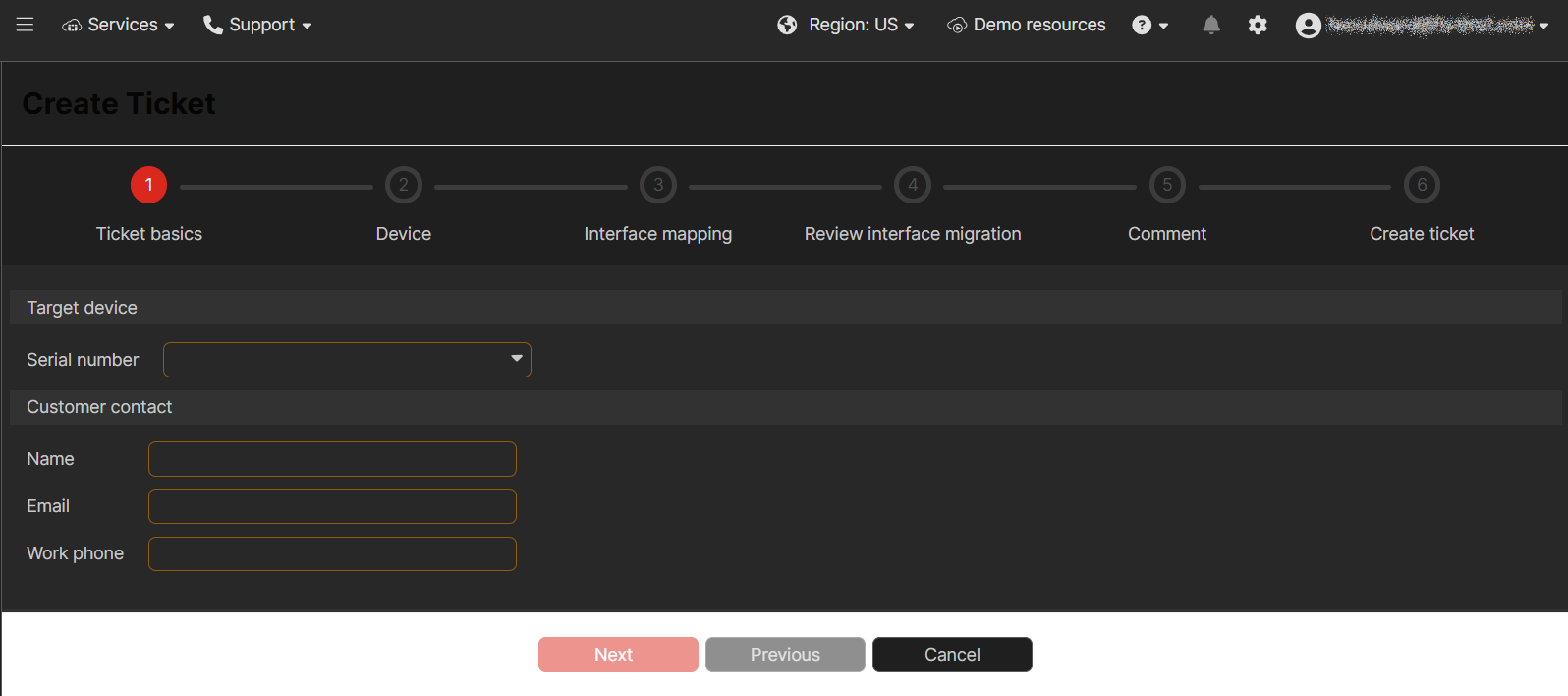
Go to FortiConverter > Tickets and click Create ticket. The Create Ticket wizard is displayed.
-
On the Ticket basics page, complete the following options and then click Next.
Option
Description
Target device
Serial number
Select the serial number of the target FortiGate.
Customer contact
Name
Your name.
Email
Your email address.
Work phone
Your work phone number.
If a FortiGate serial number is missing from the Serial Number list, confirm the missing FortiGate is registered to the same account in FortiCare. If the missing FortiGate is registered to the same FortiCare account, contact Fortinet Customer Service and Support at https://support.fortinet.com.
-
On the Device page, complete the following options and then click Next.
Option
Description
From
Config file
Click Choose File and upload an existing configuration file.
Vendor
The vendor is automatically selected based on the configuration file.
To
Target SN
Displays the serial number for the target FortiGate.
Target version
Select a target FortiOS version for the conversion.
-
On the Interface mapping page, complete the From and To mappings on each tab and then click Next.
Some tabs may be automatically populated for you.
-
Physical Interface tab
-
VDOM Link
-
802.3 Aggreate
-
EMAC VLAN
-
PPPoE
-
Redundant
-
Software Switch
-
Tunnel
-
VLAN
-
Hardware Switch
-
WiFi SSID
-
-
On the Review interface mapping page, expand each section to review the mappings and then click Next.
-
On the Comment page, optionally add a comment for the support team and then click Next.
-
On the Create ticket page, an estimated delivery date and time is displayed:
-
Click Create ticket to create the FortiConverter ticket.
-
After the ticket is created, click View Ticket Detail to display the details. See Viewing FortiConverter tickets for more information.
-