
Fortinet white logo
Fortinet white logo

Admin Guide

Endpoints

Endpoints

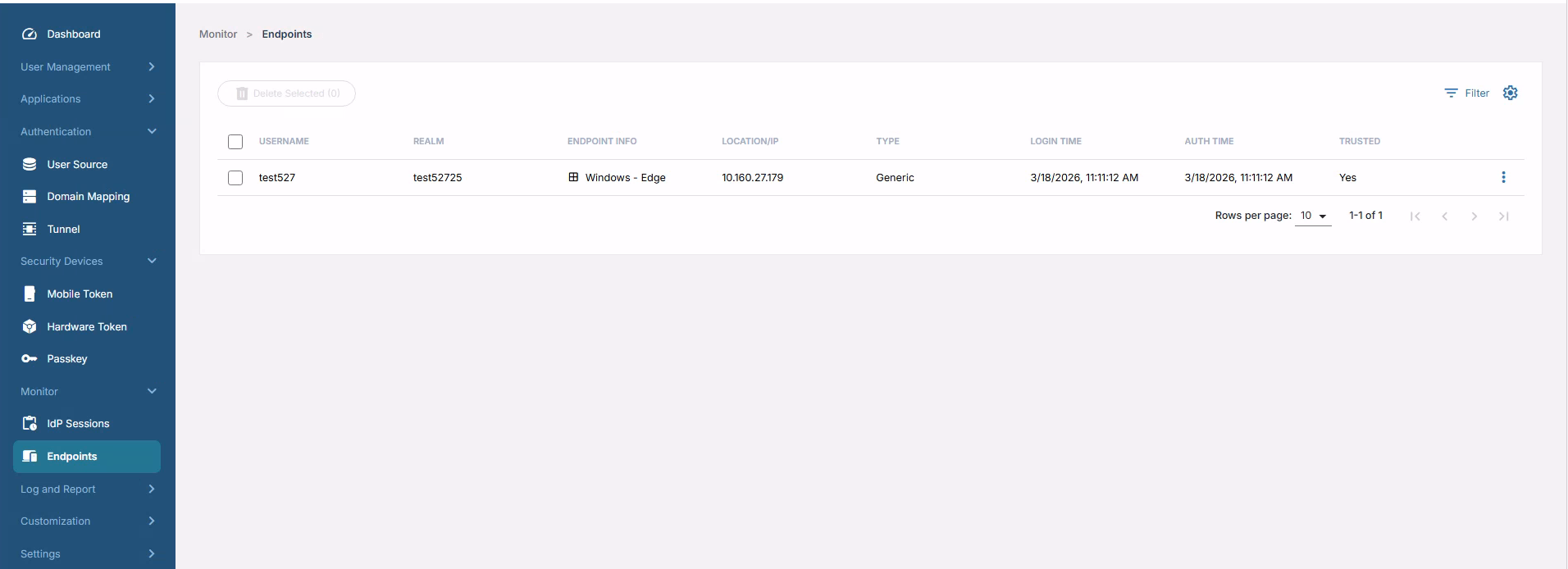
The Endpoints page shows all the end-user devices, such as laptops, desktops, or mobile phones, that FIC has verified and approved for secure user authentication. Once they are registered as trusted by the system, their users do not have to repeat the same MFA procedures in future log-ins.

To use this feature, you must enable the Remember Known Endpoint option when configuring the realm setting (Settings > Realm > General) and configure the related options such as Forget Device and Auth Interval. For more information, see General.
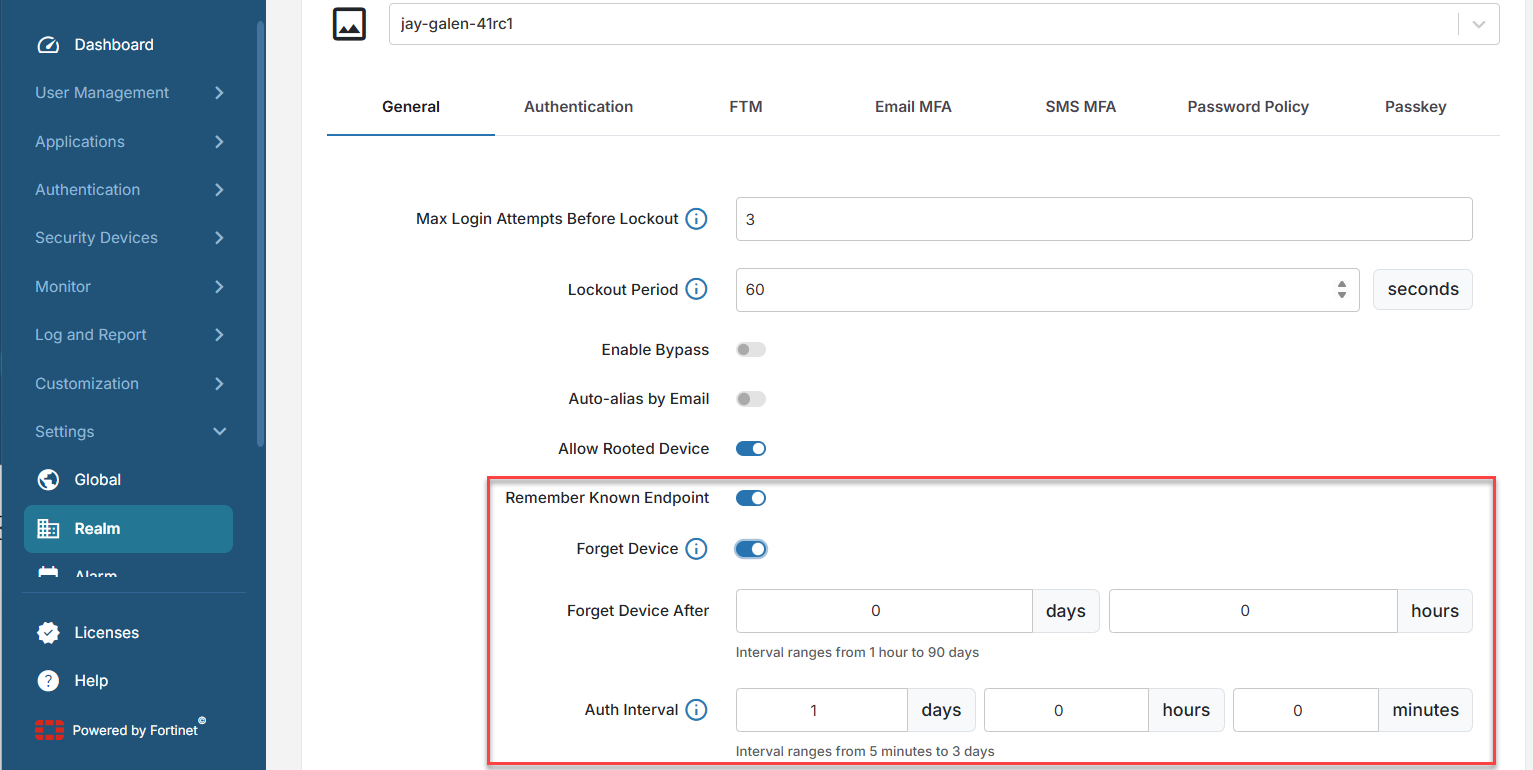
After the option is enabled and properly configured in the realm, the end user will be promoted to let the system remember their device upon successful logging into FIC from the End-User Portals with their device.
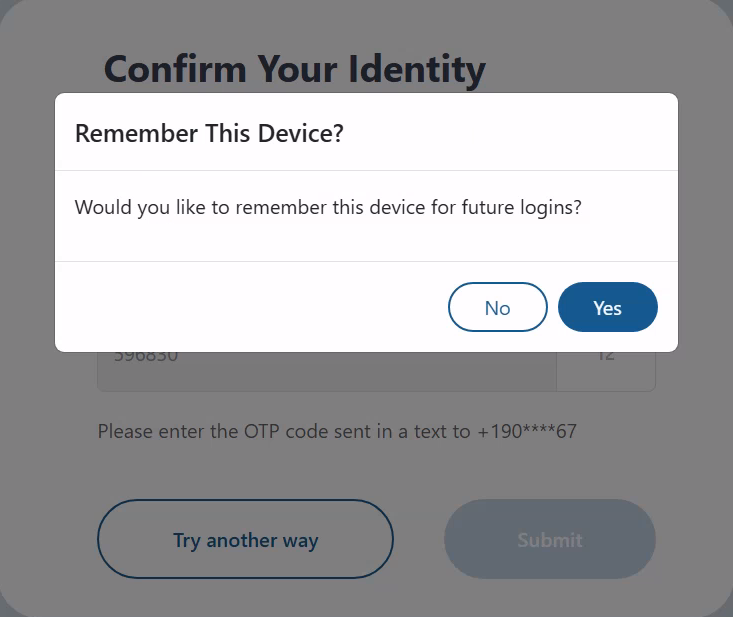
If the end user clicks Yes, the device will be remembered by the system and show up on the Endpoints page on the admin portal.
Endpoints

Endpoints

The Endpoints page shows all the end-user devices, such as laptops, desktops, or mobile phones, that FIC has verified and approved for secure user authentication. Once they are registered as trusted by the system, their users do not have to repeat the same MFA procedures in future log-ins.

To use this feature, you must enable the Remember Known Endpoint option when configuring the realm setting (Settings > Realm > General) and configure the related options such as Forget Device and Auth Interval. For more information, see General.

After the option is enabled and properly configured in the realm, the end user will be promoted to let the system remember their device upon successful logging into FIC from the End-User Portals with their device.

If the end user clicks Yes, the device will be remembered by the system and show up on the Endpoints page on the admin portal.