

File analysis
Starting with sensor version 2.5, the FortiNDR Cloud sensor supports file extraction and malware file scanning on the packet streams received by the sensor.
The table below lists the file attributes supported by the file analysis feature:
|
Attribute |
Description |
|---|---|
|
File Type |
Windows Executable (includes exe, ini, dll, etc.) |
|
Service |
HTTP, FTP, SMB |
|
Size limit |
200 MB |
Enabling file analysis
The file analysis engine is a DPI service. To enable the file analysis feature, you must first enable the DPI feature.
To enable file analysis:
- Go to Settings > Sensors. The Sensor page opens.
- Click the Sensor ID. The sensor Status page opens.
- Click the Settings tab.
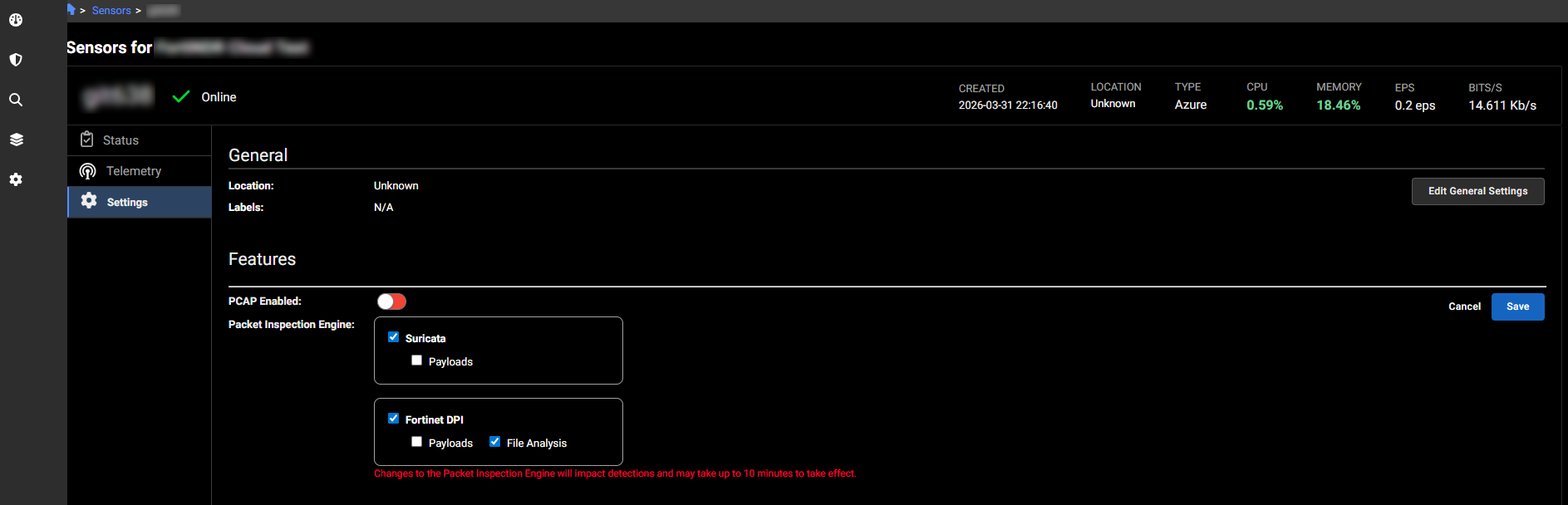
- Click Edit Features Settings.
- Enable the following options:
Option
Description
PCAP Enabled Enable packet capture. For more information, see Packet capture. Packet Inspection Engine
- Fortinet DPI
- File Scanning
- Fortinet DPI