Special notices
No IPv6 support for IPsec VPN
FortiClient (macOS) 7.4.4 to 7.4.7 do not support IPv6 for IPsec VPN due to dual VPN changes. Support may be added in future releases.
IPsec VPN support limitation
Due to a macOS limitation, macOS Guest VMs using bridged network connections do not support IPsec VPN tunnels.
Using the same default MTU size for VPN interfaces across all platforms
Starting from 7.4.4, FortiClient (macOS) uses the same default MTU size for SSL and IPsec VPN interfaces as Windows and Linux, which improves connection efficiency. You can modify the MTU size using the <mtu_size> XML option. See the XML Reference Guide.
No support for concurrent third-party tunneling or proxy clients
Using third-party tunneling or proxy clients (including VPN, DNS, HTTP(s), SOCKS, ZTNA or PAC files) in parallel or nested combination with FortiClient's VPN, ZTNA or Web Filter is not recommended nor supported.
Enabling full disk access for FortiClient process
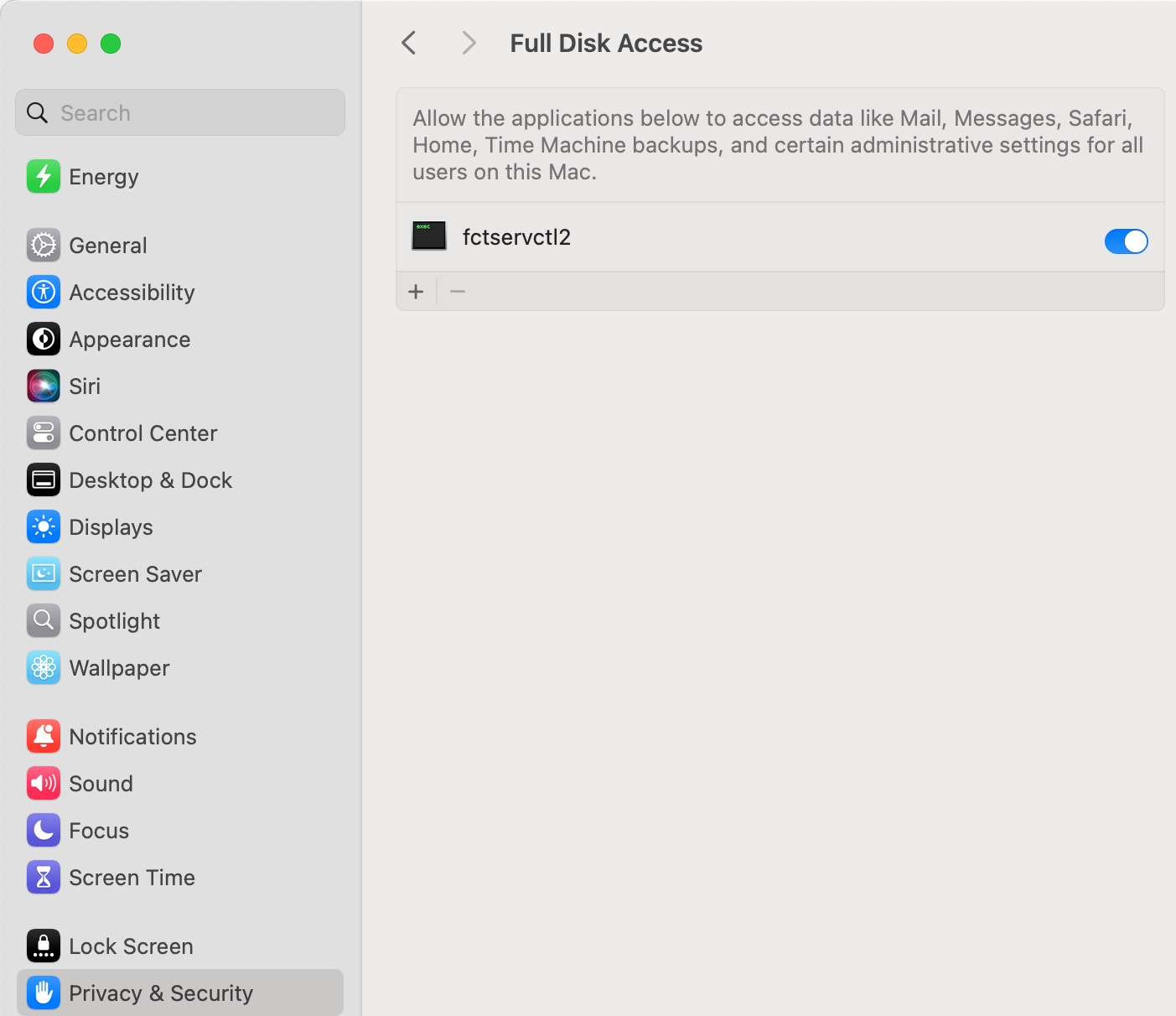
To use the following features, you must grant full disk access permission for the fctservctl2 process (located in /Library/Application Support/Fortinet/FortiClient/bin/):
- AV scan
- Sandbox scan
- Importing VPN profile
To do so, go to the Security & Privacy pane and toggle on the fctservctl2 option under Full Disk Access.

|
On macOS Tahoe (26.1/26.2), the fctservctl2 option does not appear in the Full Disk Access list due to an OS bug. You can drag the process to the list or click the Add icon to manually add the process. While the process still does not show up in the list after being added (due to the OS bug), the necessary permission has been granted. |
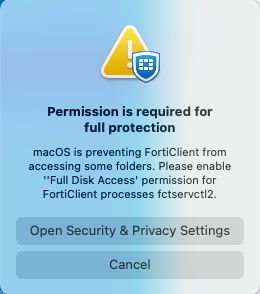
If any of these features are used while full disk access is not enabled for fctservctl2, FortiClient (macOS) prompts the user to enable full disk access permission.
Activating system extensions
After you perform an initial install of FortiClient (macOS), you must enable the system extensions for some FortiClient (macOS) processes. The FortiClient (macOS) team ID is AH4XFXJ7DK.
- Ensure you have administrator credentials for the macOS machine.
-
-
(macOS Tahoe (version 26) Go to System Settings > General > Login Items & Extensions > By Category > Network Extensions.
-
(macOS Sequoia (version 15) Go to System Settings > General > Login Items & Extensions > Network Extensions.
-
(macOS Sonoma (version 14) Click Some system software requires your attention before it can be used.
-
-
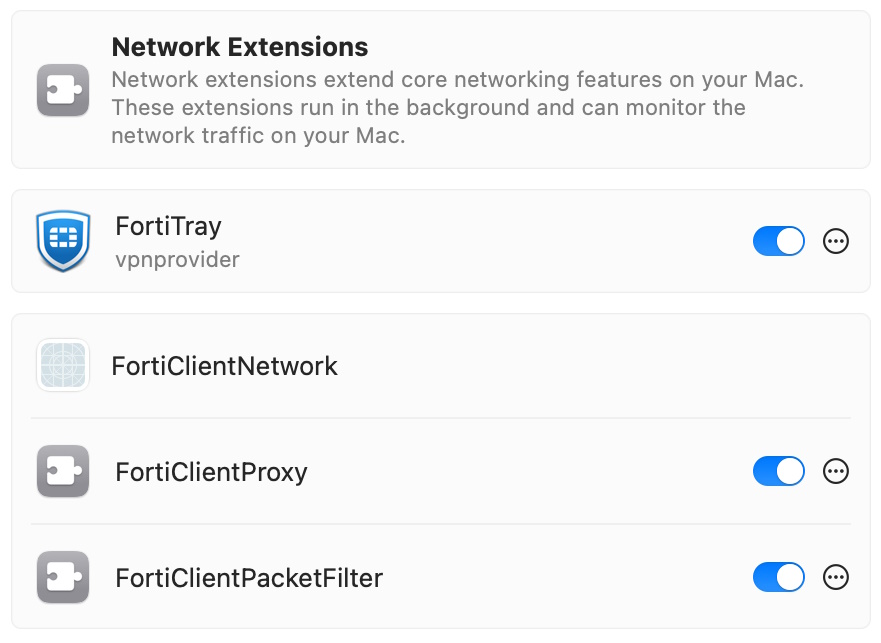
Toggle on the following options to enable the extensions:
- FortiTray (for VPN to work properly)
- FortiClientProxy (for Web Filter to work properly)
-
FortiClientPacketFilter (for Application Firewall to work properly)
-
Click Done.
Enabling notifications
After initial installation, macOS prompts the user to enable FortiClient (macOS) notifications.
To enable notifications:
- Go to System Settings > Notifications > FortiGuardAgent.
- Toggle Allow Notifications on.
DHCP over IPsec VPN not supported
FortiClient (macOS) does not support an external DHCP server to assign IP addresses to IPsec VPN clients.
Running multiple FortiClient instances
FortiClient (macOS) does not support running multiple FortiClient instances for different users simultaneously.