Special notices
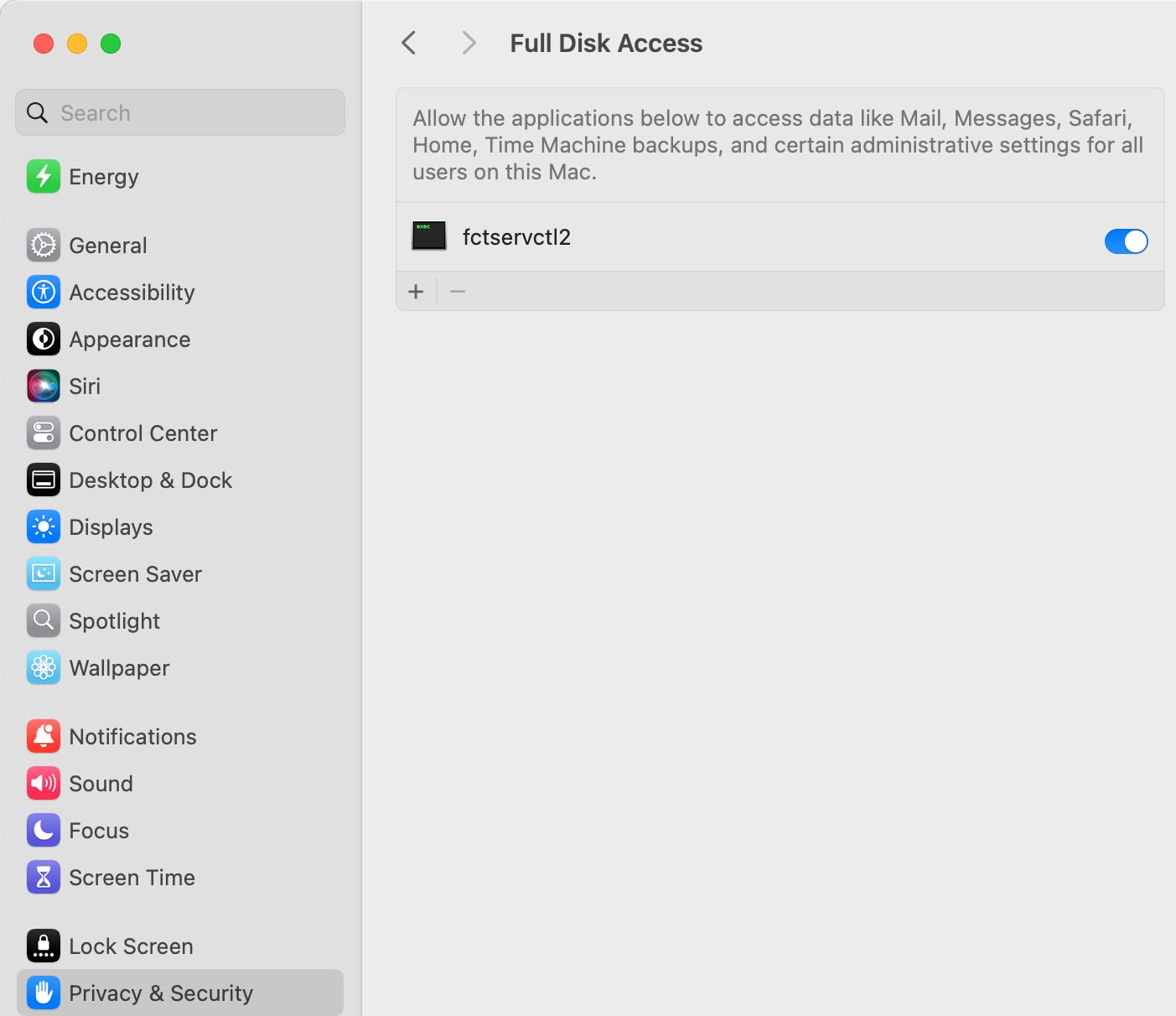
Enabling full disk access
FortiClient works properly only when you grant permissions to access the full disk in the Privacy & Security pane for the fctservctl2 service. You can find this service in /Library/Application\ Support/Fortinet/FortiClient/bin/.
Activating system extensions
After you initially install FortiClient (macOS), the device prompts you to allow some settings and disk access for FortiClient (macOS) processes. You must have administrator credentials for the macOS machine to configure this change.
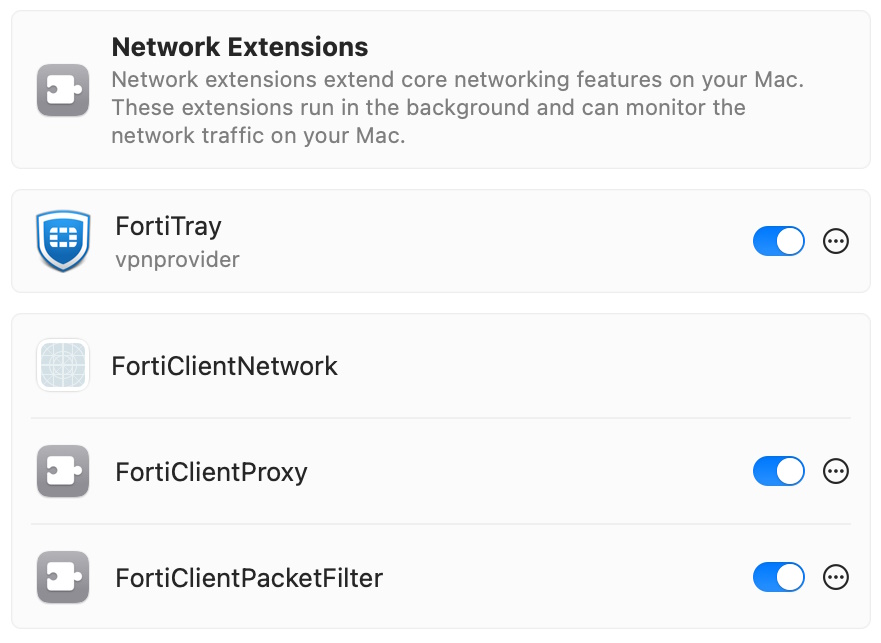
VPN works properly only when you allow FortiTray to load in Network Extensions settings. You must enable the FortiClientProxy and FortiClientPacketFilter extensions for Web Filter and Application Firewall, respectively, to work properly. The FortiClient (macOS) team ID is AH4XFXJ7DK.
To activate system extensions:
- Go to System Settings > General > Login Items & Extensions > Network Extensions.
- Toggle on the following to enable the extensions:
- FortiTray
- FortiClientProxy
FortiClientPacketFilter
-
Click Done.
Enabling notifications
After initial installation, macOS prompts the user to enable FortiClient (macOS) notifications.
To enable notifications:
- Go to System Settings > Notifications > FortiGuardAgent.
- Toggle Allow Notifications on.
DHCP over IPsec VPN not supported
FortiClient (macOS) does not support DHCP over IPsec VPN.
Running multiple FortiClient instances
FortiClient (macOS) does not support running multiple FortiClient instances for different users simultaneously.
FortiGuard Web Filtering category v10 update
Fortinet has updated its web filtering categories to v10, which includes two new URL categories for AI chat and cryptocurrency websites. To use the new categories, customers must upgrade their Fortinet products to one of the following versions:
- FortiManager - Fixed in 6.0.12, 6.2.9, 6.4.7, 7.0.2, 7.2.0, 7.4.0
- FortiOS - Fixed in 7.2.8 and 7.4.1
- FortiClient - Fixed in Windows 7.2.3, macOS 7.2.3, Linux 7.2.3
- FortiClient EMS - Fixed in 7.2.1
- FortiMail - Fixed in 7.0.7, 7.2.5, 7.4.1
- FortiProxy - Fixed in 7.4.1
Read the following CSB for more information to caveats on the usage in FortiManager and FortiOS: https://support.fortinet.com/Information/Bulletin.aspx
IPsec VPN support limitation
Due to a macOS limitation, FortiClient (macOS) does not support IPsec VPN tunnels on macOS Guest VMs using bridged network connections.
SSL VPN support limitation
SSL VPN with SAML FIDO2 authentication only supports external browser authentication.