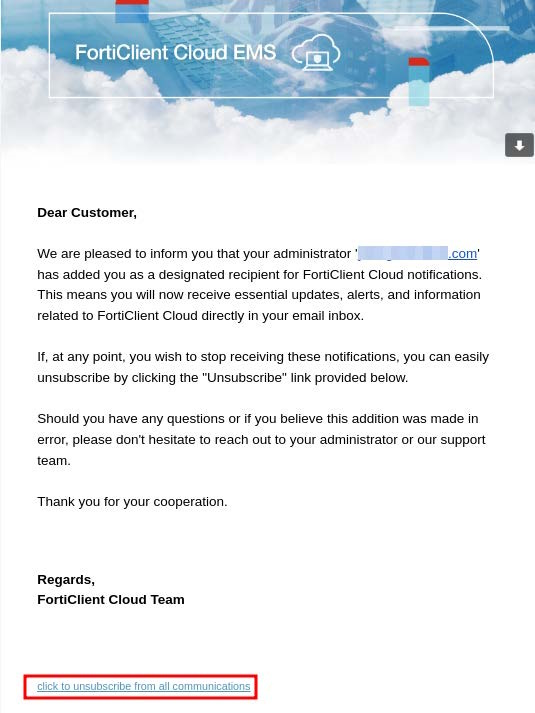
Managing notifications in the FortiClient Cloud portal
To configure notification recipients:
- Log in to the FortiClient Cloud portal using your primary account credentials.

If you log in as a non-primary user (subuser or Identity & Access Management user), you have read-only permissions and cannot edit the recipient list.
- Go to Notifications.
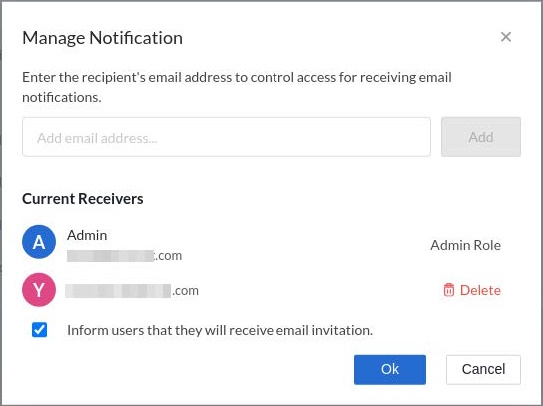
- Click Manage Notification.
- The Manage Notification dialog displays the list of notification recipients. Add new recipients by entering their email address in the Add email address field or remove recipients by clicking Delete. If adding a new recipient, you can select Inform users that they will receive email invitation. to notify them that they will receive notifications.
If desired, the recipient can unsubscribe by using a link in the subscription notice email.