Subscribing on Azure Marketplace
FortiAppSec Cloud on Azure supports an annual subscription and a pay-as-you-go billing model.
For usage details and consumption rates, please visit the Fortinet FortiAppSec Cloud Web Application and API Protection page on Azure Marketplace.
If you are purchasing a contract for an existing account, please use the same email address associated with that account when completing the purchase. This ensures the new contract is correctly linked to your existing FortiCloud account.
Subscription Steps
Follow the steps below to subscribe FortiAppSec Cloud on Azure and associate your Azure subscription with your FortiCloud account.
- Log in to Azure. Search FortiAppSec Cloud in Azure Marketplace or click here: Azure Marketplace.
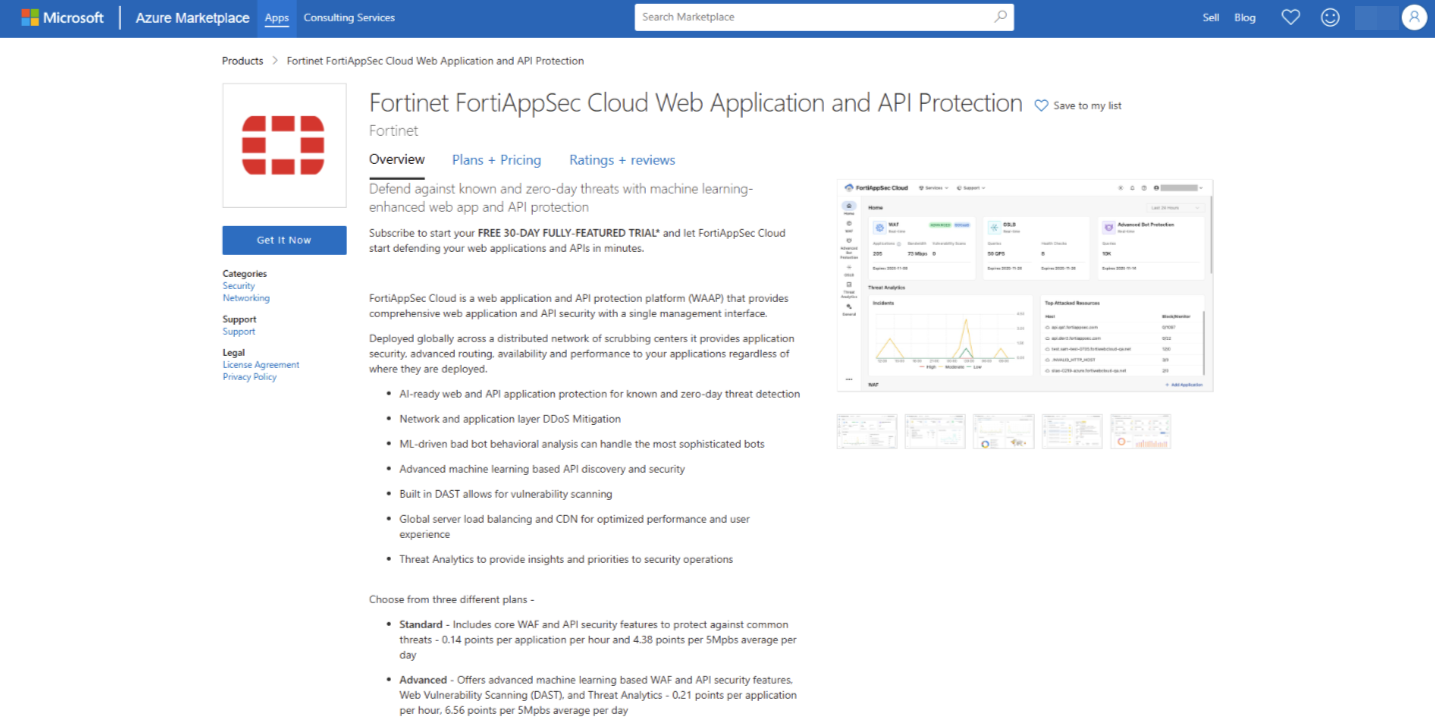
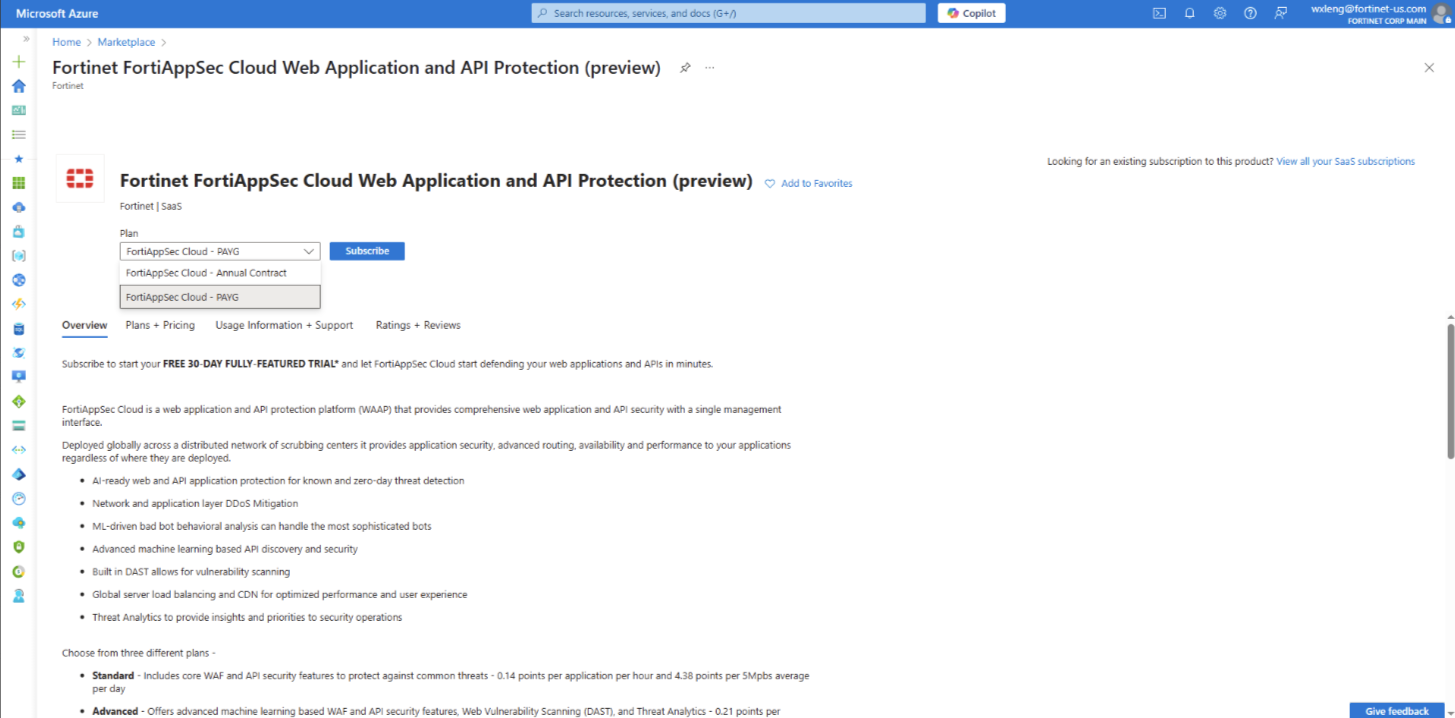
- Choose either the pay-as-you-go plan or an annual contract, then click Subscribe.
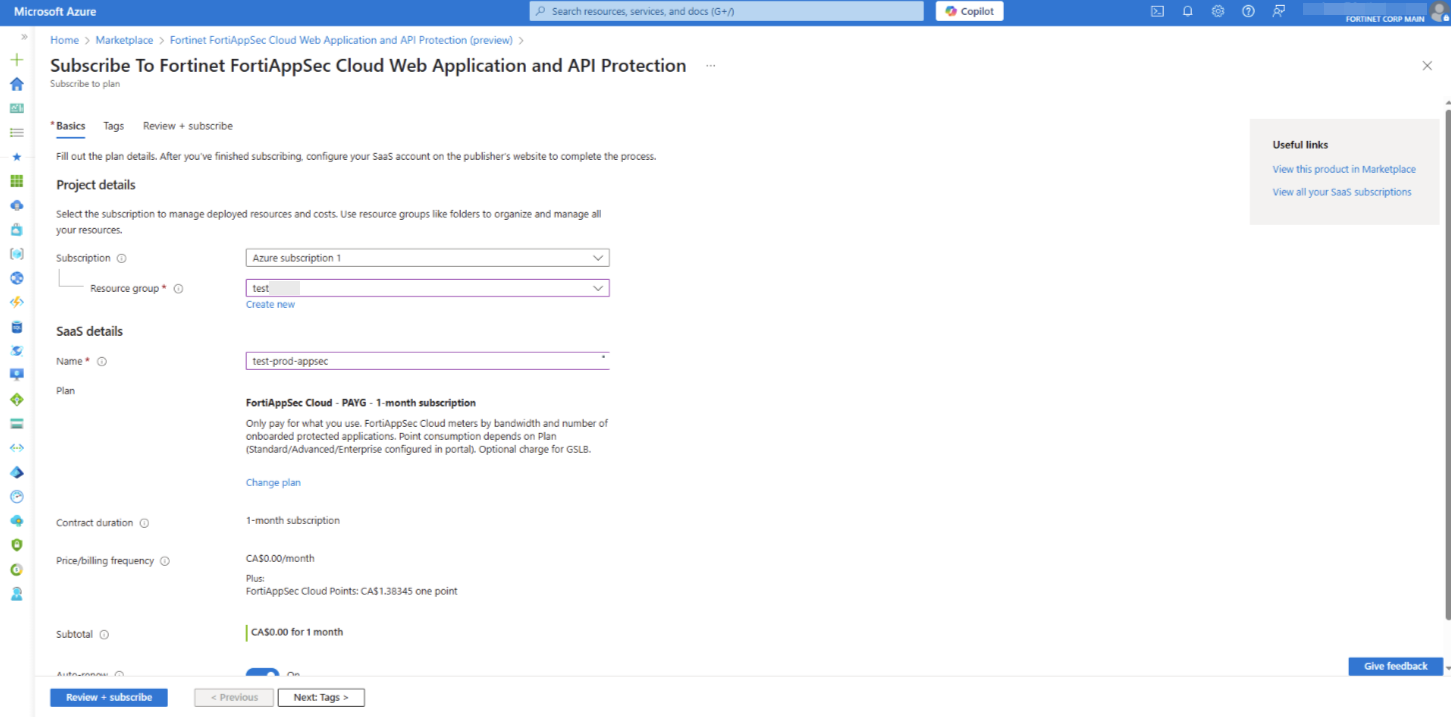
- Basics
- Under Project details, select the desired description and resource group.
- Under SaaS details, enter the desired name, plan, and contract duration of plan.
For more information on the options on this page, please refer to Azure documentation.
- Configure Tags as needed. For more information on the options on this page, please refer to Azure documentation.
-
Continue to Review + Subscribe to go through the offer and plan details.
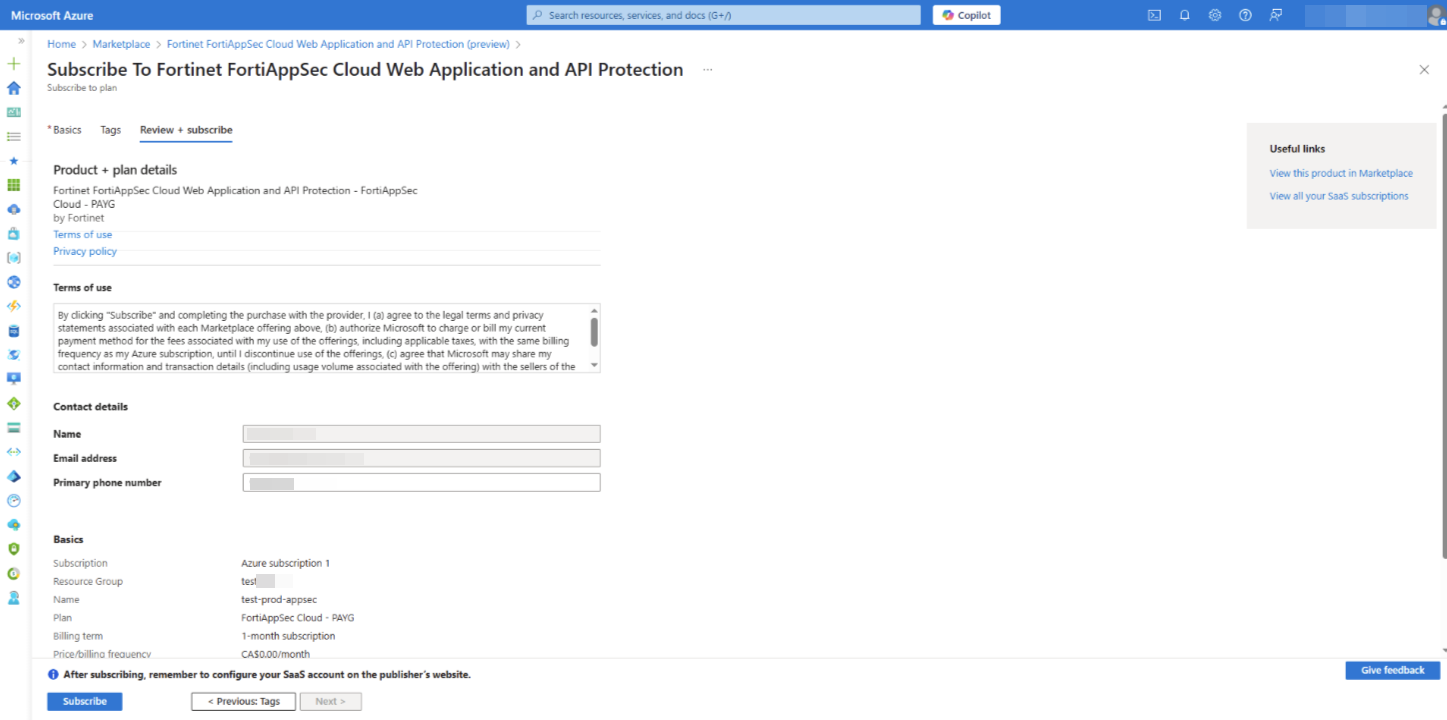
Once you have reviewed and confirmed your plan details, click Subscribe.
-
If the Subscription process is successful, skip to step 7.
-
If it fails, proceed to Step 6.
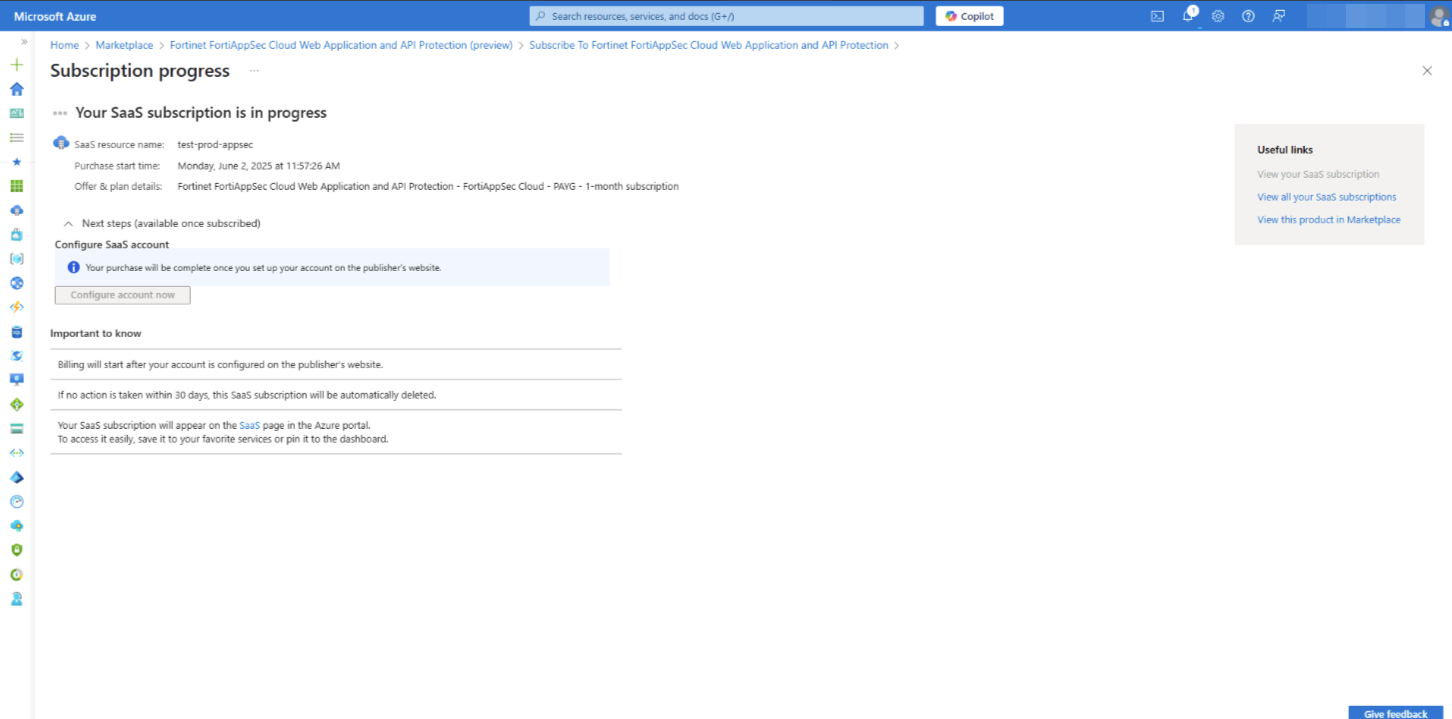
-
- If the Subscription process fails:
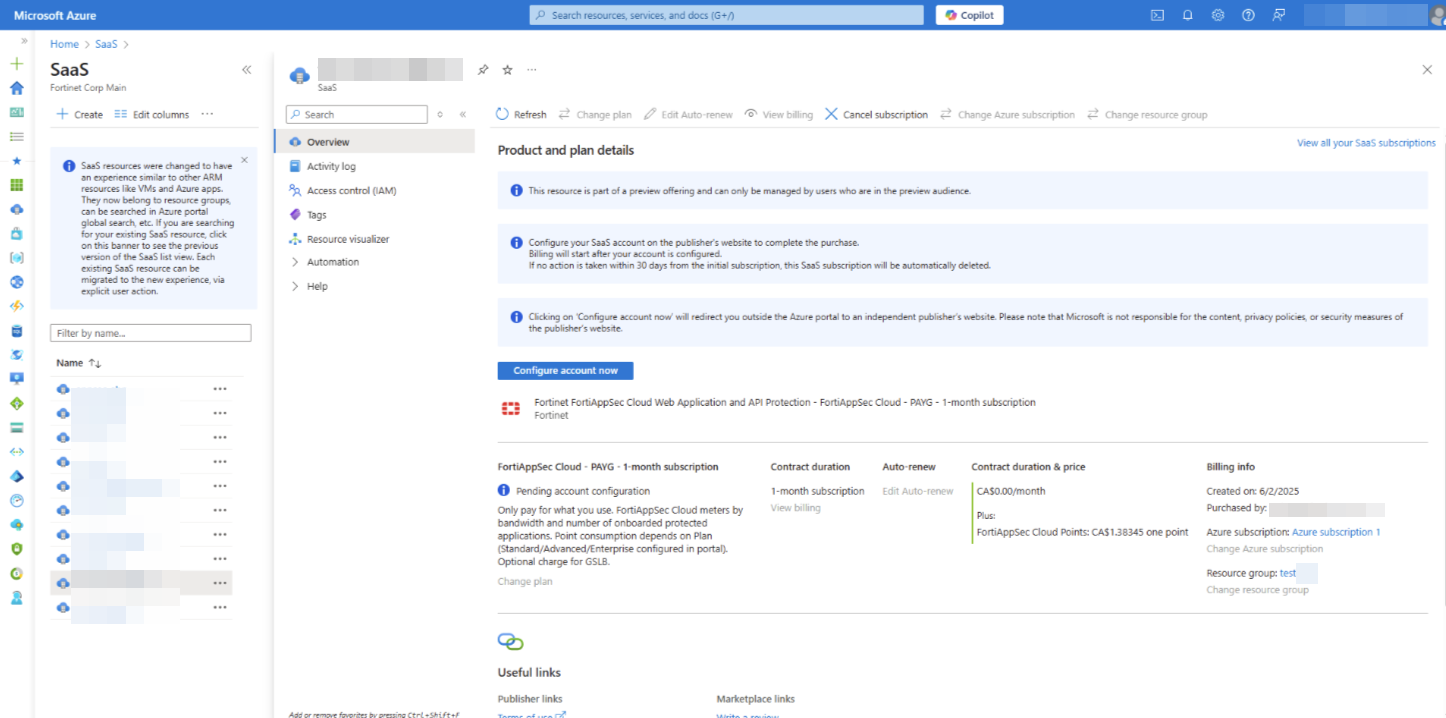
- Navigate to Software as a Service (SaaS) in the Azure portal.
- Find the SaaS subscription you just created and click it to open the details page.
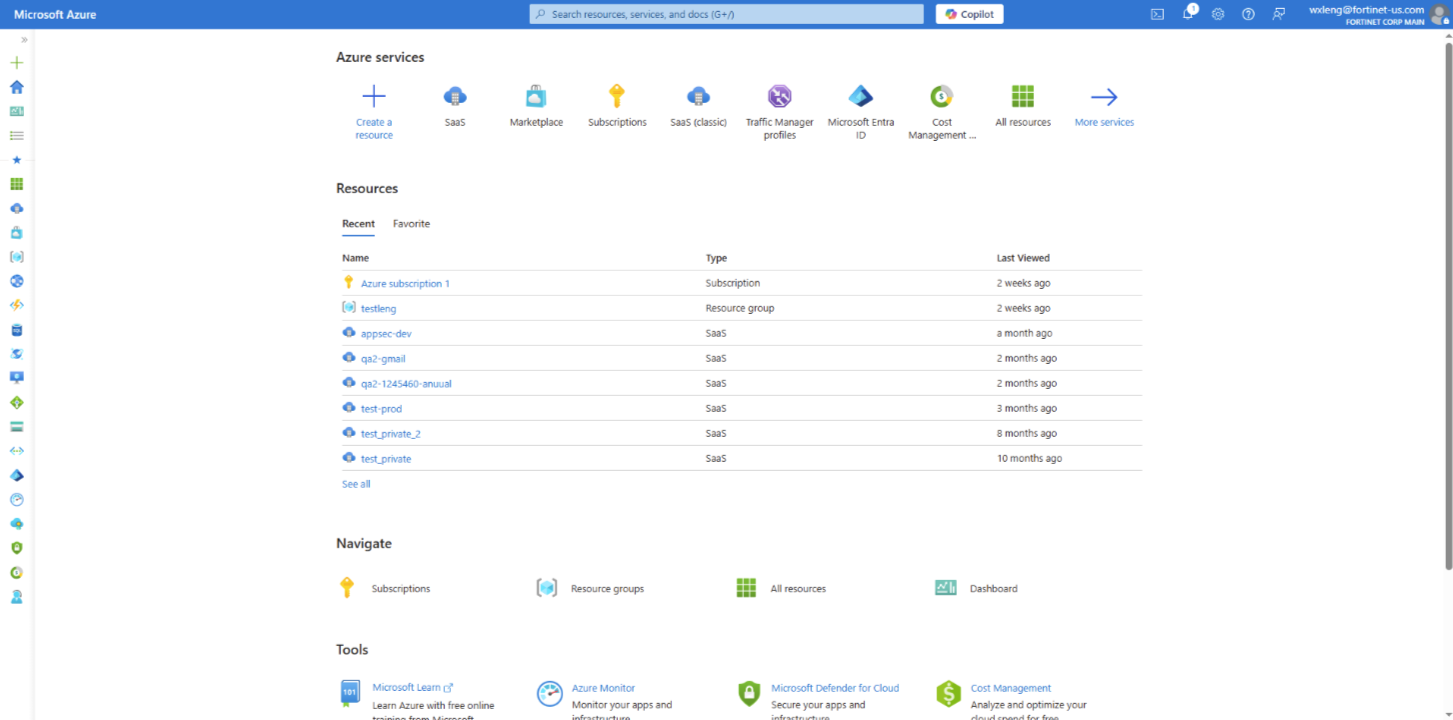
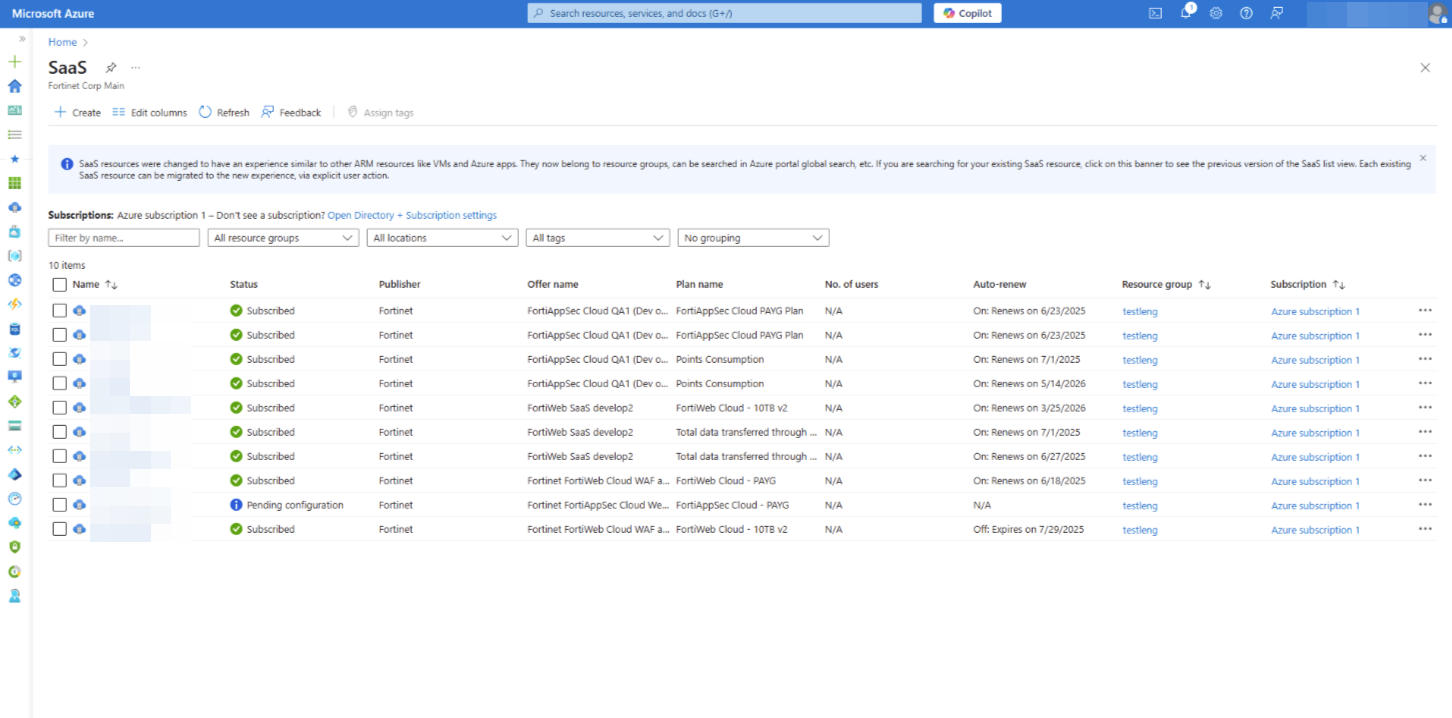
- Click Configure Account now. You will be directed to the landing page of FortiAppSec Cloud where you can register or log in. Make sure to use the same tab when subscribing and when logging in to your account for the first time after subscribing. This ensures that your Azure subscription is automatically associated with your FortiCloud account upon login.
You can access all of your FortiAppSec Cloud services as well as the Fortinet Support site through FortiCloud account.
- Log in to FortiAppSec Cloud. Verify that the Azure subscription appears under General > Contracts.
- If it does not appear, return to Azure Marketplace and search FortiAppSec Cloud WAF-as-a-Service. You should see a notice prompting you to complete the subscription process again.
Please note that even if you subscribed through Azure, you can use FortiAppSec Cloud to protect applications located on any other cloud platform or in your own network. The subscribing channel only determines the billing places for your FortiAppSec Cloud usage.
Billing
The billing rates are the same across all supported public cloud marketplaces (Azure, AWS, and GCP).
-
Annual subscription customers prepay for a set number of usage points (e.g., 10,000 points) at the time of subscription. They are only charged extra if their monthly usage exceeds the pre-purchased amount.
-
PAYG (Pay-As-You-Go) subscription customers subscribe at no upfront cost and are billed monthly based on the number of points they actually use.

|
|
WAF
Standard
Includes core WAF and API security features to protect against common threats.
-
0.14 points per application per hour
-
4.38 points per 5 Mbps per day
Advanced
Adds machine learning-based WAF and API protection, Web Vulnerability Scanning (DAST), and Threat Analytics.
-
0.21 points per application per hour
-
6.56 points per 5 Mbps per day
Enterprise
Includes all Advanced features plus Advanced Bot Protection, Global Server Load Balancing (GSLB), and additional custom rules.
• 0.27 points per application per hour
• 8.77 points per 5 Mbps per day
GSLB
Global Server Load Balancing (GSLB) can also be purchased separately:
-
Health Checks – 0.02 points per 10 checks per hour
-
Query Capacity – 0.99 points per 20 QPS per day
Unsubscribing from FortiAppSec Cloud on Azure
You can unsubscribe from FortiAppSec Cloud anytime. However, please note that all data in your account will be permanently deleted one week after unsubscription. This data cannot be recovered, even if you resubscribe. Be sure to export any necessary information before unsubscribing.
Before unsubscribing, to avoid service disruption to your web application, ensure that the CNAME record is replaced with the correct IP address in your DNS settings.
- Locate your newly subscribed FortiAppSec Cloud resource in the Azure portal.
- Navigate to Software as a Service (SaaS).
- Select the FortiAppSec Cloud subscription you just created.
- Click Cancel Subscription.