

Fortinet Contracts
Fortinet Sales offers a range of licenses, each priced based on the maximum bandwidth limit, with varying features and pricing structures across the different tiers.
Licenses are available in Standard, Advanced, and Enterprise plans. For full details on the differences between the various plans, please refer to Standard, Advanced, and Enterprise plans
Bandwidth Calculation
Each account is measured using a burstable model for bandwidth calculation, which is based on the 95th percentile of clean traffic usage.
The 95th percentile bandwidth is calculated in the following way:
-
Traffic for the entire month is measured in 5 minute buckets.
-
At the end of the month, the top 5% of buckets with the highest Mbps are discarded. The highest Mbps rate from the remaining buckets represents the 95th percentile value for the account.
At the beginning of each month, the 95th percentile bandwidth displayed in FortiWeb Cloud may appear very low, or even as 0. This is because not enough 5-minute data intervals (buckets) have been collected to calculate an accurate value. As more buckets are generated throughout the month, the value becomes more accurate.
Purchasing and Activating FortiAppSec Cloud contracts
To purchase a FortiAppSec Cloud Contract from Fortinet, please contact our sales team.

|
Please note that the Standard and Advanced plans require separate licenses for applications and bandwidth. These licenses respectively determine how many applications you can add to your account and the maximum bandwidth allowed. Both licenses are required to activate the service contract. |
Once you receive your contract registration codes, activate your service by doing the following:
- Create a FortiCloud account. It can be used to log in to all Fortinet products. Skip this step if you already have an account.
- Log in to Fortinet Support.
- Register a new product. You can do this from the Asset Management Dashboard page, or navigate to Products > Product List and click Register More.
- Enter the contract registration code that was emailed to you when you purchased the contract.
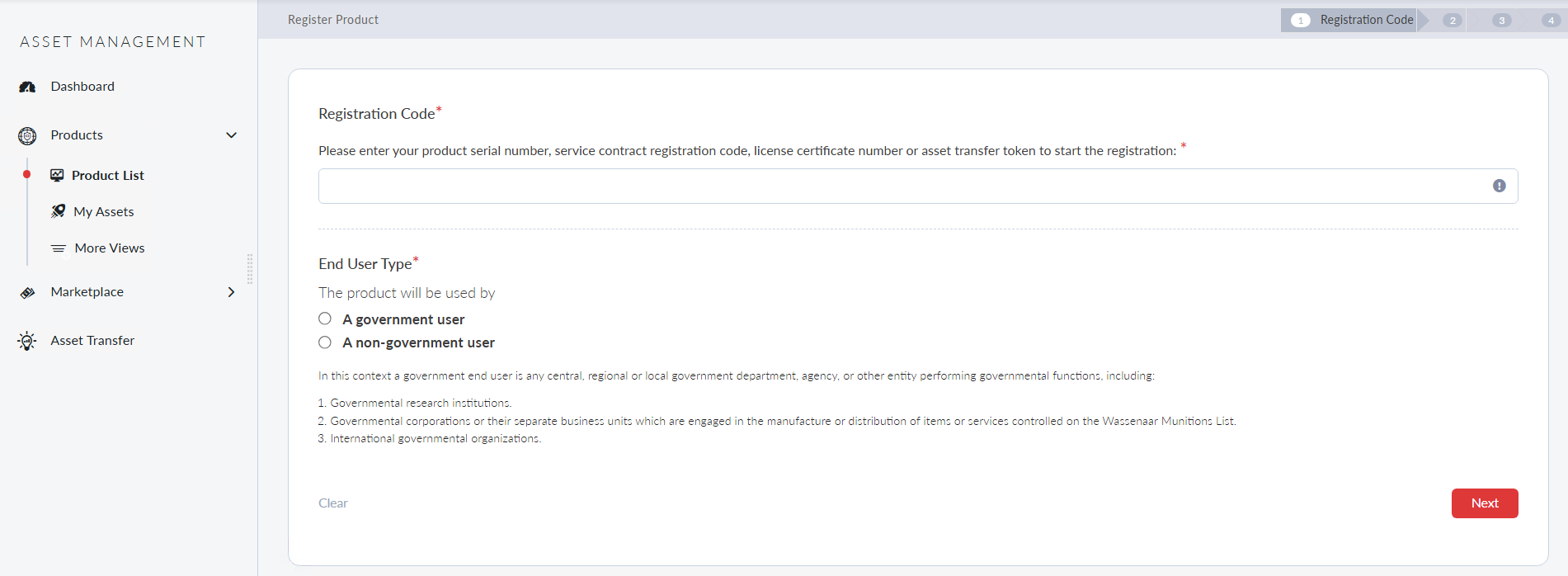
- Select the End User Type. Click Next.
- Enter the start date to activate the contract. The contract will automatically become active on the specified start date. You can also select an existing contract to extend its End Date. Click Next.
- Read Fortinet Product Registration Agreement. Check the box if you agree. Click Next.
- Carefully review the verification page. Once you are done, check the box to acknowledge the activation of the contract. Please note, the activation date cannot be changed once you confirm.
- Click Confirm.
- Repeat the registration steps if you have multiple contracts.
- Log in to FortiAppSec Cloud with your FortiCloud account.
- The contract information will be displayed in General > Contracts.

|
If you have previously subscribed from public cloud platforms, please remember to cancel the subscription if you switch to FortiAppSec Cloud contracts. |