

Exploration
View traffic trends by common characteristics, including IP, User Agent, and Country.
This page provides insights into telemetry messages, which capture real-time signals about user activity, such as session ID, device details, and behavioral patterns. Unlike transactions and attack queries that focus on specific request data, telemetry messages track broader activity trends and risk factors, enhancing bot classification and threat analysis.
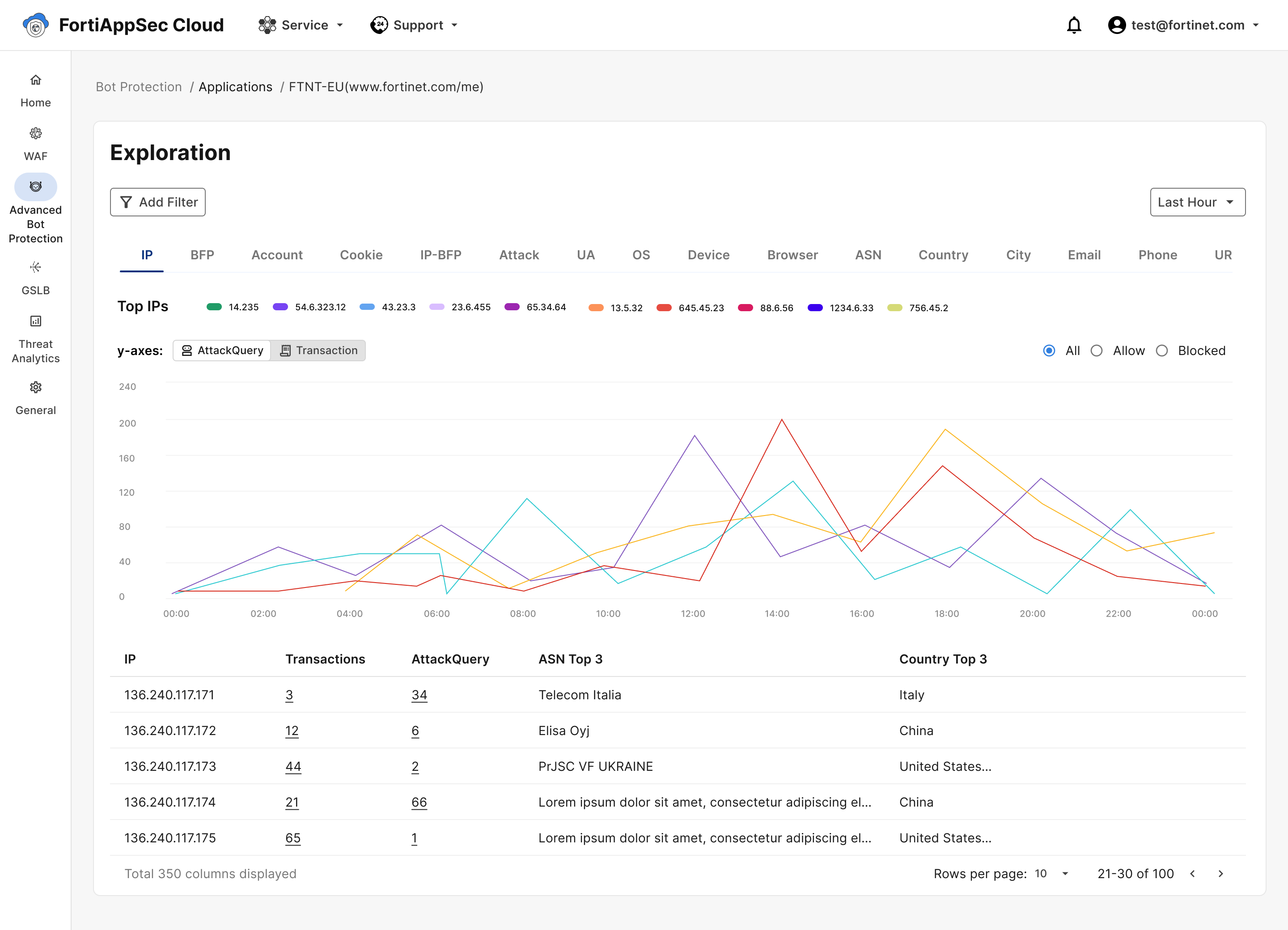
To tailor the displayed accounts according to specific criteria:
- Go to Traffic Insights > Exploration.
- Click Show Filter.
- Enter values for the criteria that you want to use to match certain traffic.
- Click Apply Filters.
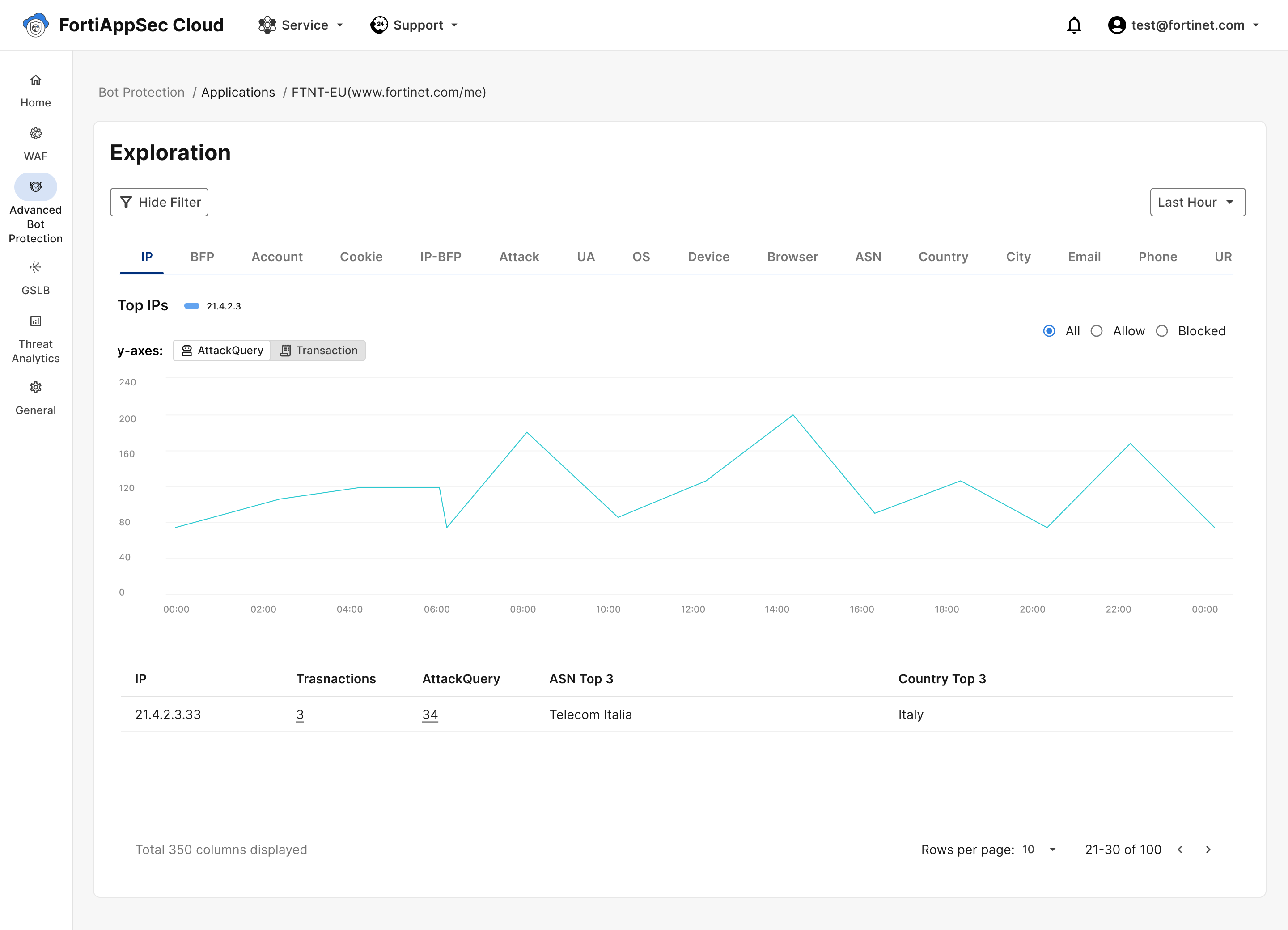
| Message Attribute | Description |
|---|---|
| IP | The IP address from which the telemetry message was sent. |
| User Agent | A software component that identifies and provides information about the device or application sending the telemetry message. |
| Country | The message's detected country of origin. |
| City | The message's detected city of origin. |
| User Name | If the telemetry message was sent during a logged-in session, the username of the user is included in this field. |
| If the telemetry message was sent during a logged-in session, the registered email of the user is included in this field. | |
| Order ID | This value identifies payment-related transactions, and is empty for all non-payment transactions. |
| Payment ID | This value identifies payment-related transactions, and is empty for all non-payment transactions. |
| Session ID | This value identifies the session in which the telemetry message was sent. |
| URL | The URL on your application's domain at which the telemetry message was sent. |