

Restricting direct traffic & allowing FortiAppSec Cloud IP addresses
Restricting direct traffic
Once you complete setting up FortiAppSec Cloud, configure your application servers to only accept traffic from FortiAppSec Cloud IP addresses.
- If CDN is enabled, make sure to accept traffic from all the IP addresses listed in the following tables, including the service management IPs and the scrubbing centers' IPs.
- If CDN is not enabled, configure to accept traffic from the service management IPs and the scrubbing center assigned to your application server.
However, it's recommended to accept traffic from all the following IP addresses, so that you don't need to go back and accept more IP addresses if you change the CDN status from disabled to enabled.
To know which scrubbing centers are assigned to your application, see How does WAF choose regions?
Allowing FortiAppSec Cloud IP addresses
If you have deployed a DDoS device or system in your environment, it's most likely that FortiAppSec Cloud's behavior will be detected as DDoS attacks, because all the requests arriving at your application server have FortiAppSec Cloud's IP addresses as their source IP addresses.
To avoid this, we highly recommend you to add FortiAppSec Cloud IP addresses to the allowlist of your DDoS device or system before onboarding applications.
The IP addresses labeled offline in the following tables are backup IP addresses, which can be used when the other IP addresses fail to work.

|
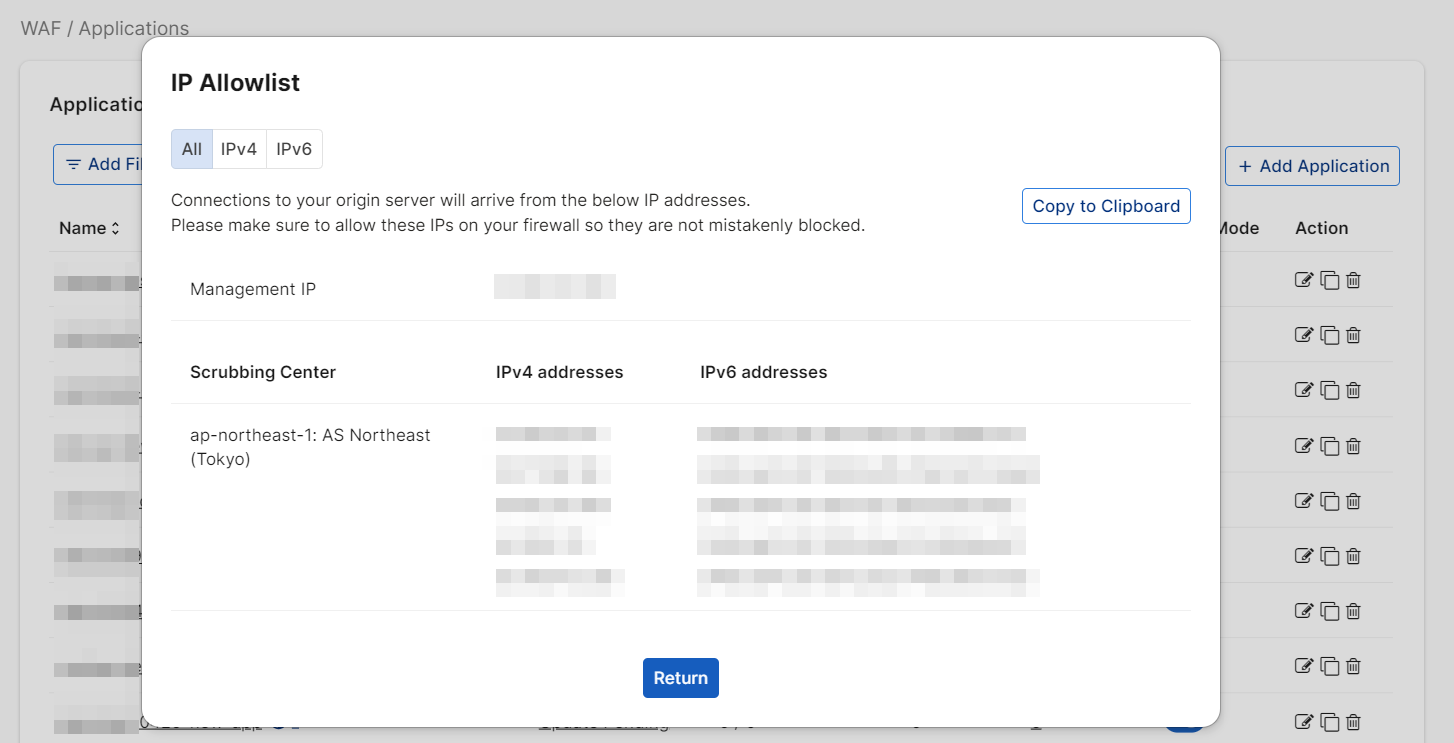
View the IP addresses of your region in WAF > Applications by clicking the Allow IP List button. A window will pop up displaying all Cloud Waf IPs that need to be added to the firewall. You can also filter for Platform, Name, and Domain Name by clicking Add Filter before clicking Allow IP List.
|
|
|
We have provided two web pages listing all of the IPv4 and IPv6 addresses of the FortiAppSec Cloud scrubbing centers: https://appsec.fortinet.com/ips-v4 and https://appsec.fortinet.com/ips-v6. These URLs can be referenced on a FortiGate as a "Threat Feed" which is dynamically kept up-to-date by the firewall, and can be referenced in security policy. |