
Fortinet white logo
Fortinet white logo

User Guide

FQDN

FQDN

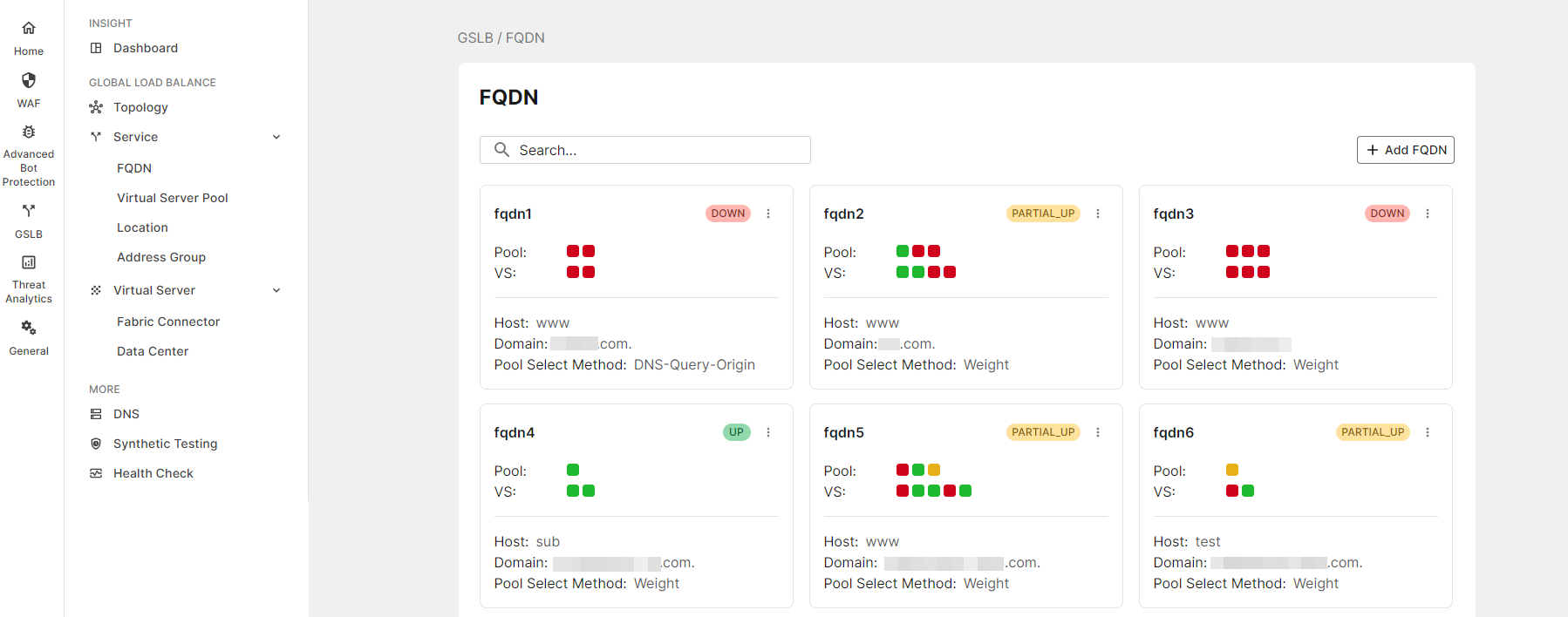
The FQDN object is a GSLB Service. An FQDN object will map a fully-qualified domain name (FQDN) to a set of virtual servers (pool). Administrators can set a global geographic policy in this object. After the administrator has defined the pool objects and the location objects, a pool object can bind a location object as a member for the FQDN object, and the FQDN object can define multiple members. When the DNS queries are trying to reach the GSLB, it will do the first level load balance according the virtual server pool selection method. Then, the DNS queries will be forwarded to a pool and the virtual servers will respond according to the pool's preferred schedule methods for the queries.
Creating an FQDN

  1. Click Add FQDN.

  2. Enter the following:

  3. Settings

    Guidelines

    Name

    The name of the FQDN.

    This cannot be modified after the FQDN is created.

    Host Name

    The hostname part of the FQDN, such as www.

    Note: You can specify the @ symbol to denote the zone root. The value substituted for @ is the preceding $ORIGIN directive.

    Domain Name The domain name must end with a period. For example: example.com.
    This cannot be modified after FQDN is created.

    Respond Single Record

    Enable/disable an option to send only the top record in response to a query. Disabled by default. By default, the response is an ordered list of records.

    Virtual Server Pool Selection Method

    Virtual Server Pool Selection Method:

    Weight:

    DNS queries will be load balanced to pool by weight, and the virtual server will respond according to the pool's preferred schedule methods.

    DNS-Query-Origin:

    DNS queries will be load balanced to the pool with the same geographic information as the local DNS address, and the virtual server will respond according to the pool's preferred schedule methods.

    Global-Availability:

    DNS queries will be load balanced to the first available pool in the FQDN pool member list, and the virtual server will respond according to the pool's preferred schedule methods.

    Default Feedback IPv4

    Specify an IP address to return in the DNS answer if no virtual servers are available.

    Default Feedback IPv6

    Specify an IPv6 address to return in the DNS answer if no virtual servers are available.

Configuring FQDN members text field

Settings Guidelines

Name

The name of the member

Virtual server pool

Specify a pool for this FQDN.

Weight

Assign a weight. Valid values range from 1 to 255.

Location List

Bind a location for the pool. A location list configuration consists of a list of locations you select.
Note: The any location object is a default configuration that includes all regions in the database. When the any location list is applied, all traffic that do not match the other locations will then match to any other region that has not been specified.

Address Group

Bind an address group for the pool. An address group configuration consists of a list of IP/Netmasks or IP ranges.

Note: IP/Netmasks: 0.0.0.0/0 indicates all IPv4 IP addresses.

FQDN service logs

Refer to GSLB services logs for more information.

FQDN

FQDN

The FQDN object is a GSLB Service. An FQDN object will map a fully-qualified domain name (FQDN) to a set of virtual servers (pool). Administrators can set a global geographic policy in this object. After the administrator has defined the pool objects and the location objects, a pool object can bind a location object as a member for the FQDN object, and the FQDN object can define multiple members. When the DNS queries are trying to reach the GSLB, it will do the first level load balance according the virtual server pool selection method. Then, the DNS queries will be forwarded to a pool and the virtual servers will respond according to the pool's preferred schedule methods for the queries.

Creating an FQDN

  1. Click Add FQDN.

  2. Enter the following:

  3. Settings

    Guidelines

    Name

    The name of the FQDN.

    This cannot be modified after the FQDN is created.

    Host Name

    The hostname part of the FQDN, such as www.

    Note: You can specify the @ symbol to denote the zone root. The value substituted for @ is the preceding $ORIGIN directive.

    Domain Name The domain name must end with a period. For example: example.com.
    This cannot be modified after FQDN is created.

    Respond Single Record

    Enable/disable an option to send only the top record in response to a query. Disabled by default. By default, the response is an ordered list of records.

    Virtual Server Pool Selection Method

    Virtual Server Pool Selection Method:

    Weight:

    DNS queries will be load balanced to pool by weight, and the virtual server will respond according to the pool's preferred schedule methods.

    DNS-Query-Origin:

    DNS queries will be load balanced to the pool with the same geographic information as the local DNS address, and the virtual server will respond according to the pool's preferred schedule methods.

    Global-Availability:

    DNS queries will be load balanced to the first available pool in the FQDN pool member list, and the virtual server will respond according to the pool's preferred schedule methods.

    Default Feedback IPv4

    Specify an IP address to return in the DNS answer if no virtual servers are available.

    Default Feedback IPv6

    Specify an IPv6 address to return in the DNS answer if no virtual servers are available.

Configuring FQDN members text field

Settings Guidelines

Name

The name of the member

Virtual server pool

Specify a pool for this FQDN.

Weight

Assign a weight. Valid values range from 1 to 255.

Location List

Bind a location for the pool. A location list configuration consists of a list of locations you select.
Note: The any location object is a default configuration that includes all regions in the database. When the any location list is applied, all traffic that do not match the other locations will then match to any other region that has not been specified.

Address Group

Bind an address group for the pool. An address group configuration consists of a list of IP/Netmasks or IP ranges.

Note: IP/Netmasks: 0.0.0.0/0 indicates all IPv4 IP addresses.

FQDN service logs

Refer to GSLB services logs for more information.