

Log insertion rate limits
FortiAnalyzer Cloud uses log rate limits to determine the maximum number of logs that can be inserted into its database per second.
The following are used to determine the number of logs that are supported:
| Sustained log rate |
The supported number of logs that FortiAnalyzer Cloud can receive per second over a sustained period of time. |
| Peak log rate/Rate limit |
The maximum number of logs that FortiAnalyzer Cloud can insert into the database per second when there is a log rate restriction. |
| Tokens |
FortiAnalyzer Cloud includes tokens which are consumed to allow FortiAnalyzer Cloud to temporarily surpass the peak log rate. See Exceeding log rate limits. |
The supported log rates included with your FortiAnalyzer Cloud subscription is determined by your per-logging-device entitlements and any add-on storage SKUs added to FortiAnalyzer Cloud. For more information, see Logging support and daily log limits.
This topic includes the following information:
Viewing log rates limits and tokens
You can view your supported log rates and tokens in the FortiAnalyzer Cloud CLI.
To view the sustained and peak rate limit:
-
Sign in to FortiAnalyzer Cloud.
-
Select your username in the toolbar, and click CLI.
-
Enter the following command:
get system loglimits
The Peak Log Rate and Sustained Log Rate is displayed for your FortiAnalyzer Cloud instance
GB/day               : 6
Peak Log Rate        : 156
Sustained Log Rate   : 104
To view token usage and dropped logs:
-
Sign in to FortiAnalyzer Cloud.
-
Select your username in the toolbar, and click CLI.
-
Enter the following command:
diag log ratelimit
FortiAnalyzer Cloud displays information about the rate limit, tokens, and dropped logs.
Log rate limiting info for database insert
=============================================
  Rate Limit: 156(log/sec)
      Tokens: current=570,958 max=13,478,400 refill-interval=60(sec) refill-due=37(sec)
Dropped Logs: last-minute=0 since-sys-up=0
Rate LimitThe maximum number of logs that FortiAnalyzer Cloud per second. This is the same as the Peak Log Rate. Tokenscurrent: The number of tokens currently available.max: The maximum number of tokens available in a 24 hour period.refill-Interval: The amount of time between each token refill.refill-due: The amount of time remaining until the next token refill. When therefill-dueamount reaches0, the tokens will be refilled.Dropped Logslast-minute: The number of logs dropped in the last minute.since-sys-up: The number of logs dropped since the system was started.
How tokens are calculated
FortiAnalyzer Cloud rate limit tokens are calculated as follows. The following examples use a rate limit of 156. This rate limit will vary depending on your license.
-
The total tokens available per day:
rate limit x 60 seconds x 60 minutes x 24 hours = max tokensExample:
156 x 60 x 60 x 24 = 13,478,400 -
The initial available tokens that the system assigns (1 hour worth of tokens):
rate limit x 60 seconds x 60 minutes = initial tokensExample:
156 x 60 x 60 = 561,600 -
The amount of token added at each refill:
rate limit x 60 seconds = token refillExample:
156 x 60 = 9,360
Exceeding log rate limits
FortiAnalyzer Cloud includes log rate tokens which are consumed to allow your FortiAnalyzer Cloud instance to temporarily surpass its peak log rate limit. This allows FortiAnalyzer Cloud to receive long logs or support short bursts of increased logging without dropping logs.
The number of tokens included with your FortiAnalyzer Cloud instance is determined based on your license, and are refilled each minute by a specified amount. See Viewing log rates limits and tokens.
How tokens are consumed:
-
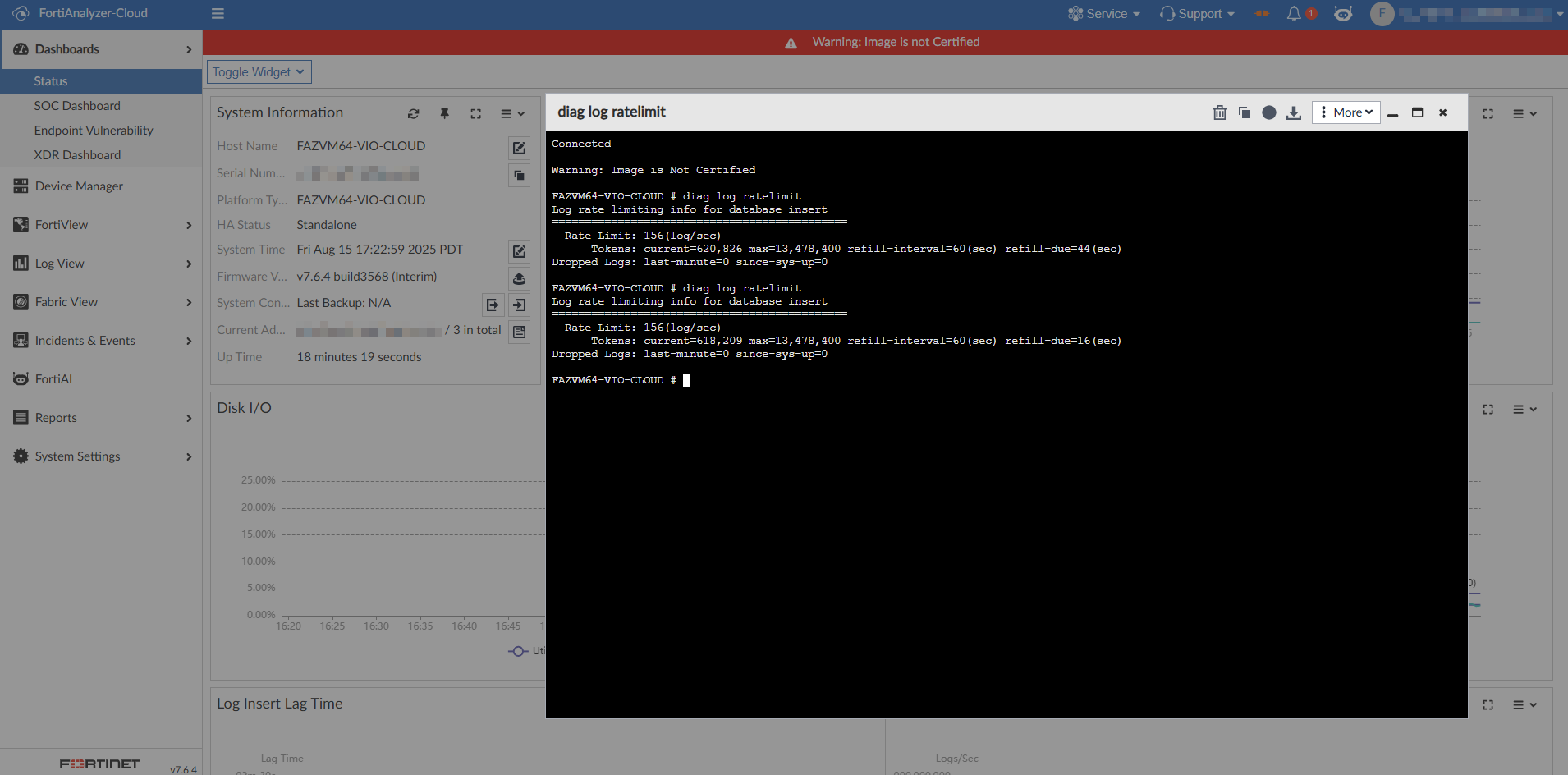
Each log received by FortiAnalyzer Cloud that is greater than or equal to the log rate limit consumes one token.
-
When the received log rate is greater than or equal to the rate limit, the current token amount will be reduced as long as logs continue to arrive in FortiAnalyzer Cloud.
In the following example, the log receiving rate is
200 logs /secwhich is greater than the log rate limit of156 logs/sec. When the token refill occurs after one minute, the number of available tokens has been reduced by 827.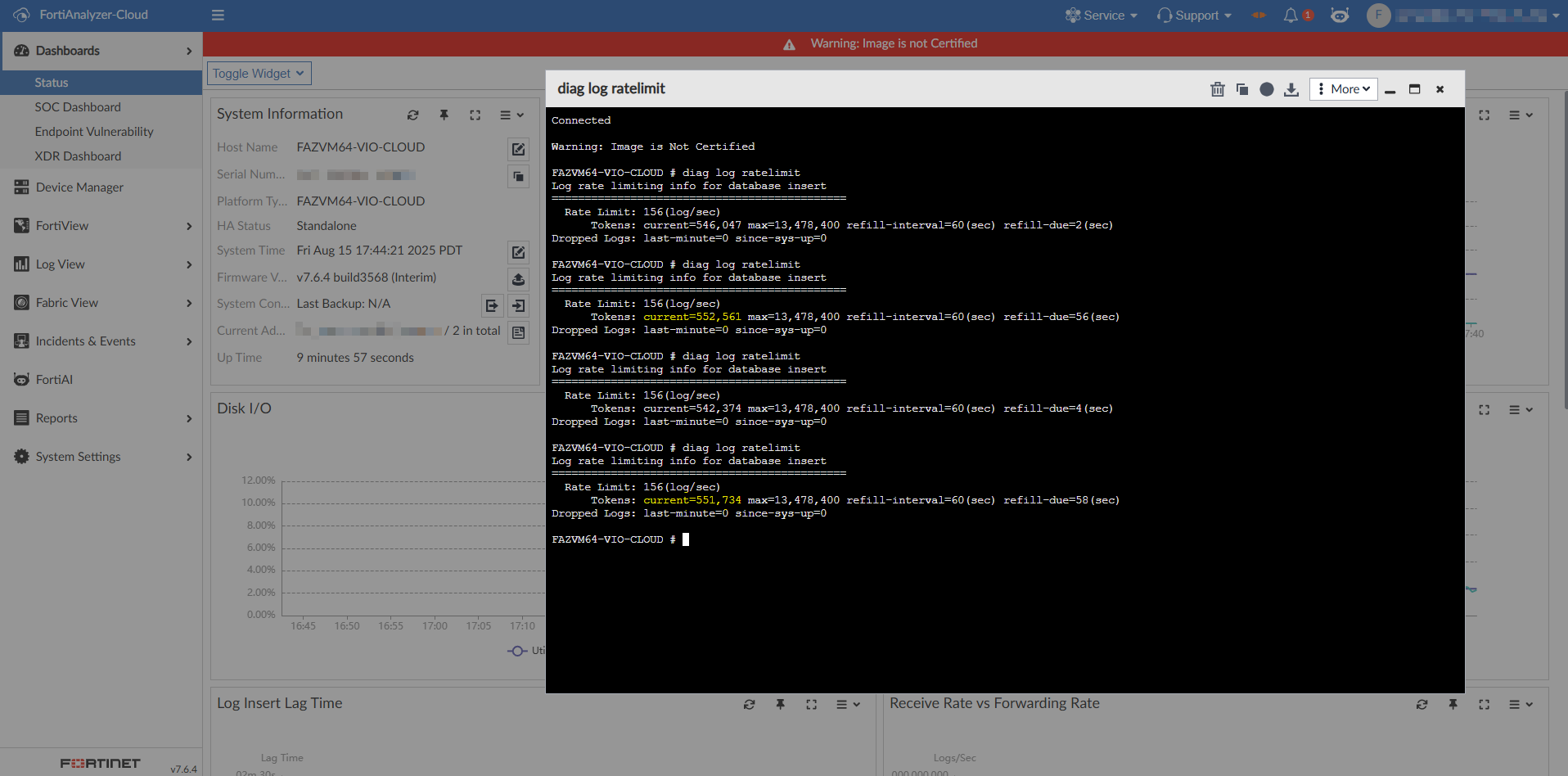
-
When the received log rate is less than the rate limit, the token refill speed is faster than the consumption speed.
In the following example, the log receiving rate is
80 logs/secwhich is less than the log rate limit of156 logs/sec. When the token refill occurs after one minute, the number of available tokens is increased by 4131.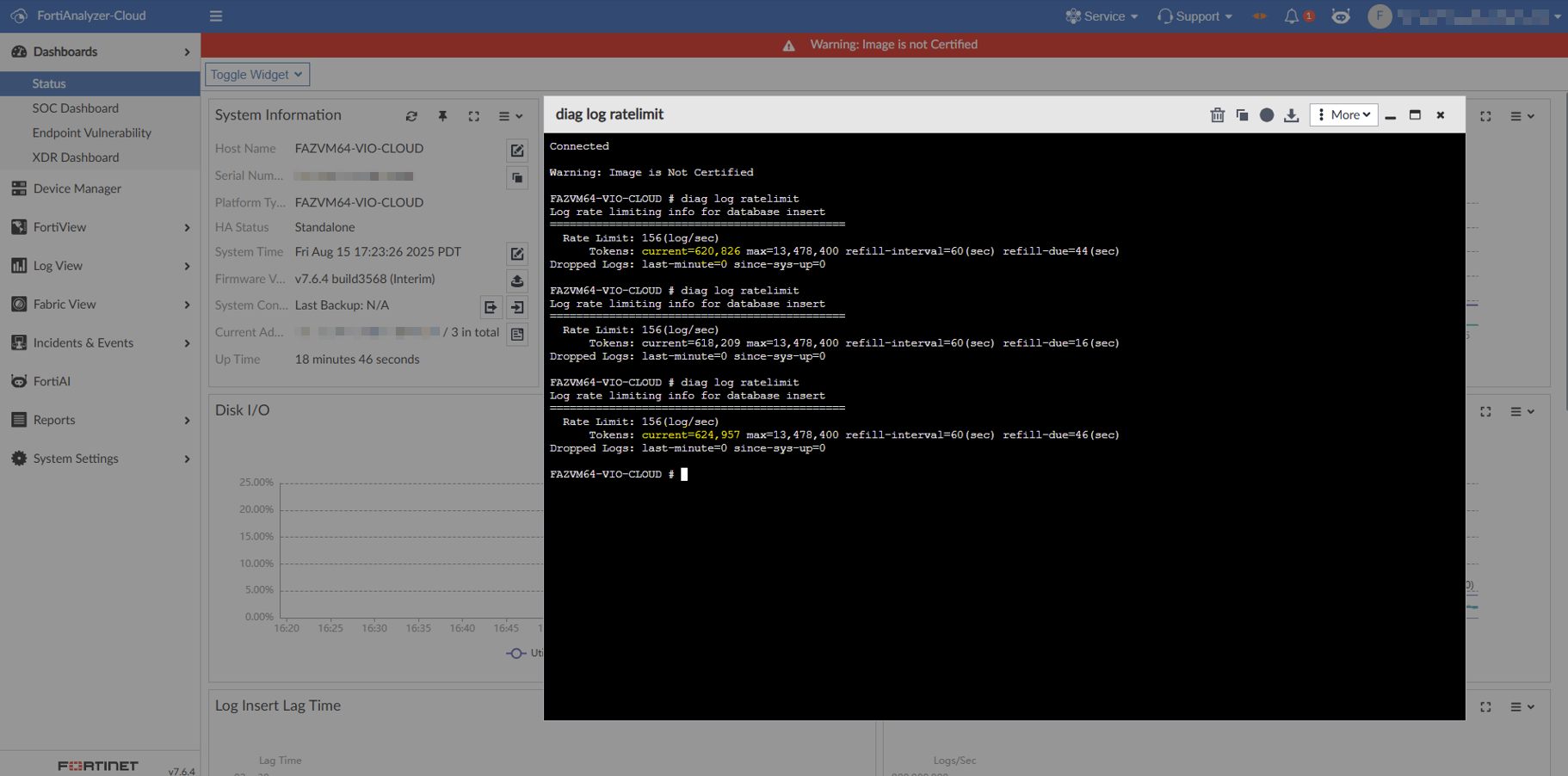
What occurs when all available tokens are consumed:
-
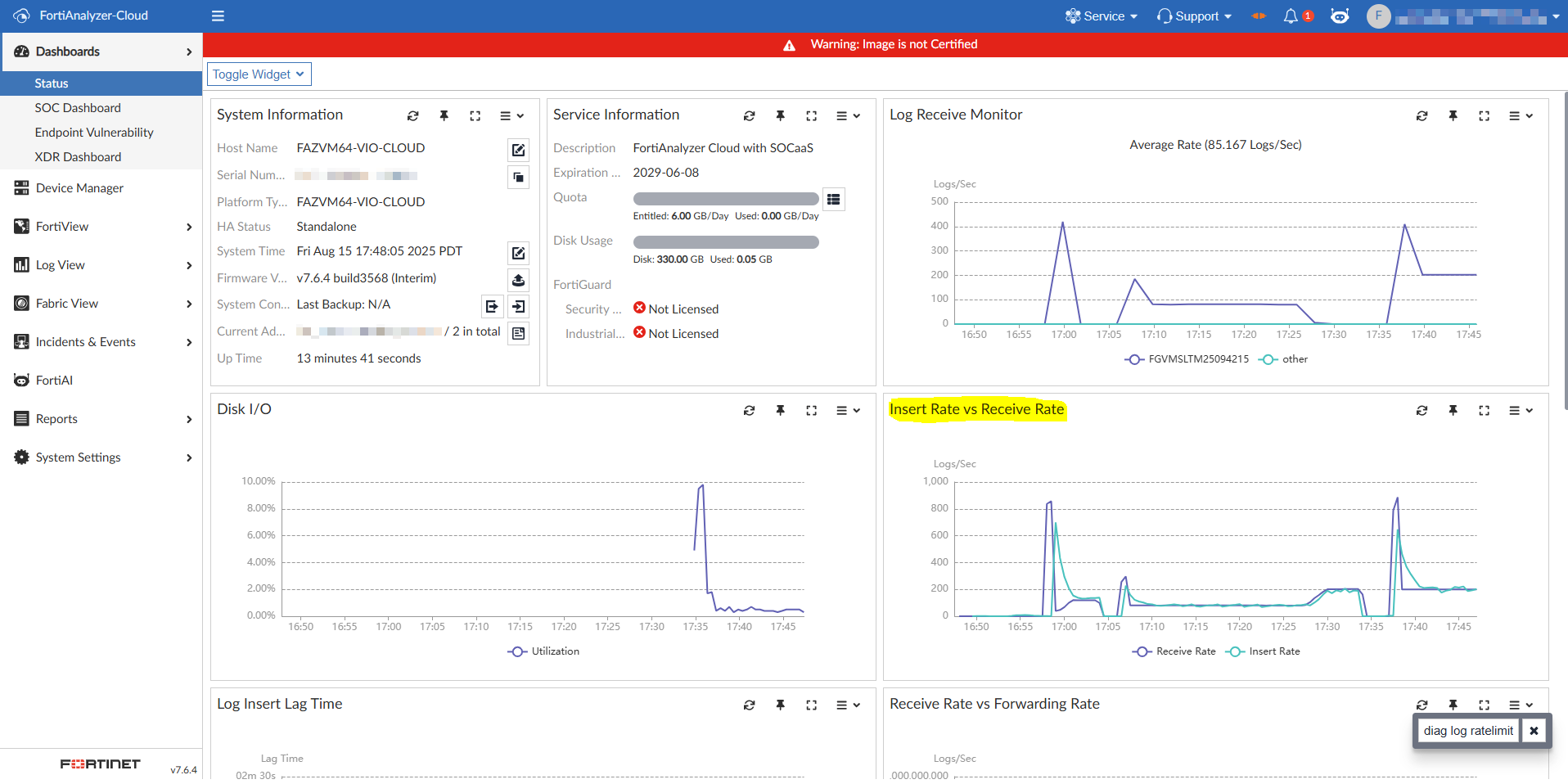
When the number of remaining tokens is greater than the received log rate, tokens are consumed and the log's insert rate will match the receive rate.
-
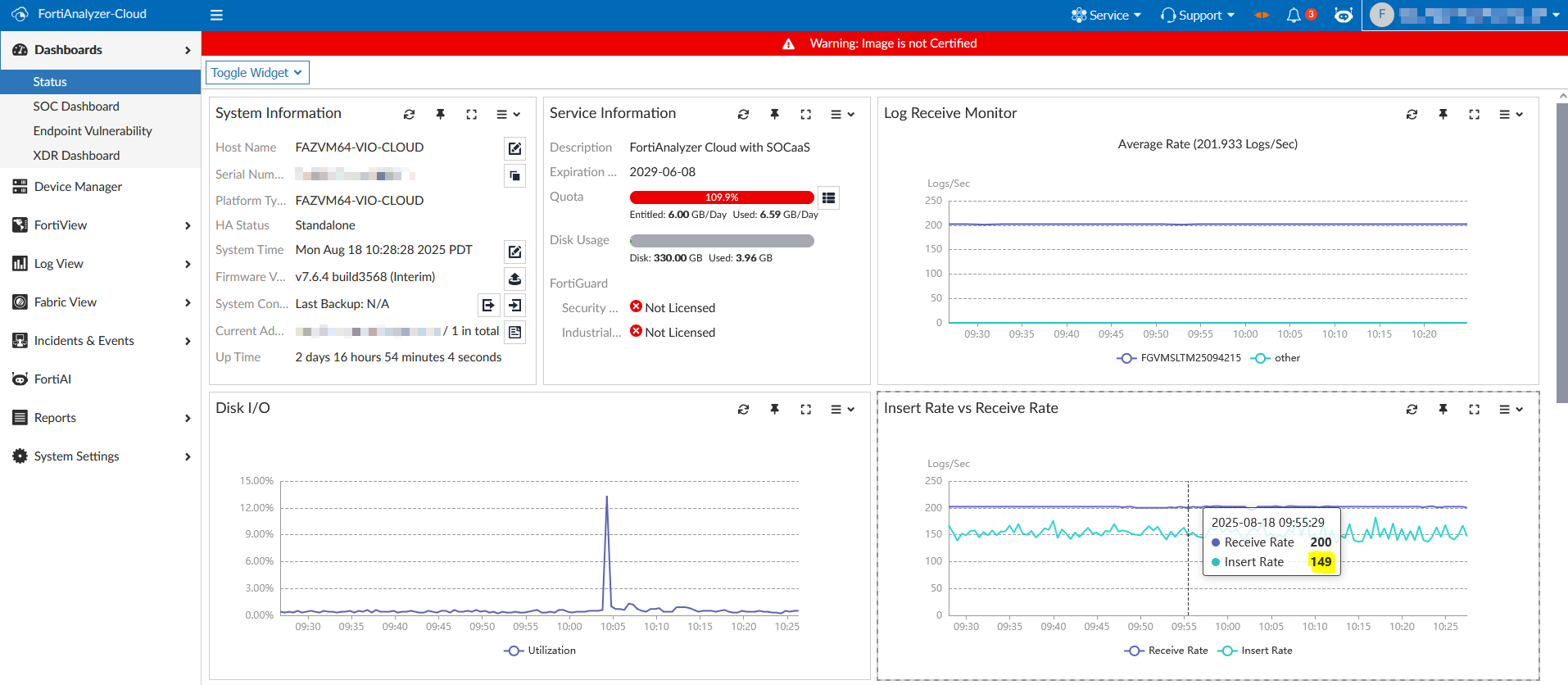
When the log receiving rate surpasses the number of remaining tokens available, the following will occur:
-
The log receive rate is unaffected but the insert rate is reduced to match the peak rate limit.
-
Additional tokens will not be consumed to ensure the token amount does not drop below 0.
-
Logs exceeding the rate limit are not inserted into the database.
-
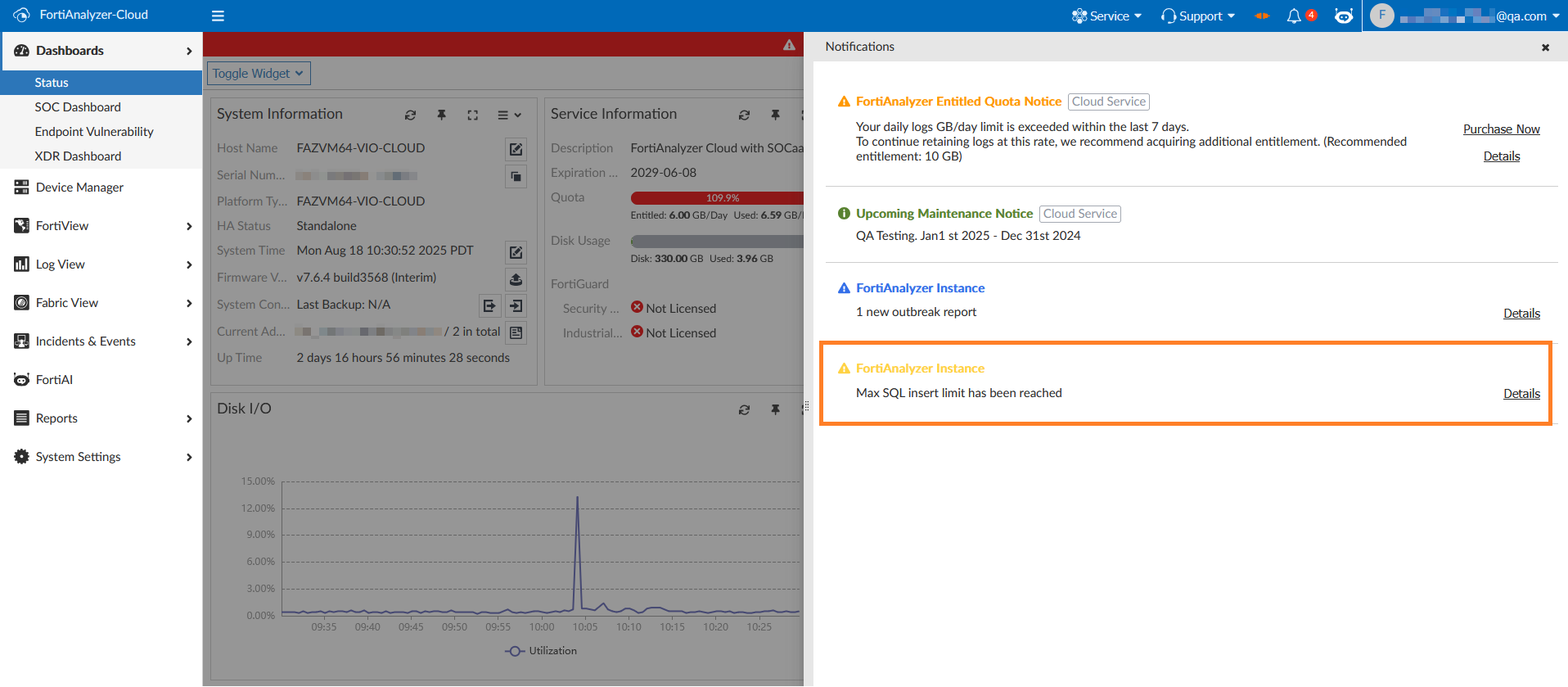
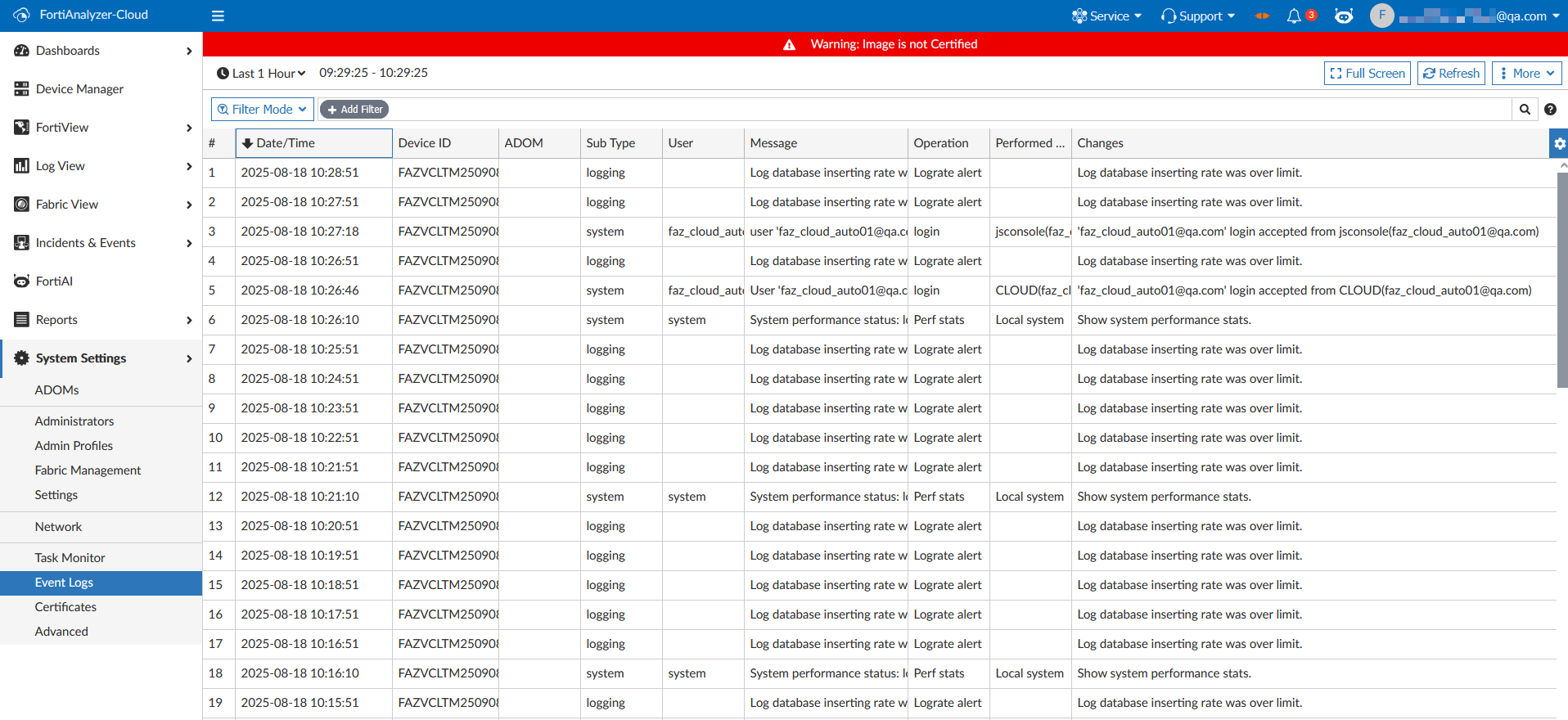
An alert is displayed in the notification drawer, and an event will be added to the event log with the message "Log database inserting rate was over limit" message.
-