Flex Entitlements
Use the Flex Entitlements page to create and manage license entitlements which are consumed via the license tokens. You can also disable compromised license entitlements or change the configuration.
You can change the entitlement scope by either editing the associated configuration or by migrating the token to another configuration. An entitlement can only be linked to a single configuration.

|
A License Token is a one-time code used to activate an instance. A new token must be re-generated if the instance needs to be re-activated. See Managing Flex Entitlements. |
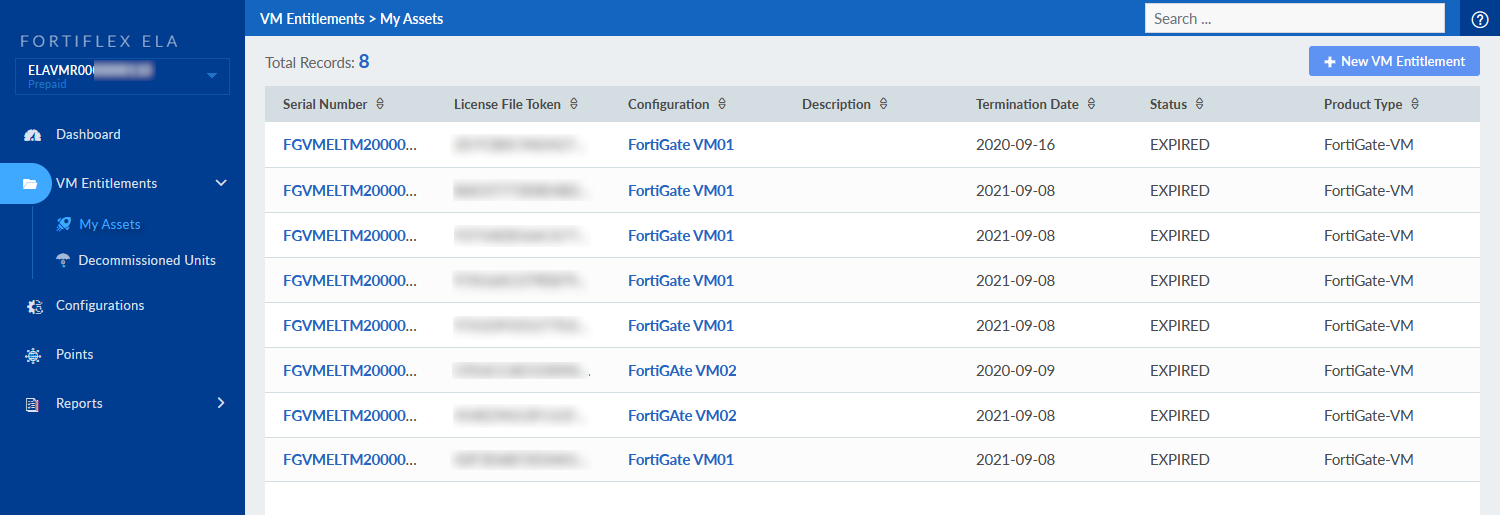
The table displays the following information:
| Serial Number | The serial numbers generated when you configure an instance. | ||
| License File Token | The available License File Tokens that can be injected into a VM to leverage consumption entitlements. | ||
| Configuration | The VM configuration assigned to the serial number. | ||
| Description | The description of the entitlement you entered when the service was created. | ||
|
Termination Date |
The expiry date for the token. The token can be stopped, edited, or reactivated. |
||
|
Status |
The status of the entitlement.
|
My Assets
The My Assets view shows the Asset Folders assigned to an entitlement. You will only see the asset folders you have permission to view. Asset folders are created in the Asset Management portal. FortiFlex only shows services inside each folder except for when creating new services. For information about creating Asset Folders in Asset Management, see Asset Management > Creating custom views.
Asset folder permissions
Asset folder permissions are assigned in the Identity & Access Management (IAM) portal. For more information about Asset Folder permissions, see Identity & Access Management (IAM) > Asset and portal permissions.

|
You can use an asset folder to request the next available serial number with the API. See Creating a license pool group. |
Decommissioned units
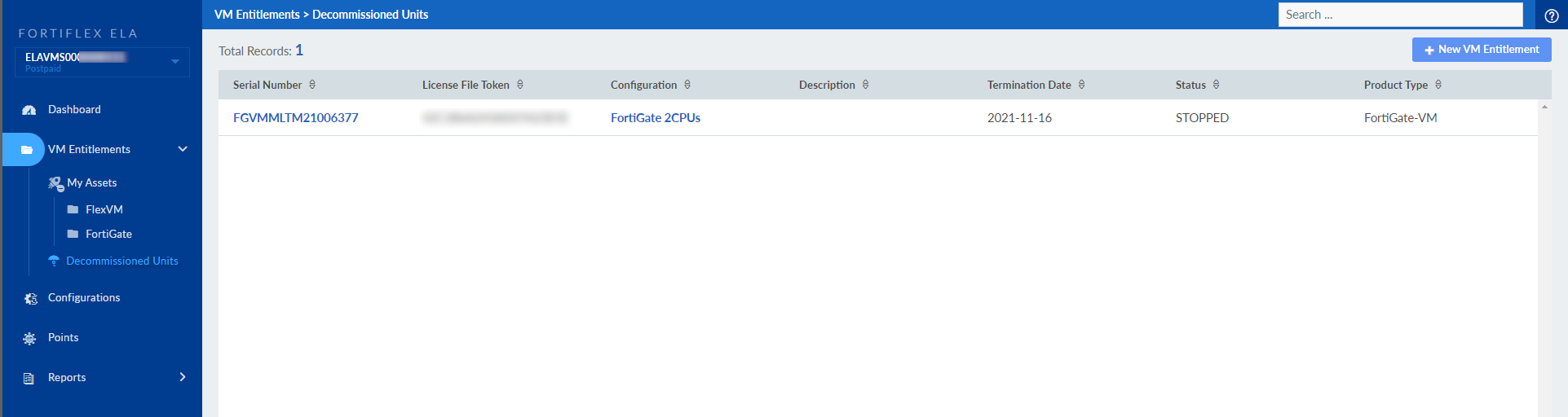
The Decommissioned Units view shows the serial numbers that were decommissioned in the Asset Management portal. When decommissioning an active serial number in the Asset Management portal, you must stop the entitlement before it can be decommissioned. Attempting to decommission the serial number while it is still active will return an error. See Managing Flex Entitlements for information on stopping entitlements.
For information about decommissioning units in Asset Management, see Asset Management > Viewing decommissioned units.