waf grpc-security rule
Use this command to configure gRPC related settings.
To use this command, your administrator account’s access control profile must have either w or rw permission to the wafgrp area. For details, see Permissions.
Syntax
config waf grpc-security rule
set host-status {enable | disable}
set host <host_str>
set url <url_str>
set rate-limit <int>
set size-limit <int>
set action {alert | deny_no_log | alert_deny | block-period}
set severity {High | Medium | Low | Info}
set replace-response {enable | disable}
set trigger <trigger-policy_name>
next
end
|
Variable |
Description |
Default |
|---|---|---|
| Enter the WebSocket security rule name. | No default. | |
Enable to compare the WebSocket security rule to the Host: field in the HTTP header. |
No default. | |
| Select the IP address or fully qualified domain name (FQDN) of the
protected host to which this rule applies. This option is available only if Host Status is enabled. |
No default. | |
|
The URL of the gPRC API request you want to protect. You can enter the literal URL, such as |
No default. | |
| idl-file <file_name> |
Enter the name of the IDL file you have uploaded in the gRPC IDL File tab in Web Protection > Protocol > gRPC. FortiWeb will decode the traffic according to the IDL file. |
No default. |
| rate-limit <int> |
Specify the maximum number of messages within a gRPC API request. |
20 |
| size-limit <int> |
Specify the maximum size of each message body in a gRPC API request. |
4194303 |
| req-message-name <string> |
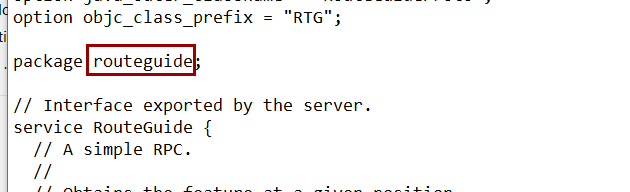
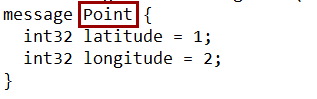
The name of message in the gRPC API request. FortiWeb will apply this gRPC security rule to the matched message. The format should be "<package_name>.<message_name>", for example
|
No default. |
| rsp-message-name <string> |
The name of message in the gRPC API response. FortiWeb will apply this gRPC security rule to the matched message. Refer to |
No default. |
|
Select which action the FortiWeb appliance will take when it detects a
violation. block-period—Block subsequent requests from the client for a number of seconds. Also configure waf grpc-security rule. |
Alert
|
|
|
If |
600 |
|
| severity {High | Medium | Low | Info} |
Select the severity level to use in logs and reports generated when a violation of the rule occurs. |
medium |
|
For gRPC API traffic, FortiWeb now supports obscuring sensitive data in server's response if it matches the Information Disclosure and Personally Identifiable Information signatures. FortiWeb will detect any sensitive data in the back-end server's response and replace it with "xxx". Please note that to make this function work, ensure that the Action for Information Disclosure and Personally Identifiable Information has been set to Erase or Erase & Alert in Web Protection > Known Attacks > Signatures. |
disable |
|
| trigger <trigger-policy_name> |
Enter the name of the trigger to apply when this rule is violated (see log trigger-policy). The maximum length is 63 characters. To display the list of existing trigger policies, enter:
|
No default. |