
Fortinet white logo
Fortinet white logo

Usage, limits, and quotas

Usage, limits, and quotas

FortiSOC licensing is based on a committed daily ingestion volume (GB/day). FortiSOC licensing also establishes a storage limit for archive and analytics data, which can be increased with service add-ons. Usage is metered, and the administrators will be notified when the quotas are exceeded.

Usage for these entitlements (daily ingestion, archive retention, and analytics retention) can be viewed from the FortiSOC portal and from with the instance in Global Settings > System > License Manager.
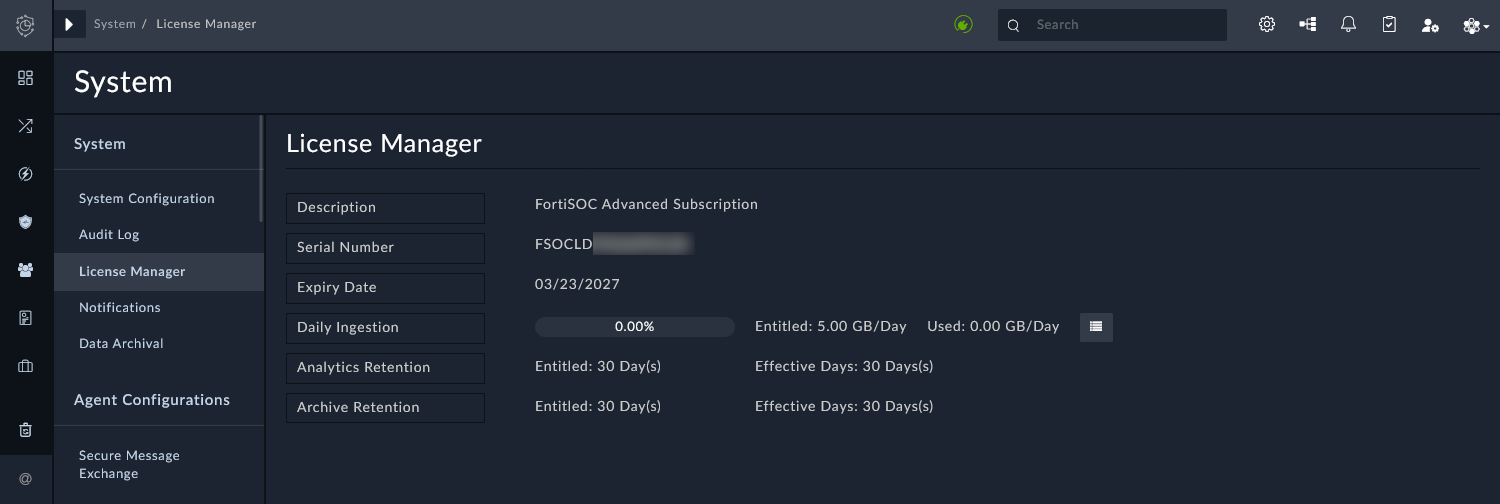
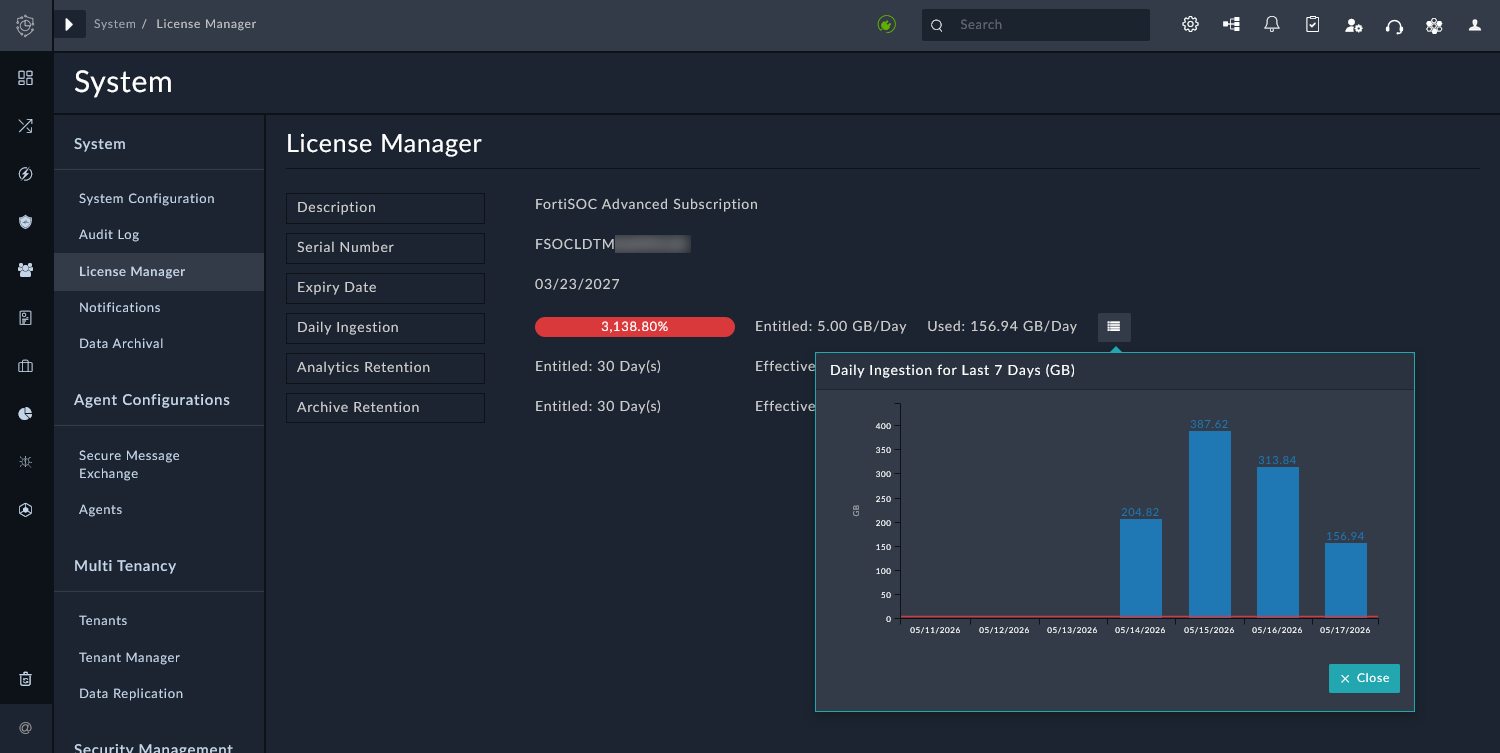
The Daily Ingestion field displays the current daily usage as well as the entitled GB/day. Click the menu icon next to this field to display the ingestion totals (GB) for the last seven days.
Exceeding the daily ingestion quota

Short-term spikes above the committed daily ingestion volume are allowed. FortiSOC does not block ingestion or analytics. A customer can send in more data than their daily GB as long as the monthly average GB/day does not exceed their subscribed GB/day. For example, if your limit is 50GB/day, you can send in 50GB * 30 days = 1.5TB of raw data. Instead, daily usage is tracked continuously, and each day exceeding the committed daily ingestion volume is recorded for billing or license adjustment reviews.

A notification is added in the FortiSOC GUI banner if the daily ingestion exceeds the licensed amount. This notification is visible for all administrators and users.

Sustained overages can be handled by adjusting the license tier or billing for the additional usage.

Usage, limits, and quotas

Usage, limits, and quotas

FortiSOC licensing is based on a committed daily ingestion volume (GB/day). FortiSOC licensing also establishes a storage limit for archive and analytics data, which can be increased with service add-ons. Usage is metered, and the administrators will be notified when the quotas are exceeded.

Usage for these entitlements (daily ingestion, archive retention, and analytics retention) can be viewed from the FortiSOC portal and from with the instance in Global Settings > System > License Manager.

The Daily Ingestion field displays the current daily usage as well as the entitled GB/day. Click the menu icon next to this field to display the ingestion totals (GB) for the last seven days.

Exceeding the daily ingestion quota

Short-term spikes above the committed daily ingestion volume are allowed. FortiSOC does not block ingestion or analytics. A customer can send in more data than their daily GB as long as the monthly average GB/day does not exceed their subscribed GB/day. For example, if your limit is 50GB/day, you can send in 50GB * 30 days = 1.5TB of raw data. Instead, daily usage is tracked continuously, and each day exceeding the committed daily ingestion volume is recorded for billing or license adjustment reviews.

A notification is added in the FortiSOC GUI banner if the daily ingestion exceeds the licensed amount. This notification is visible for all administrators and users.

Sustained overages can be handled by adjusting the license tier or billing for the additional usage.