

Why upgrade
Whether your current version is reaching end of support (see Fortinet Product Life Cycle) or you need to stay ahead of potential security threats, upgrading your FortiOS is a straightforward way to get the most from your Fortinet products.
End of support
Each FortiOS software release goes through several phases in its life cycle. You can find information about the Fortinet Product Life Cycle, as well as the schedule. In short:
General availability > End of Engineering Support (EOES) > End of Support (EOS)

|
When a software version goes to End of Support, Fortinet will not sell, manufacture, or improve the product or provide support services. When your software reaches EOS, it is recommended to upgrade to a major or minor software version that is still in a supported life cycle phase. |
Check whether your FortiGate is running an EOS FortiOS version
Once a FortiOS version reaches EOS, Fortinet stops releasing updates and providing support, leaving your network vulnerable and potentially non-compliant.
You can use your FortiCare/FortiCloud account to check whether your FortiGate is running an EOS version. Alternately, you can log in to FortiGate, check the firmware version, and then check the version against the Fortinet Product Life Cycle.
To check if your FortiGate is running an EOS version:
-
Log in to FortiCloud.
-
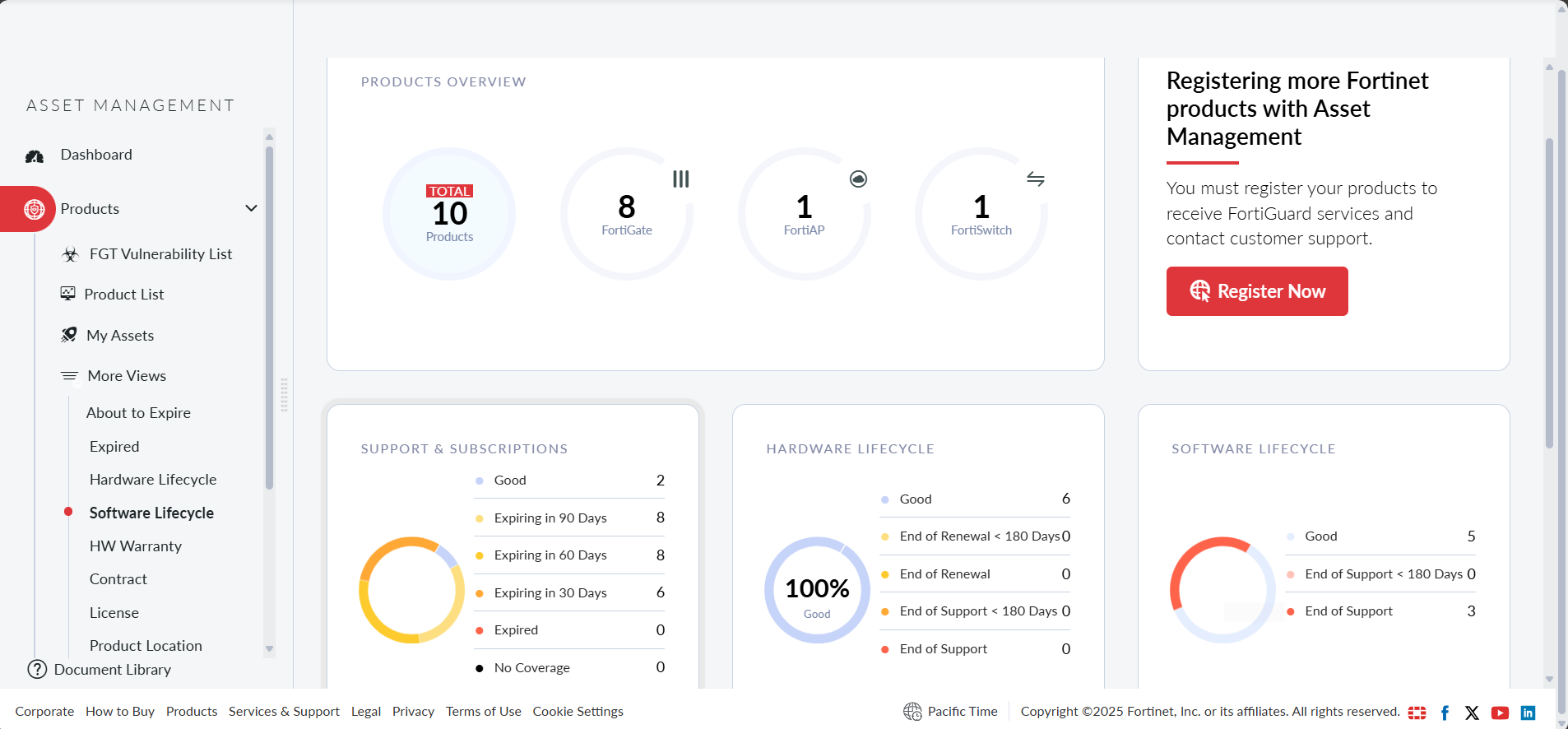
Go to Asset Management > Dashboard.
-
In the Software Lifecycle widget, click End of Support.
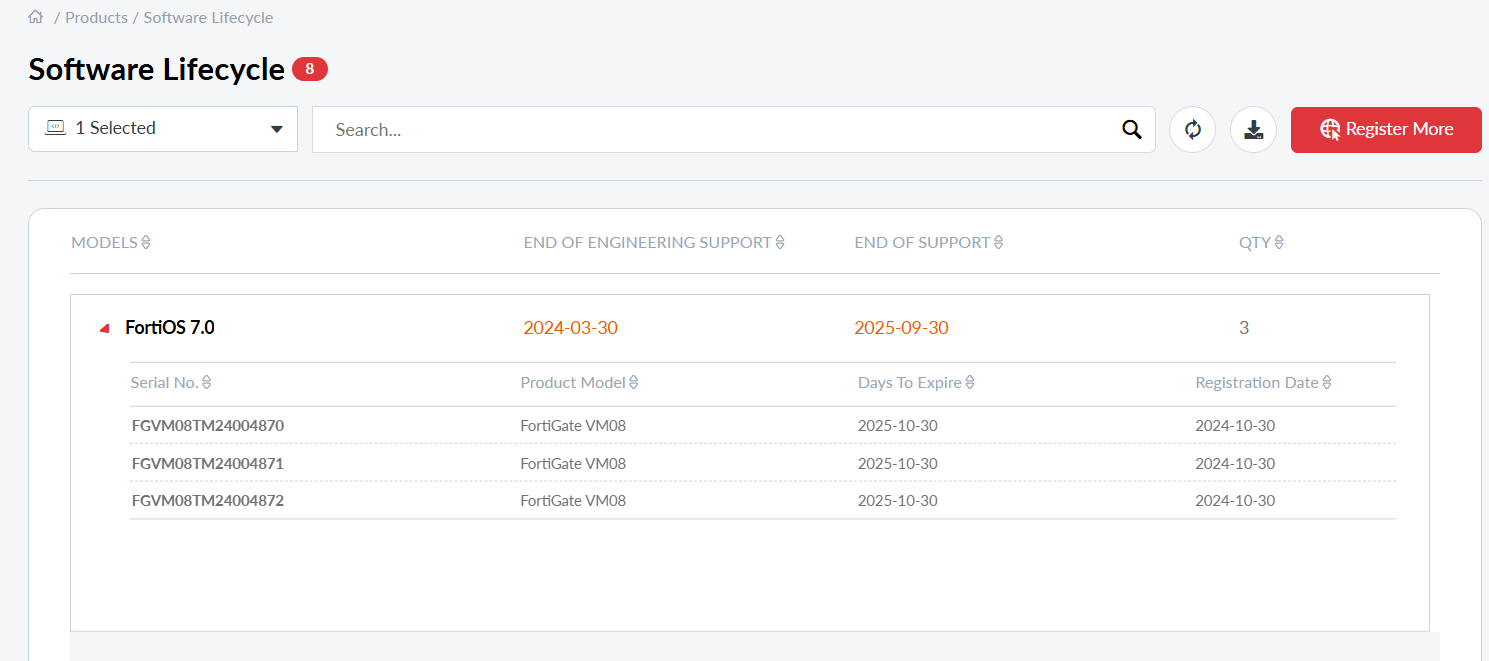
The listed FortiGates are running EOS versions and should be upgraded to a supported version.
For FortiGates that are not connected to FortiCare/FortiCloud:
-
Log in to your FortiGate device and note the current FortiOS version:
-
In the GUI, go to Dashboard > Status and in the System Information widget check the Firmware version.
-
In the CLI, enter
get system statusand check theVersion.
-
-
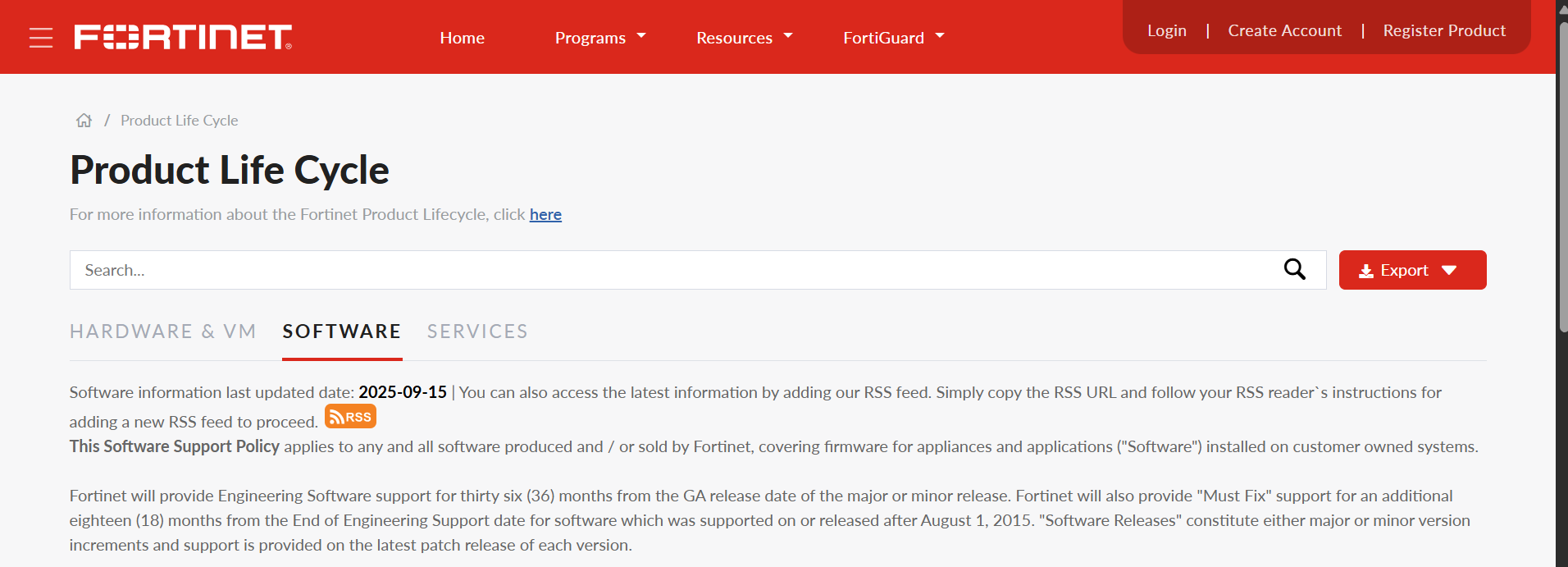
Visit the Fortinet Product Life Cycle page.
-
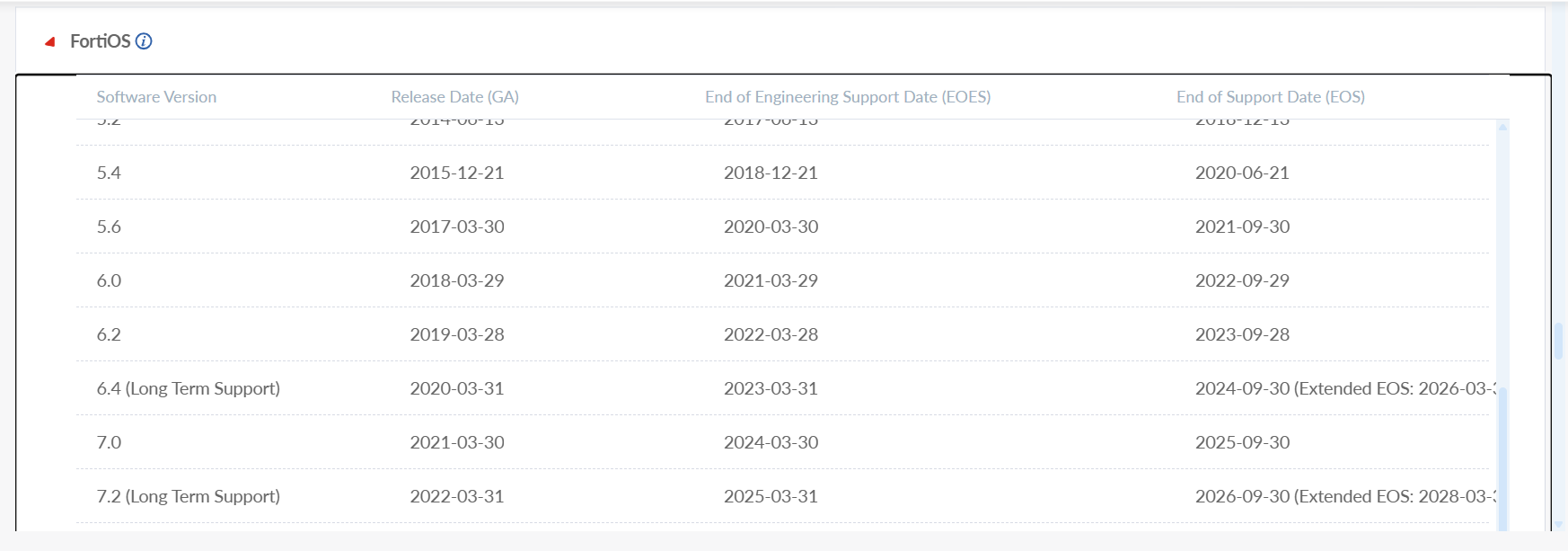
Go to the SOFTWARE tab and expand the FortiOS section.
-
If your version is listed as EOES or EOS, plan an upgrade to a supported version.
Benefits of upgrading FortiOS
-
Security: Each FortiOS release and patch contains vulnerability fixes; delaying upgrades extends exposure to known vulnerabilities.
-
Stability & Quality: Mature-tagged builds focus on fixes and hardening—ideal for production once available on your version.
-
New Capabilities: Minor/major updates deliver functional enhancements. Refer to the New feature Guide for details.
-
Compliance: Certifications such as ISO, and regulatory institutions require timely patching and updates for network security infrastructure.

|
Firmware upgrades may cause temporary outages, configuration deprecations, or changes in feature behavior. To reduce risk, always review the Release Notes, validate upgrade paths, back up configurations, and test upgrades in a lab environment before deploying. |
FortiOS version description
When upgrading your FortiOS, you can select any currently supported version as an upgrade path. FortiOS versions follow the semantic pattern X.Y.Z, where:
-
X.Y = Version (Major.Minor)
-
Z = Patch level
Example: Let’s say you're evaluating FortiOS 7.0.12:
-
Version: 7.0
-
Patch Level: 12
Each version of Fortinet firmware uses either of two tags:
-
Feature: Introduces new capabilities, bug fixes and sometimes security patches.
-
Mature: No major new features; prioritized for bug fixes and security fixes. Recommended for production environments. See Firmware maturity levels for more information.
Administrators can view both the current maturity level of their installed firmware and the available maturity levels for upgrade.
Benefits of reviewing release notes
With every FortiOS release, Fortinet provides comprehensive details in the form of release notes. Release notes include information about supported device models, special notes, upgrade information, changes to CLI, behavior or default values, and a list of known issues.
To access the release notes for a specific version, visit the FortiOS Release Notes. Hover over the desired version number to view and select the corresponding documentation.
Benefits of subscribing to security and firmware alerts
To stay informed about critical security updates, it is recommended to subscribe to Fortinet PSIRT advisories, which provide timely notifications on security vulnerabilities. For setup instructions and additional details, refer to the PSIRT Note: Fortinet PSIRT and Monthly PSIRT Advisories.
You can also receive firmware release alerts by adding Fortinet’s RSS feed to a preferred RSS reader. This ensures visibility into the latest firmware versions as they become available. For guidance on configuring RSS alerts, see Subscribe to RSS feeds for alerts on new Fortinet firmware releases.