FortiAI: Intelligent Network Assistance
FortiAI is a generative AI assistant integrated into the FortiAIOps platform. It simplifies network management by translating your natural language questions into actionable intelligence. From real-time diagnostics and performance monitoring to complex troubleshooting and step-by-step configuration help, FortiAI provides comprehensive support across your entire wireless, wired, and SD-WAN environments.
Following are some of the key capabilities of FortiAI:
-
Utilize natural language to monitor network health, identify stability issues like port flaps, troubleshoot specific client or device problems, and receive step-by-step configuration guidance using simple queries. Responses are delivered in multiple formats, including tabular data and plain text, with information pulled directly from your FortiAIOps environment.
-
Leverage a powerful AI and Machine Learning (ML) engine that ingests and analyzes data from FortiGates, FortiAPs, and FortiSwitches. FortiAI uses this information to diagnose network issues, identify potential root causes, and to suggest clear, remedial steps to accelerate resolution.
-
Continuously recalculate performance baselines and SLA thresholds for the network, client connection quality, and the Radio Frequency (RF) environment. This allows for precise, context-aware anomaly detection that adapts to network changes over time.
-
Identify network slowdowns, throughput bottlenecks, and potential configuration issues to maximize network uptime. The mean time to diagnose and resolve issues is greatly reduced, freeing up critical administrative resources.
|
|
In this release, FortiAI is available to all customers as a Beta feature and includes a grant of 5 million tokens for use. |
This section includes the following topics:
Accessing FortiAI
Note: FortiAI requires an active internet connection and a valid DNS configuration to function correctly.
Click the FortiAI icon located in the FortiAIOps GUI banner to open the assistant pane.
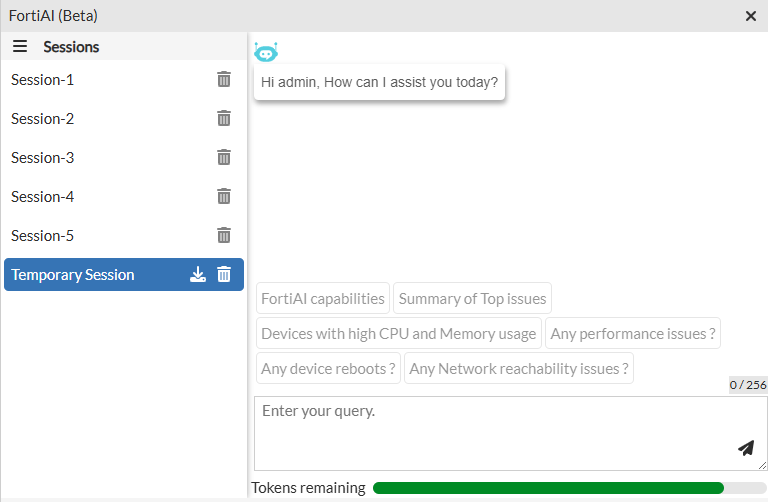
Note: If you log out, close, or reload your session, you will not be able to continue your current thread in the Temporary Session. History is retained in the other sessions.
FortiAI Capabilities
The capabilities of FortiAI in FortiAIOps can be categorized into the following areas:
| Category | Description |
|---|---|
| Wireless Troubleshooting | Monitor access point health (power, CPU, performance), troubleshoot specific client connectivity issues, and analyze the RF environment for interference. |
| Wired Network Diagnostics | Diagnose physical layer issues such as port flaps, down ports, and cable faults, while also monitoring overall switch bandwidth and throughput performance. |
| SD-WAN Health | Track real-time SD-WAN health by identifying top issues, overlay failures, interface performance degradation, and recent SLA health check breaches. |
| Configuration and Task Support | Receive instructions for common administrative tasks, and platform configuration. |
FortiAI Pane
The FortiAI pane includes the following:
|
Section |
Description |
|---|---|
| Sessions | Continuous conversation that maintains context, allowing you to ask follow-up questions about previously discussed information until the session ends by logging out, closing the window, or reloading. |
| Thread | A chronological record of prompts and responses within a single session of the FortiAI assistant. |
| Prompt |
An instruction or question you provide to the FortiAI assistant. It can be a query that you type yourself, or a pre-defined suggestion that you select to request common information or actions. |
| Token remaining | Displays your current token usage out of your total allotment. |
FortiAI Example Tasks
The following are some example tasks that can be performed using the FortiAI assistant:
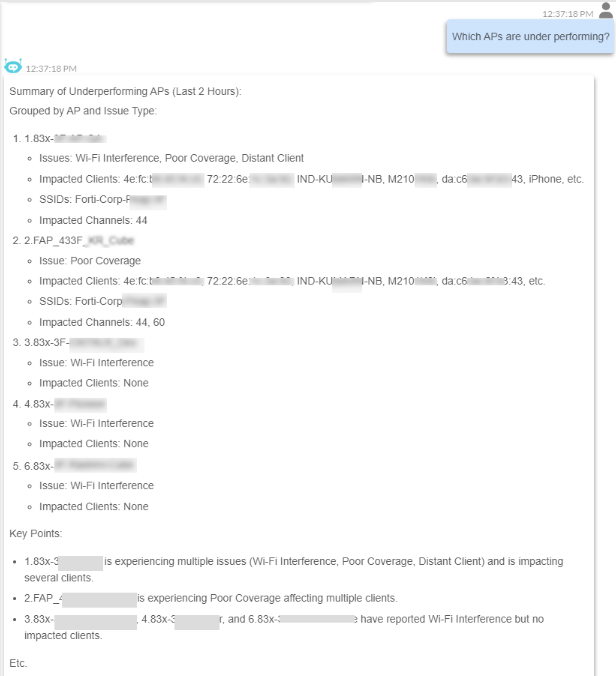
Example 1: Finding under performing Access Points
Use FortiAI to identify which active Access Points (APs) are causing a poor user experience.
FortiAI analyzes a wide range of performance metrics for every AP and compares them against a performance baseline. It then flags any AP that deviates significantly from these healthy norms.
Prompt: Which APs are under performing?
Example 2: Diagnosing Device-Specific Issues
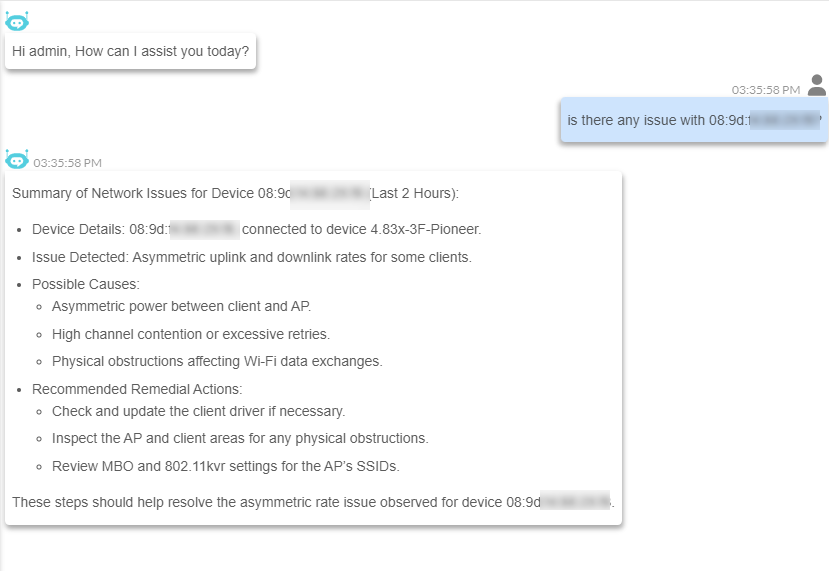
You can use FortiAI to diagnose network issues affecting a specific device. FortiAI will identify if a problem exists, provide a list of possible root causes, and recommend actionable steps to resolve the issue.
Prompt: Is there any issue with <MAC address>?
Example 3: Outage Detection and Impact Analysis
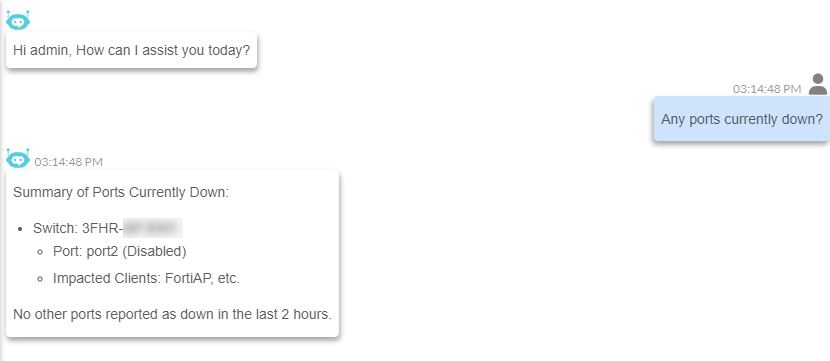
FortiAI reports when any network component such as a device, port, access point, or SD-WAN link is down. The information includes specific details of the offline component and an analysis of the impact caused by the outage.
Prompt: Are any ports currently down?
Example 4: Analyze Client Impact due to SD-WAN Performance Issue
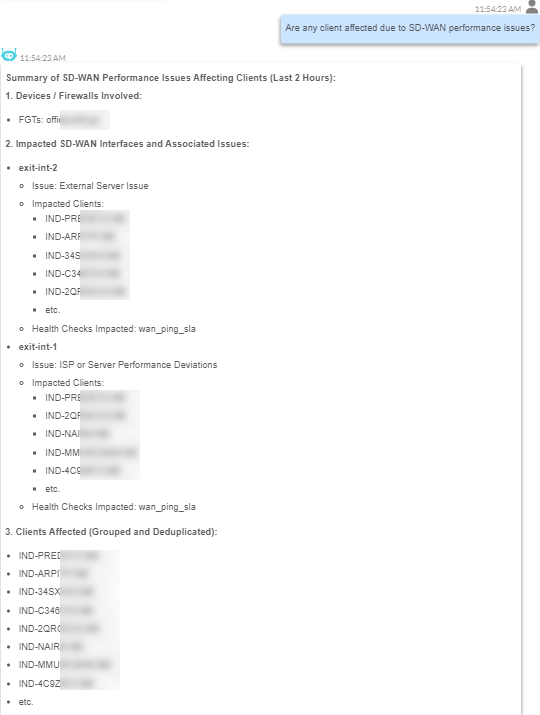
FortiAI can determine how specific SD-WAN performance issues impact clients. It reports the type of performance issue, devices impacted and the list of clients impacted by the issue. This information is grouped by the SD-WAN issue for clear, concise analysis and efficient troubleshooting.
Prompt: Are any clients affected due to SD-WAN performance issues?
Example 5: Assistance with Device Setup
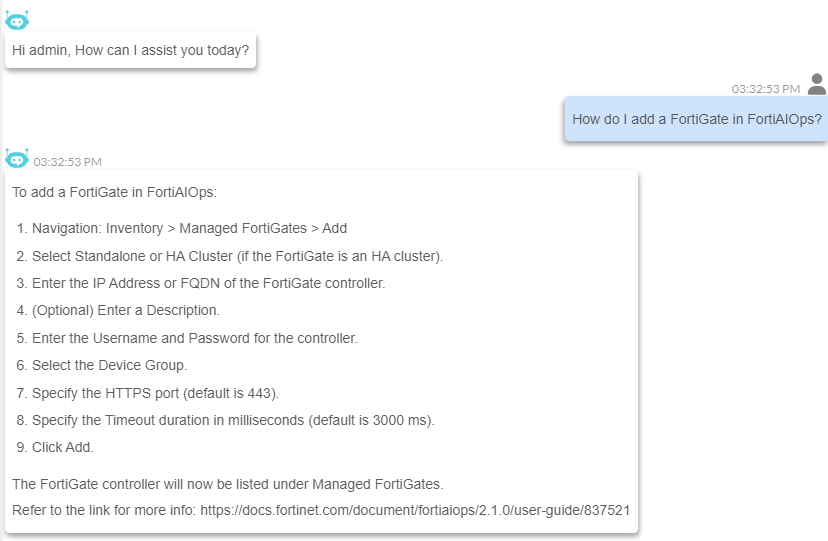
FortiAI can provide step-by-step instructions for adding a device, sourcing this information directly from the FortiAIOps documentation. It lists all the necessary steps and includes a link to the relevant documentation for further details.
Prompt: How do I add a FortiGate in FortiAIOps?
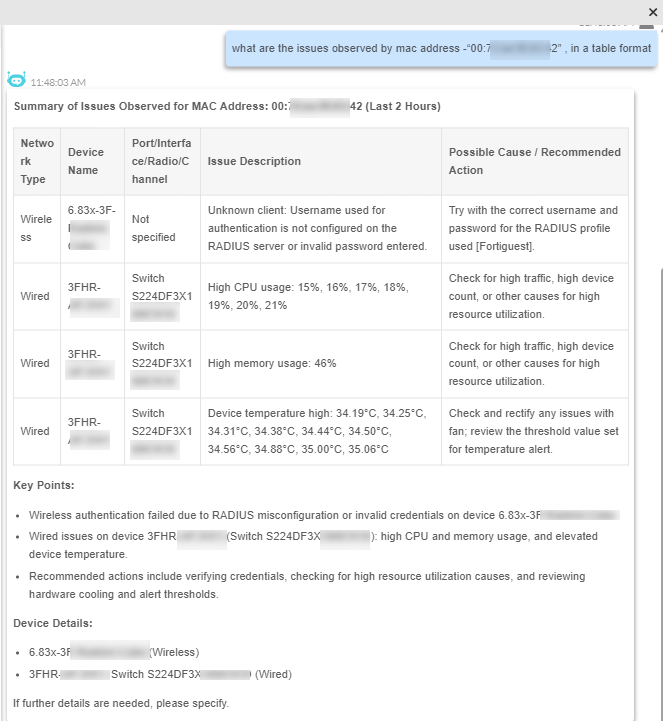
Example 6: Tabular Format Display
FortiAI can provide the necessary details and analysis in a table format for easier handling of data. The complex network data is presented in a more user-friendly that minimizes effort and maximizes understanding of the information.
Prompt: What are the issues observed by mac address <IP address> in a table format?