

Deployment overview
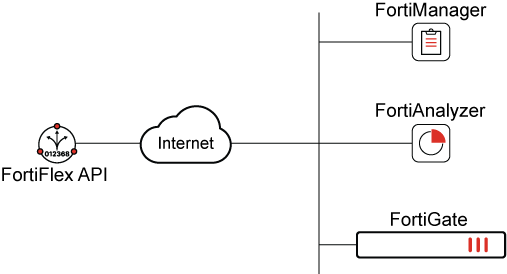
The FortiFlex API fully automates program management operations, such as creating and managing configurations and entitlements. Direct access to the FortiFlex API is ideal for scripts and cloud orchestration platforms and can be directly interacted with by using an API toolkit solution, such as Postman. By leveraging FortiManager's FortiFlex connector along with the FortiFlex API, a FortiGate VM entitlement can be deployed.
In this document, deployment procedure to create FortiGate, FortiManager, and FortiAnalyzer configurations and entitlements using the FortiFlex API are discussed. Readers will be introduced to the available features of FortiFlex API and automation. Guidance is then provided on injecting the entitlement tokens in the CLI to successfully license the devices for further deployment of the FortiGate VM in FortiManager.
For more information on FortiFlex automation, see the FortiFlex Automation and API Brief.
Intended audience
This guide assumes the reader has a good understanding of FortiFlex and FortiCloud Services, including at least a high-level knowledge of FortiFlex deployment procedures and FortiCloud account permissions. For FortiFlex API implementation, the reader should have a working knowledge of Postman and understanding of JSON API calls, request body components, and responses.
About this guide
This deployment guide serves the purpose of going through connecting the FortiFlex API with Postman and performing standard FortiFlex API procedures, including creating configurations and entitlements without the use of the FortiFlex portal UI.