Fortinet white logo
Fortinet white logo

Examples

Creating targets

Creating targets

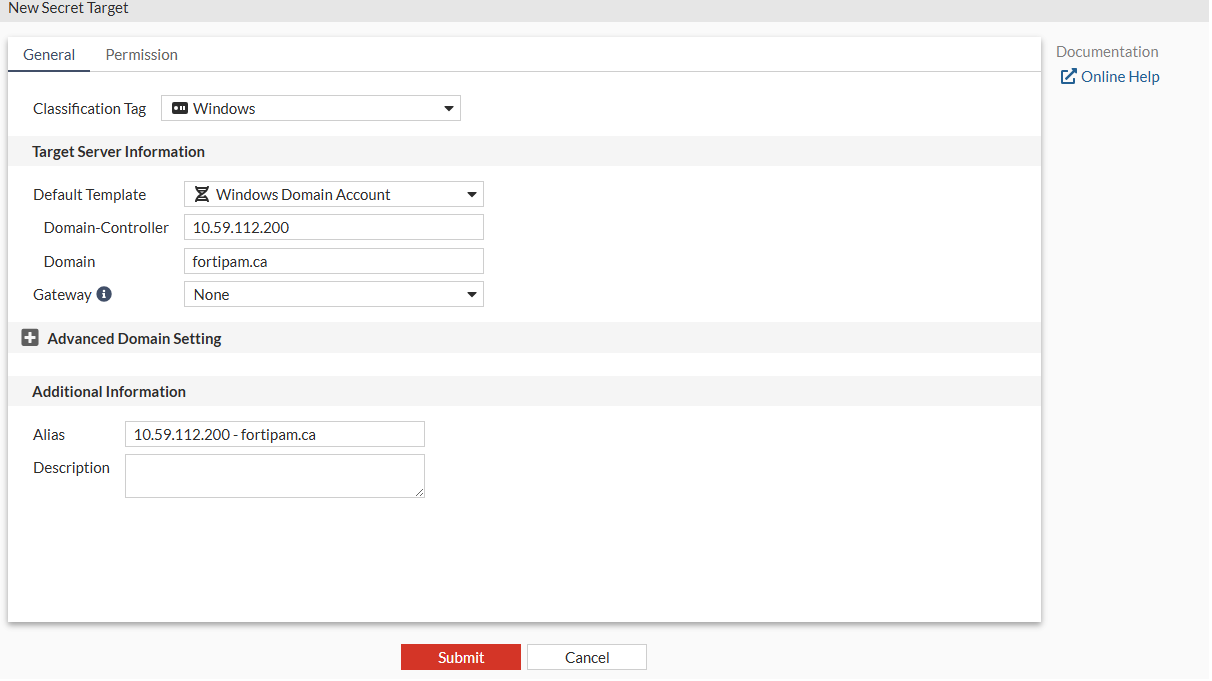
We create three targets: one for the AD server and another two for PCs in the domain control.

To create a Windows Domain Account target:
  1. Go to Secrets > Targets.
  2. Select +Create.

    The New Secret Target window opens to the General tab.

  3. In Classification Tag, select a classification tag.
  4. In Default Template, select Windows Domain Account.
  5. In Domain-Controller, enter the DC IP address.
  6. In Domain, enter the domain.
    1. Click Submit.

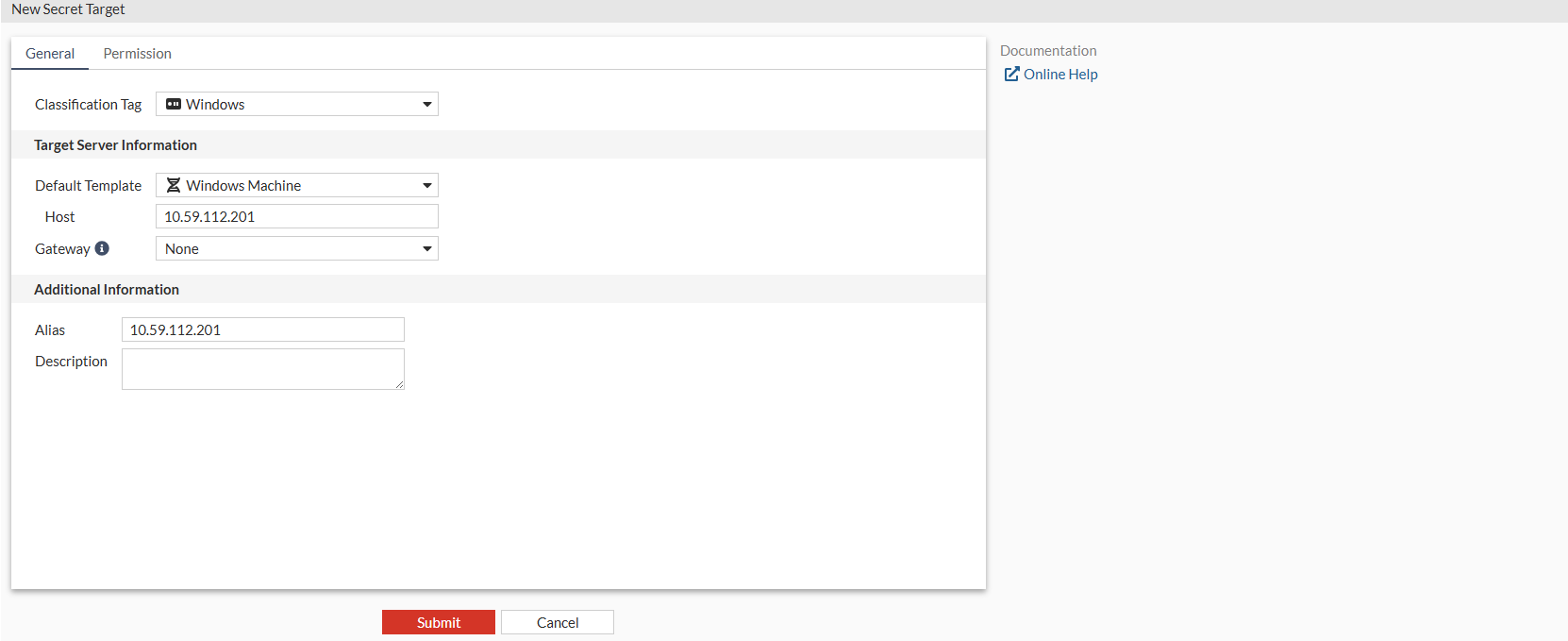
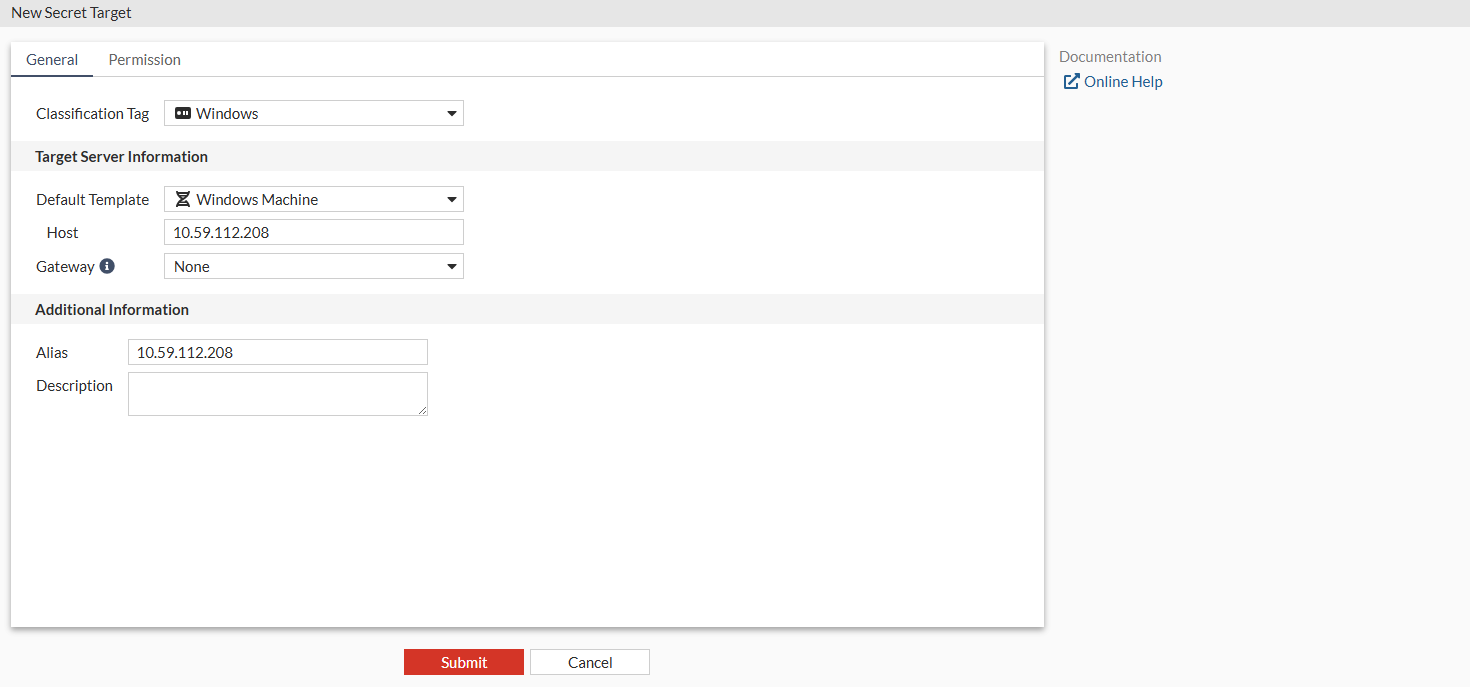
      Similarly, create two more targets for the Windows PCs in the 10.59.112.200 domain: 10.59.112.201 and 10.59.112.208 using the Windows Machine default secret template.

      • Windows PC- 10.59.112.201

      • Windows PC- 10.59.112.208

Creating targets

Creating targets

We create three targets: one for the AD server and another two for PCs in the domain control.

To create a Windows Domain Account target:
  1. Go to Secrets > Targets.
  2. Select +Create.

    The New Secret Target window opens to the General tab.

  3. In Classification Tag, select a classification tag.
  4. In Default Template, select Windows Domain Account.
  5. In Domain-Controller, enter the DC IP address.
  6. In Domain, enter the domain.
    1. Click Submit.

      Similarly, create two more targets for the Windows PCs in the 10.59.112.200 domain: 10.59.112.201 and 10.59.112.208 using the Windows Machine default secret template.

      • Windows PC- 10.59.112.201

      • Windows PC- 10.59.112.208